


საგადასახადო ფორმები
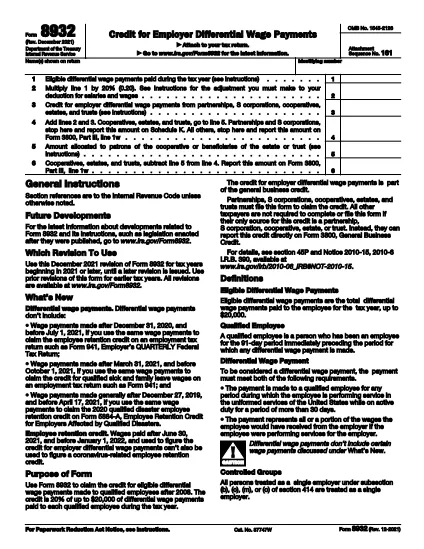
IRS Form 8932 არის ერთ-ერთი საგადასახადო ფორმა, რომელიც არის დოკუმენტები, რომლებიც გამოიყენება ფიზიკური ან ბიზნესის შემოსავლების, გამოქვითვებისა და საგადასახადო ვალდებულებების შესახებ ინფორმაციის შესატყობინებლად შესაბამის საგადასახადო ორგანოში. ეს ფორმები აუცილებელია საგადასახადო კანონმდებლობის შესასრულებლად და საგადასახადო ვალდებულებების შესასრულებლად. საგადასახადო ფორმები განსხვავდება ქვეყნის და კონკრეტული საგადასახადო მოთხოვნების მიხედვით. აქ მოცემულია საგადასახადო ფორმების რამდენიმე ტიპი:
ინდივიდუალური საგადასახადო ფორმები: ამ ფორმებს იყენებენ ცალკეული გადასახადის გადამხდელები თავიანთი პირადი შემოსავლის დასაფიქსირებლად და გამოქვითვების, კრედიტებისა და გათავისუფლებების მოთხოვნით. მაგალითებია 1040 ფორმა შეერთებულ შტატებში ან თვითშეფასების საგადასახადო დეკლარაციის ფორმა გაერთიანებულ სამეფოში.
ბიზნესის საგადასახადო ფორმები: ბიზნესის საგადასახადო ფორმებს იყენებენ კომპანიები, პარტნიორები ან თვითდასაქმებული პირები თავიანთი ბიზნესის შემოსავლების, ხარჯების და სხვა გადასახადებთან დაკავშირებული ინფორმაციის საანგარიშოდ. მაგალითები მოიცავს განრიგის C ფორმას (მოგება ან ზარალი ბიზნესიდან) შეერთებულ შტატებში ან CT600 ფორმა (კომპანიის საგადასახადო დეკლარაცია) გაერთიანებულ სამეფოში.
ხელფასის გადასახადის ფორმები: ამ ფორმებს იყენებენ დამსაქმებლები თავიანთი თანამშრომლების ხელფასიდან დაკავებული ხელფასების, ხელფასების და გადასახადების დასაფიქსირებლად. მაგალითები მოიცავს W-2 ფორმას შეერთებულ შტატებში ან P60 ფორმას გაერთიანებულ სამეფოში.
გაყიდვების საგადასახადო ფორმები: გაყიდვების გადასახადის ფორმები გამოიყენება ბიზნესის მიერ დასაბეგრი საქონლისა და მომსახურების შესახებ შეგროვებული გაყიდვების გადასახადის დასაანგარიშებლად და დასაბრუნებლად. გაყიდვების გადასახადის კონკრეტული ფორმები განსხვავდება იურისდიქციის მიხედვით.
დამატებული ღირებულების გადასახადის (დღგ) ფორმები: დღგ-ს ფორმები გამოიყენება იმ ქვეყნებში, რომლებიც აწესებენ დამატებული ღირებულების გადასახადს გაყიდვებზე შეგროვებული დღგ-ის ანგარიშგების და გასაცემად და შესყიდვებისთვის დღგ-ის კრედიტის მოთხოვნით. მაგალითები მოიცავს დღგ-ს დეკლარაციის ფორმებს, რომლებიც გამოიყენება ბევრ ქვეყანაში.
სავარაუდო საგადასახადო ფორმები: სავარაუდო საგადასახადო ფორმები გამოიყენება შემოსავლის სავარაუდო გადასახადის დასაანგარიშებლად და გადასახდელად, რომელიც არ ექვემდებარება დაკავებას, როგორიცაა თვითდასაქმებული შემოსავალი ან საინვესტიციო შემოსავალი.
ეს მხოლოდ რამდენიმე მაგალითია მრავალი საგადასახადო ფორმისა, რომელიც შეიძლება არსებობდეს. საჭირო კონკრეტული ფორმები დამოკიდებულია თქვენი ქვეყნის ან იურისდიქციის საგადასახადო კანონმდებლობასა და რეგულაციაზე. მნიშვნელოვანია გაეცნოთ საგადასახადო ორგანოს მითითებებს ან მოიძიოთ პროფესიონალური რჩევები, რათა დადგინდეს, რომელი ფორმები გამოიყენება თქვენს სიტუაციაში.