hamburger-menu icon
Აირჩიეთ ენა

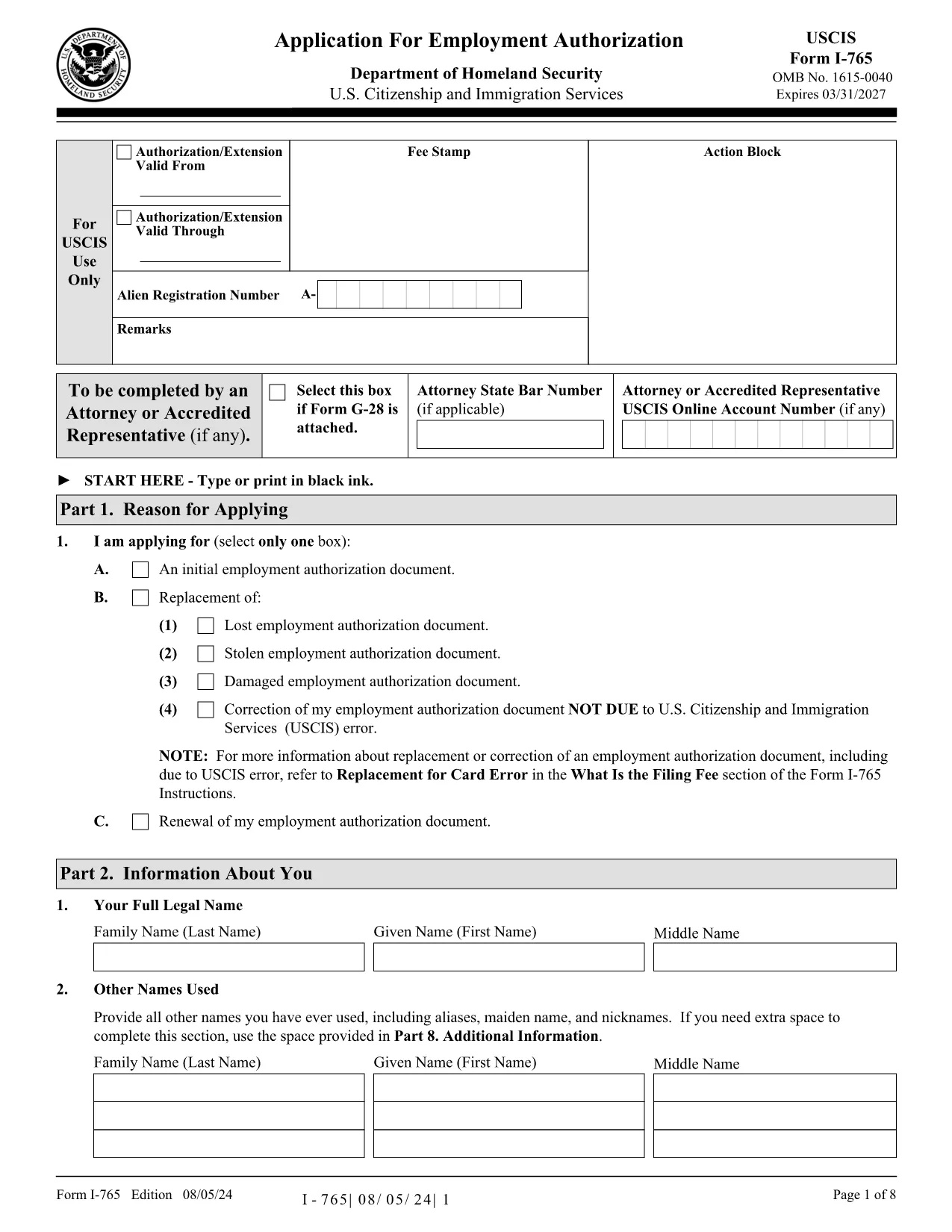
US Work Permit Application Form (I‑765) – Fillable PDF

  1. ქვეყანა აშშ
  2. Ენა ინგლისური
  3. დეპარტამენტი Department of Homeland Security
  4. აქტივობა Საიმიგრაციო
US Work Permit Application Form (I‑765) – Fillable PDF

US Work Permit Application Form (I‑765) – Fillable PDF

Looking for a quick way to complete the Application for Employment Authorization (Form I‑765)? Our page lets you open the official USCIS PDF directly in the Formize PDF Filler – no download, no printer, no extra software.

Why Use the Fillable I‑765 PDF?

The I‑765 is the gateway to a U.S. work permit for many visa categories. Using a fillable PDF saves you time, reduces errors, and lets you submit a clean, legible form. With Formize, your data is saved securely in the browser, so you can review before printing or uploading to USCIS.

How to Fill Out the Work Permit Form Online

Follow these simple steps instead of downloading the file and opening a PDF editor:

  1. Click the "Fill out this form" button on this page.
  2. Wait a few seconds while the Formize PDF Filler app loads the I‑765 document.
  3. Enter your information in the highlighted fields. The filler supports auto‑tabbing, date pickers, and dropdowns where applicable.
  4. Review every section, use the built‑in spell‑check, and click Save to store a copy on your device.
  5. When you’re ready, download the completed PDF or print it directly for mailing to USCIS.

Common Mistakes & Tips for a Successful Application

  • Incorrect USCIS fee amount: Verify the current fee on the USCIS website before submitting.
  • Missing signatures: The filler adds a signature field; remember to sign in ink after printing.
  • Mismatched passport numbers: Double‑check the numbers on your passport and any previous work permits.
  • Wrong eligibility category: Choose the correct code (e.g., (c)(9) for adjustment of status) – the form includes a helpful dropdown.
  • Incomplete supporting documents: Attach copies of your I‑94, visa, and any previous EAD cards as required.

By using the fillable PDF and following these guidelines, you’ll improve the odds of a smooth processing time.

Download the official I‑765 PDF (for reference) or click the button above to start filling it online.

FAQ
  • Is the I‑765 form available as a fillable PDF?

    Yes. The official USCIS PDF can be opened in Formize PDF Filler, which adds fillable fields for every required entry.

  • Do I need special software to use the online filler?

    No. The Formize PDF Filler runs in any modern browser (Chrome, Edge, Firefox, Safari) without extra plugins.

  • Can I submit the filled PDF directly to USCIS online?

    USCIS still requires a printed, signed copy for most filing categories. After filling, print, sign in ink, and mail it with the required fee and supporting documents.

  • What if I make a mistake after saving?

    Open the saved PDF again in Formize, edit the field, and re‑save. The original file remains unchanged until you download the new version.

  • How do I know which eligibility category (c) code to select?

    Refer to the USCIS I‑765 instructions page. The filler includes a dropdown with the most common codes and a tooltip linking to the official guidance.

  • Is my personal data safe while using Formize?

    All data stays in your browser’s memory; nothing is uploaded to external servers unless you choose to save the file locally.

  • Do I need to attach supporting documents in the PDF?

    No. Supporting documents are submitted separately with the printed form. The PDF filler only handles the I‑765 itself.

  • Can I use this form if I’m applying from outside the United States?

    Yes. The I‑765 is used by eligible non‑immigrants worldwide. Ensure you follow the specific filing instructions for your location.

ᲠᲝᲒᲝᲠ

როგორ შეავსოთ work permit application PDF უფასოდ, ონლაინ 4 მარტივი ნაბიჯებით:

  1. 1
    Click the Fill Out Button
    Press the "Fill out this form" button on the page to launch the Formize PDF Filler.
  2. 2
    Wait for the App to Load
    A short loading screen appears while the I‑765 PDF is prepared for editing.
  3. 3
    Enter Your Information
    Type directly into the highlighted fields. Use the date picker and dropdown menus for faster entry.
  4. 4
    Save, Download, or Print
    When finished, click Save to keep a copy, Download to get the completed PDF, or Print to submit a hard copy to USCIS.
PDF შემავსებლის აპლიკაციის ფორმირება
ᲨᲔᲡᲐᲮᲔᲑ

work permit application PDF შაბლონი

PDF დოკუმენტის სანახავად და შევსების ფუნქციების ტრადიციული ნაკრებით, ვებ აპლიკაციის უპირატესობებთან და საპასუხო განლაგებასთან ერთად, შეგიძლიათ შეავსოთ work permit application PDF წუთებში.

ᲛᲐᲮᲐᲡᲘᲐᲗᲔᲑᲚᲔᲑᲘ

PDF შემავსებელი

ონლაინ work permit application PDF-ის შევსების უმარტივესი გზა

  • სწრაფად შეავსეთ work permit application PDF
    ეძებთ გზას სწრაფად შეავსოთ work permit application PDF ონლაინ? ჩვენი ონლაინ უფასო PDF ფორმის შემავსებლით, თქვენ გეცოდინებათ როგორ შეცვალოთ და შეავსოთ ეს pdf დოკუმენტი ერთ წუთზე ნაკლებ დროში.
  • მარტივი გამოსაყენებელი ონლაინ PDF რედაქტორი
    მოგბეზრდათ PDF ფაილების დაბეჭდვა, რათა მათი რედაქტირება შეძლოთ, ხელახლა სკანირებამდე და უკან გაგზავნამდე? შეცვალეთ PDF დოკუმენტები უფასოდ ონლაინ. გამოიყენეთ ჩვენი ონლაინ pdf რედაქტორი დროისა და ქაღალდის დაზოგვისთვის.
  • შესანიშნავი ხელსაწყოები, ყველა პლატფორმა
    გაინტერესებთ როგორ შეავსოთ work permit application PDF Mac-ზე, ან იქნებ როგორ გამოიყენოთ PDF შემავსებელი უფასოდ? ჩვენი ონლაინ PDF ინსტრუმენტები მუშაობს ყველა პლატფორმაზე.
  • ფაილების უსაფრთხო შენახვა
    დასრულებული „work permit application PDF“ ფაილები ინახება დაცულ მონაცემთა ბაზაში, რომელსაც მართავს Amazon Cloud ჰოსტინგი. თქვენ შეგიძლიათ წაშალოთ თქვენი ფაილები ჩვენი სისტემიდან ნებისმიერ დროს. ნებისმიერ შემთხვევაში, ეს ფაილები ავტომატურად იშლება 24 საათის შემდეგ.
  • ჩატი work permit application PDF-ით
    ესაუბრეთ „work permit application PDF“-ს Chatize-ზე, რომელიც არის PDF წამკითხველის უფასო ასისტენტი. დასვით კითხვები და მიიღეთ პასუხები „work permit application PDF“-დან. უბრალოდ დააწკაპუნეთ ღილაკზე ჩატი დოკუმენტთან ზემოთ.

შევსების სესიის წაშლა

წაშალოთ არჩეული შევსების სესია? ამ შემთხვევაში, თქვენი პროგრესი ფორმის შევსებაში დაიკარგება.

რედაქტირების სესიის წაშლა

წაშალოთ არჩეული რედაქტირების სესია? ამ შემთხვევაში, თქვენი პროგრესი ფორმის შექმნასა და რედაქტირებაში დაიკარგება.