hamburger-menu icon
Აირჩიეთ ენა

RUT-50 Private Party Vehicle Use Tax Form – Printable PDF

  1. Ენა ინგლისური
  2. ქვეყანა აშშ
  3. დეპარტამენტი Illinois Department of Revenue
  4. აქტივობა Vehicle Use Tax
RUT-50 Private Party Vehicle Use Tax Form – Printable PDF

The Illinois RUT-50 is the Private Party Vehicle Use Tax Transaction form required when you purchase a vehicle from a private seller. This form calculates the tax due based on the purchase price or fair market value and must be filed within 30 days of acquiring the vehicle.

Instead of printing, printing, filling in ink, and scanning, you can complete the RUT-50 instantly online with Formize’s secure PDF filler. The fillable version is fully compatible with the official Illinois Department of Revenue requirements.

Below you’ll find everything you need to know – from eligibility and required documents to step‑by‑step instructions for completing the form without ever leaving your browser.

FAQ
  • Who must file Form RUT-50?

    Anyone who buys a motor vehicle from a private party and will use the vehicle in Illinois must file Form RUT-50 within 30 days of acquisition.

  • Can I file the RUT-50 electronically?

    Yes. You can file the form electronically through MyTax Illinois, but you still need a printable copy of the completed form for the Secretary of State’s title and registration process.

  • What if I don’t know the purchase price?

    When the purchase price isn’t stated (e.g., a gift), use the fair market value of the vehicle, which you can obtain from a licensed dealer.

  • Are trade‑in allowances allowed on the RUT-50?

    No. Trade‑in allowances are not permitted on Form RUT-50; the full purchase price or fair market value must be reported.

  • How do I correct a mistake after filing?

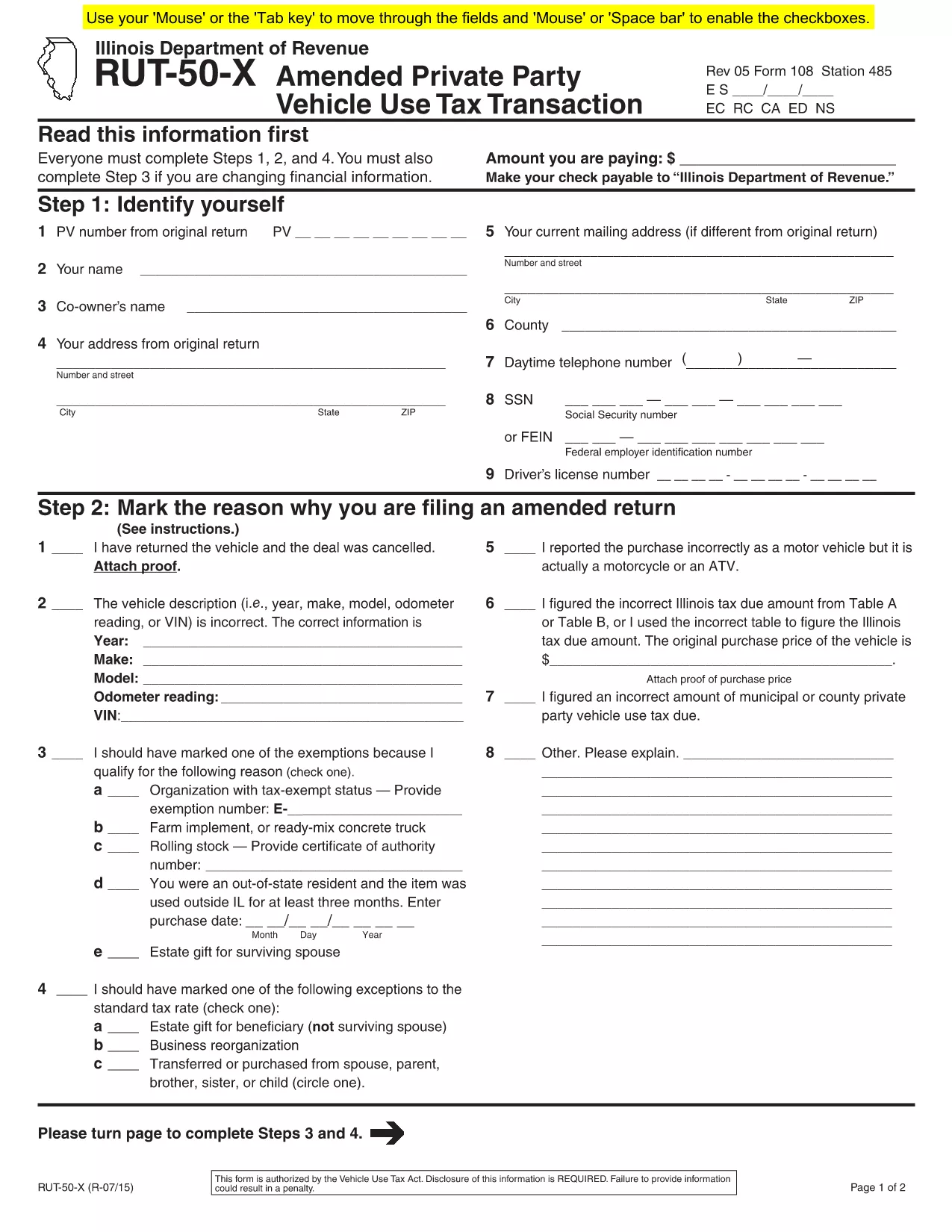
    If you need to amend the form, file Form RUT-50‑X (Amended Private Party Vehicle Use Tax Transaction) on paper; there is no electronic amendment process.

  • Do I need to attach a bill of sale?

    Attaching a copy of the bill of sale or proof of purchase is recommended to avoid future notices from the Department of Revenue.

  • Is there a fee to use Formize’s PDF filler?

    Formize offers a free fillable version for the RUT-50. No additional fees are charged for completing or downloading the PDF.

  • Where do I submit the completed RUT-50?

    Submit the printed copy to the Illinois Secretary of State when you apply for a title and license plates. Keep a copy for your records.

ᲠᲝᲒᲝᲠ

როგორ შეავსოთ RUT-50 PDF უფასოდ, ონლაინ 7 მარტივი ნაბიჯებით:

  1. 1
    Open the Fillable Form
    Click the “Fill out this form” button on this page. The Formize PDF Filler app will load in a new tab.
  2. 2
    Enter Purchaser Information
    Type the buyer’s name, address, driver’s license number, and SSN or FEIN into the highlighted fields.
  3. 3
    Enter Seller Information
    Provide the seller’s name, phone number, and address exactly as they appear on the bill of sale.
  4. 4
    Describe the Vehicle
    Fill in the VIN, year, make, model, odometer reading, and purchase price (or fair market value for gifts).
  5. 5
    Select Exemptions or Exceptions (if any)
    Check the appropriate box for exemptions or special situations and enter the required dollar amount.
  6. 6
    Review & Submit
    Double‑check all entries, then click the “Submit” button. The completed PDF will be generated automatically.
  7. 7
    Print or Save
    Download the finished PDF, print a hard copy for the Illinois Secretary of State, or save it for your records.
PDF შემავსებლის აპლიკაციის ფორმირება
ᲨᲔᲡᲐᲮᲔᲑ

RUT-50 PDF შაბლონი

PDF დოკუმენტის სანახავად და შევსების ფუნქციების ტრადიციული ნაკრებით, ვებ აპლიკაციის უპირატესობებთან და საპასუხო განლაგებასთან ერთად, შეგიძლიათ შეავსოთ RUT-50 PDF წუთებში.

ᲛᲐᲮᲐᲡᲘᲐᲗᲔᲑᲚᲔᲑᲘ

PDF შემავსებელი

ონლაინ RUT-50 PDF-ის შევსების უმარტივესი გზა

  • სწრაფად შეავსეთ RUT-50 PDF
    ეძებთ გზას სწრაფად შეავსოთ RUT-50 PDF ონლაინ? ჩვენი ონლაინ უფასო PDF ფორმის შემავსებლით, თქვენ გეცოდინებათ როგორ შეცვალოთ და შეავსოთ ეს pdf დოკუმენტი ერთ წუთზე ნაკლებ დროში.
  • მარტივი გამოსაყენებელი ონლაინ PDF რედაქტორი
    მოგბეზრდათ PDF ფაილების დაბეჭდვა, რათა მათი რედაქტირება შეძლოთ, ხელახლა სკანირებამდე და უკან გაგზავნამდე? შეცვალეთ PDF დოკუმენტები უფასოდ ონლაინ. გამოიყენეთ ჩვენი ონლაინ pdf რედაქტორი დროისა და ქაღალდის დაზოგვისთვის.
  • შესანიშნავი ხელსაწყოები, ყველა პლატფორმა
    გაინტერესებთ როგორ შეავსოთ RUT-50 PDF Mac-ზე, ან იქნებ როგორ გამოიყენოთ PDF შემავსებელი უფასოდ? ჩვენი ონლაინ PDF ინსტრუმენტები მუშაობს ყველა პლატფორმაზე.
  • ფაილების უსაფრთხო შენახვა
    დასრულებული „RUT-50 PDF“ ფაილები ინახება დაცულ მონაცემთა ბაზაში, რომელსაც მართავს Amazon Cloud ჰოსტინგი. თქვენ შეგიძლიათ წაშალოთ თქვენი ფაილები ჩვენი სისტემიდან ნებისმიერ დროს. ნებისმიერ შემთხვევაში, ეს ფაილები ავტომატურად იშლება 24 საათის შემდეგ.
  • ჩატი RUT-50 PDF-ით
    ესაუბრეთ „RUT-50 PDF“-ს Chatize-ზე, რომელიც არის PDF წამკითხველის უფასო ასისტენტი. დასვით კითხვები და მიიღეთ პასუხები „RUT-50 PDF“-დან. უბრალოდ დააწკაპუნეთ ღილაკზე ჩატი დოკუმენტთან ზემოთ.

შევსების სესიის წაშლა

წაშალოთ არჩეული შევსების სესია? ამ შემთხვევაში, თქვენი პროგრესი ფორმის შევსებაში დაიკარგება.

რედაქტირების სესიის წაშლა

წაშალოთ არჩეული რედაქტირების სესია? ამ შემთხვევაში, თქვენი პროგრესი ფორმის შექმნასა და რედაქტირებაში დაიკარგება.