hamburger-menu icon
Აირჩიეთ ენა

Form I-131A – Application for Carrier Documentation (Fillable PDF)

  1. ქვეყანა აშშ
  2. Ენა ინგლისური
  3. დეპარტამენტი აშშ-ის მოქალაქეობისა და იმიგრაციის სერვისები
Form I-131A – Application for Carrier Documentation (Fillable PDF)

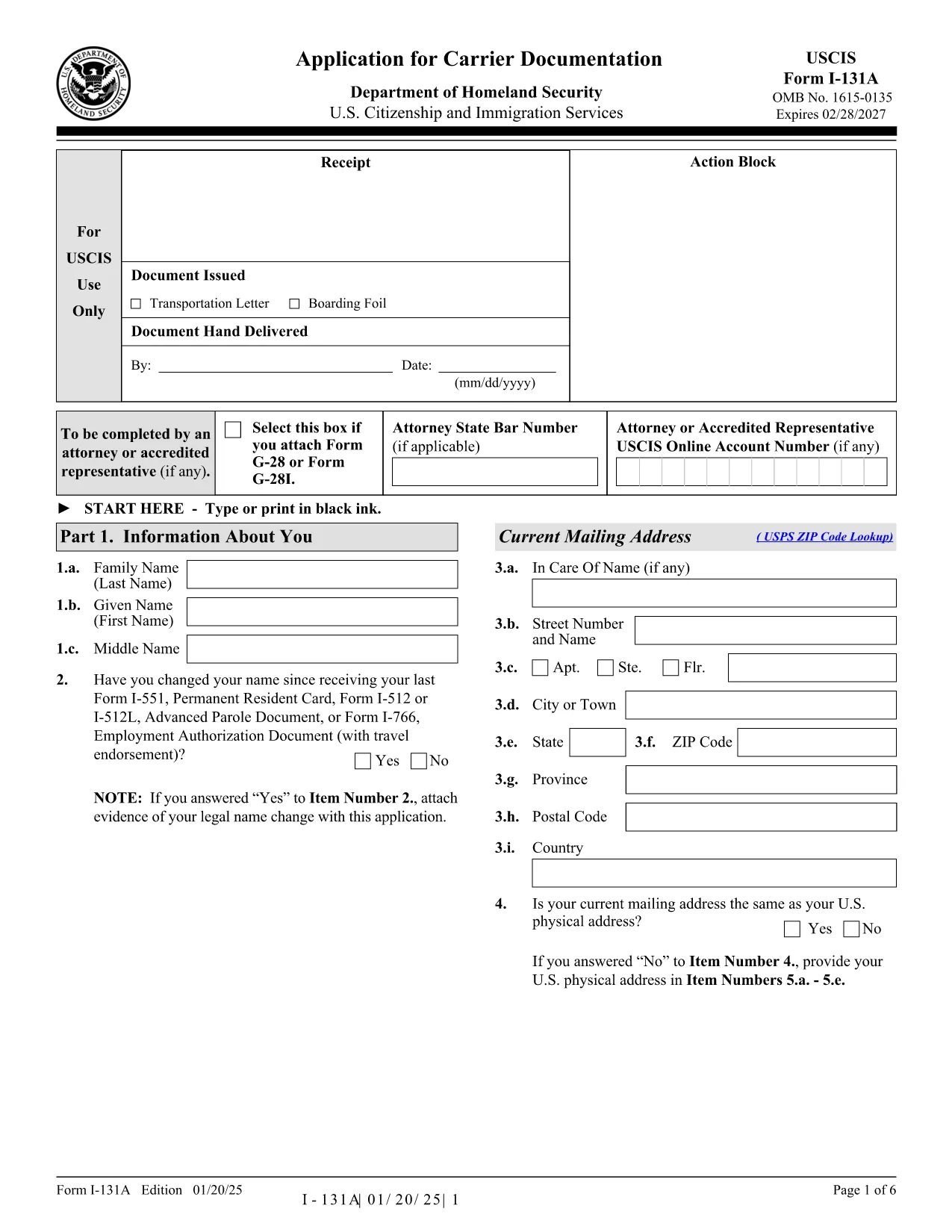
Form I-131A, Application for Carrier Documentation, is the official USCIS form you need when your Green Card, re‑entry permit, or Advance Parole document is lost, stolen, or damaged while you are abroad. The form is now available as a fillable PDF, so you can complete it directly in your browser without printing or scanning.

What is Form I-131A?

The I-131A provides a travel document that allows lawful permanent residents (LPRs) and other eligible travelers to board airlines, ships, or other carriers without the carrier being penalized for transporting someone without a valid document.

Who Must File Form I-131A?

  • Lawful permanent residents whose Green Card is lost, stolen, or destroyed abroad.
  • Residents with a re‑entry permit that is missing while traveling.
  • Individuals with an Advance Parole document (Form I‑512, I‑512L, I‑512T) or an Employment Authorization Document (EAD) with a travel endorsement that is lost or damaged overseas.

How to Complete the Fillable PDF

Instead of downloading the file and opening a PDF editor, simply click the “Fill out this form” button on this page. The Formize PDF Filler app will load the form instantly, letting you type, select dates, and upload supporting documents directly in the browser.

Common Mistakes to Avoid

  • Using an outdated edition of the form – always verify the edition date at the bottom of each page.
  • Leaving required fields blank (e.g., A‑Number, date of birth, or travel purpose).
  • Submitting an unsigned form – the electronic signature field must be completed.
  • Failing to attach the filing fee receipt when you appear in person at the consulate.

Where to Submit Your Application

Form I-131A must be filed in person at a U.S. Embassy or Consulate. Bring the completed fillable PDF (printed or saved on a USB drive), proof of fee payment, and any supporting evidence listed in the instructions.

Need more help? Review the official USCIS instructions page for detailed filing guidance.

FAQ
  • Do I need to pay a filing fee for Form I-131A?

    Yes. The current fee must be paid online before your in‑person appointment. Bring the payment confirmation receipt with your completed form.

  • Can I submit Form I-131A by mail?

    No. Form I-131A requires an in‑person filing at a U.S. Embassy or Consulate. Mailing the form will result in rejection.

  • How long does it take to receive the carrier documentation?

    Processing times vary by post. Most consulates issue the document within 1‑2 weeks after the appointment, provided all evidence is complete.

  • What if my Green Card is expired but not lost?

    If your card is expired, you generally do not need Form I-131A. Instead, file Form I-90 to renew the Green Card.

  • Can a child under 2 years old use my carrier documentation?

    Children under 2 must have their own carrier documentation. You will need to file a separate Form I-131A for each child.

  • Is the fillable PDF version legally accepted?

    Yes. As long as you print or save the completed form with all required fields filled and the electronic signature, USCIS accepts the fillable PDF.

ᲠᲝᲒᲝᲠ

როგორ შეავსოთ Form I-131A უფასოდ, ონლაინ 5 მარტივი ნაბიჯებით:

  1. 1
    Open the Fillable Form
    Click the “Fill out this form” button on this page. The Formize PDF Filler will launch in a new tab.
  2. 2
    Enter Your Information
    Type directly into each field, select dates from the calendar picker, and upload any supporting documents using the upload icons.
  3. 3
    Review and Sign
    Double‑check every entry for accuracy, then use the electronic signature field to sign the form.
  4. 4
    Save or Print
    Save the completed PDF to your computer or print it out for your in‑person appointment at the U.S. Embassy/Consulate.
  5. 5
    Submit with Fee Receipt
    Bring the printed form, your fee payment confirmation, and any required evidence to the consular office.
PDF შემავსებლის აპლიკაციის ფორმირება
ᲨᲔᲡᲐᲮᲔᲑ

Form I-131A შაბლონი

PDF დოკუმენტის სანახავად და შევსების ფუნქციების ტრადიციული ნაკრებით, ვებ აპლიკაციის უპირატესობებთან და საპასუხო განლაგებასთან ერთად, შეგიძლიათ შეავსოთ Form I-131A წუთებში.

ᲛᲐᲮᲐᲡᲘᲐᲗᲔᲑᲚᲔᲑᲘ

PDF შემავსებელი

ონლაინ Form I-131A-ის შევსების უმარტივესი გზა

  • სწრაფად შეავსეთ Form I-131A
    ეძებთ გზას სწრაფად შეავსოთ Form I-131A ონლაინ? ჩვენი ონლაინ უფასო PDF ფორმის შემავსებლით, თქვენ გეცოდინებათ როგორ შეცვალოთ და შეავსოთ ეს pdf დოკუმენტი ერთ წუთზე ნაკლებ დროში.
  • მარტივი გამოსაყენებელი ონლაინ PDF რედაქტორი
    მოგბეზრდათ PDF ფაილების დაბეჭდვა, რათა მათი რედაქტირება შეძლოთ, ხელახლა სკანირებამდე და უკან გაგზავნამდე? შეცვალეთ PDF დოკუმენტები უფასოდ ონლაინ. გამოიყენეთ ჩვენი ონლაინ pdf რედაქტორი დროისა და ქაღალდის დაზოგვისთვის.
  • შესანიშნავი ხელსაწყოები, ყველა პლატფორმა
    გაინტერესებთ როგორ შეავსოთ Form I-131A Mac-ზე, ან იქნებ როგორ გამოიყენოთ PDF შემავსებელი უფასოდ? ჩვენი ონლაინ PDF ინსტრუმენტები მუშაობს ყველა პლატფორმაზე.
  • ფაილების უსაფრთხო შენახვა
    დასრულებული „Form I-131A“ ფაილები ინახება დაცულ მონაცემთა ბაზაში, რომელსაც მართავს Amazon Cloud ჰოსტინგი. თქვენ შეგიძლიათ წაშალოთ თქვენი ფაილები ჩვენი სისტემიდან ნებისმიერ დროს. ნებისმიერ შემთხვევაში, ეს ფაილები ავტომატურად იშლება 24 საათის შემდეგ.
  • ჩატი Form I-131A-ით
    ესაუბრეთ „Form I-131A“-ს Chatize-ზე, რომელიც არის PDF წამკითხველის უფასო ასისტენტი. დასვით კითხვები და მიიღეთ პასუხები „Form I-131A“-დან. უბრალოდ დააწკაპუნეთ ღილაკზე ჩატი დოკუმენტთან ზემოთ.

შევსების სესიის წაშლა

წაშალოთ არჩეული შევსების სესია? ამ შემთხვევაში, თქვენი პროგრესი ფორმის შევსებაში დაიკარგება.

რედაქტირების სესიის წაშლა

წაშალოთ არჩეული რედაქტირების სესია? ამ შემთხვევაში, თქვენი პროგრესი ფორმის შექმნასა და რედაქტირებაში დაიკარგება.