


{키워드} 템플릿
PDF 문서를 보고 작성하기 위한 기존 기능 세트와 웹 애플리케이션 및 반응형 레이아웃의 이점을 결합하면 몇 분 만에 HSN code application form을(를) 완료할 수 있습니다.
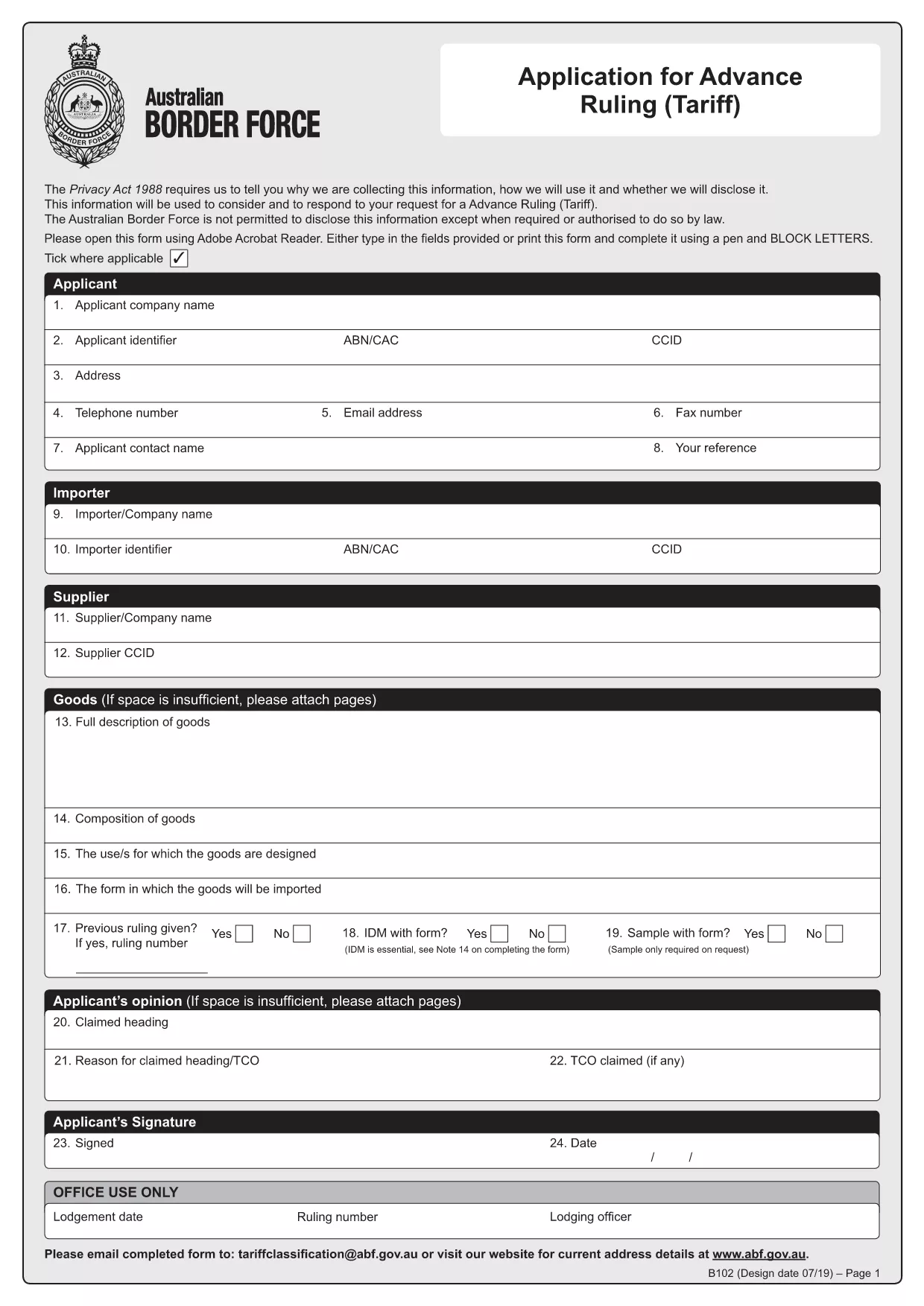
The HSN (Harmonized System Nomenclature) code is the international standard for classifying goods in customs. In Australia, the Form B102 – Application for Advance Ruling (Tariff) is used to request an official classification (HSN code) before importing goods. This ensures you know the correct duty rates and compliance requirements.
Formize turns the static PDF into a fillable, interactive form that can be completed in any browser. Benefits include:
Follow these simple steps to get your HSN code application ready for submission.
Even experienced importers can miss details. Avoid these pitfalls:
After you finish, download the completed PDF and email it to tariffclassification@abf.gov.au within 5 days of the request, or mail it to the National Trade Advice Centre, GPO Box 2809, Melbourne VIC 3001.
An HSN (Harmonized System Nomenclature) code is a globally recognized six‑digit number used to classify goods for customs duties, taxes, and trade statistics.
No. You only need to submit a B102 form when you want an advance ruling on the classification of a specific product before importing it.
Yes, but the easiest method is to complete the form online with Formize, then download the final PDF. Editing a static PDF later can cause formatting issues.
The standard service time is 30 days, though it can be longer during periods of high demand.
The service is free of charge when you submit directly to the Australian Border Force. Brokers may charge their own fees for assistance.
Include product data sheets, technical specifications, photographs, and any prior classification decisions that relate to the goods.
You can withdraw the request and submit a new B102 application. Ensure all fields are correct before submission to avoid delays.
PDF 문서를 보고 작성하기 위한 기존 기능 세트와 웹 애플리케이션 및 반응형 레이아웃의 이점을 결합하면 몇 분 만에 HSN code application form을(를) 완료할 수 있습니다.
온라인에서 PDF 양식을 채우는 가장 쉬운 방법
필링 세션 삭제
편집 세션 삭제