


{키워드} 템플릿
PDF 문서를 보고 작성하기 위한 기존 기능 세트와 웹 애플리케이션 및 반응형 레이아웃의 이점을 결합하면 몇 분 만에 fillable PDF을(를) 완료할 수 있습니다.
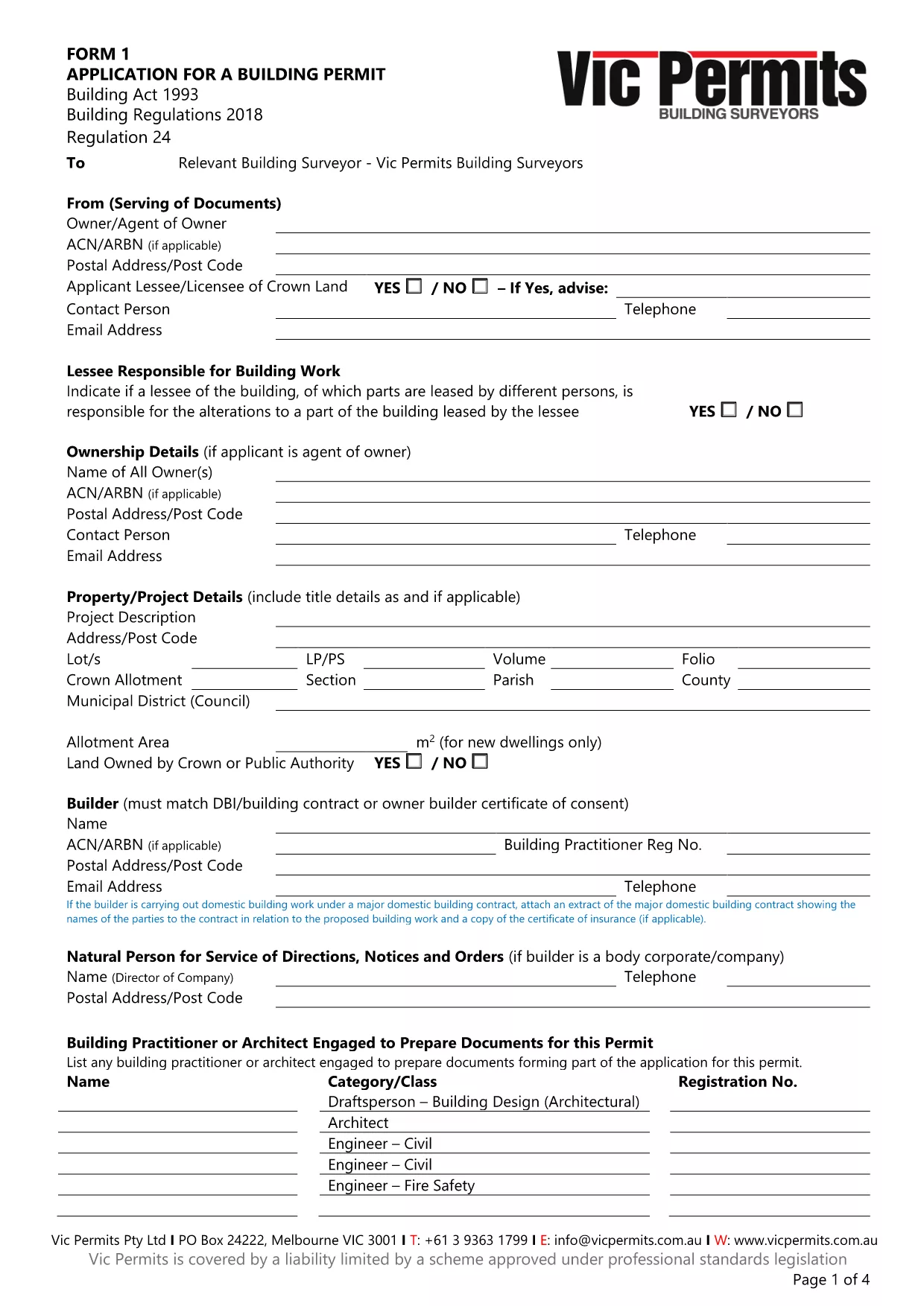
Looking for an application form part 1 that you can edit without restrictions? Our fillable, not‑locked PDF of the Form 1 Building Permit Application lets you complete every field directly in the browser. No extra software, no printing, and no worries about a PDF that refuses to save your changes.
Instead of downloading the PDF and opening a separate editor, simply click the "Fill out this form" button on this page. The Formize PDF Filler app will load, presenting the exact same document in a user‑friendly interface.
The Form 1 Building Permit covers several essential areas:
When you’re ready, click Submit to download the completed PDF or send it directly to your local council’s permits office.
No. The Formize PDF Filler works entirely in your web browser, so there’s nothing to install.
Yes. This version of Form 1 is unlocked, allowing you to edit all form fields, add text, and sign digitally.
Formize autosaves your entries locally. You can close the browser and reopen the form to continue where you left off.
You receive a standard, fillable PDF that you can print, email, or upload to your council’s portal.
All data stays on your device until you choose to download or send the file. Formize does not store your information on external servers.
Form 1 is specific to Victoria’s building permit process. Check your local authority for equivalent forms if you’re outside Victoria.
PDF 문서를 보고 작성하기 위한 기존 기능 세트와 웹 애플리케이션 및 반응형 레이아웃의 이점을 결합하면 몇 분 만에 fillable PDF을(를) 완료할 수 있습니다.
온라인에서 PDF 양식을 채우는 가장 쉬운 방법
필링 세션 삭제
편집 세션 삭제