


{키워드} 템플릿
PDF 문서를 보고 작성하기 위한 기존 기능 세트와 웹 애플리케이션 및 반응형 레이아웃의 이점을 결합하면 몇 분 만에 building permit application을(를) 완료할 수 있습니다.
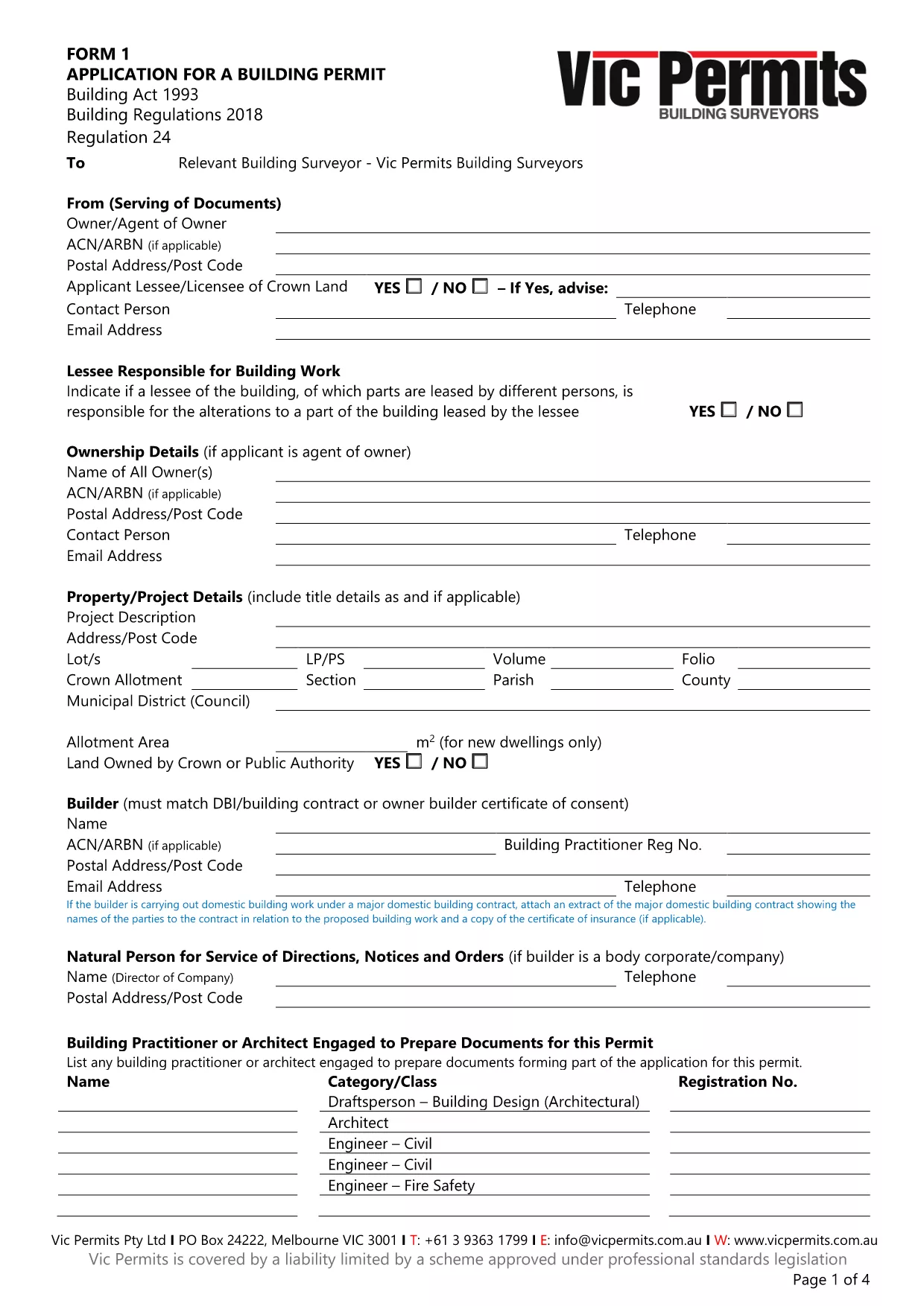
Applying for a building permit can be a lengthy process, but with the right fillable PDF you can speed things up, reduce errors, and submit a professional application. Our online Formize PDF Filler loads the official Form‑1 Application for Building Permit instantly, so you never have to print, scan, or hand‑write a single field.
Fillable PDFs keep the layout exactly as required by the local council while allowing you to type, select, and save data directly on the form. Benefits include:
Follow these simple steps:
The form asks for details such as:
Need the original PDF for offline use? Download the official Form‑1 Application for Building Permit (PDF) directly.
Ready to start? Click the button below and let Formize do the heavy lifting.
No. The Formize PDF Filler includes a digital signature tool, allowing you to sign the application electronically.
Yes. The online filler works in Chrome, Edge, Firefox, and Safari without any plugins.
Absolutely. Use the "Save" button to download a partially completed PDF, then reopen it in Formize to continue.
Each attachment can be up to 10 MB. Accepted formats are PDF, JPG, and PNG.
Formize uses SSL encryption for all data transmission and does not store your completed forms on our servers after you download them.
This specific PDF is the Victorian Form‑1 building permit application. Check your local council for state‑specific forms if you are outside Victoria.
PDF 문서를 보고 작성하기 위한 기존 기능 세트와 웹 애플리케이션 및 반응형 레이아웃의 이점을 결합하면 몇 분 만에 building permit application을(를) 완료할 수 있습니다.
온라인에서 PDF 양식을 채우는 가장 쉬운 방법
필링 세션 삭제
편집 세션 삭제