
언어 선택

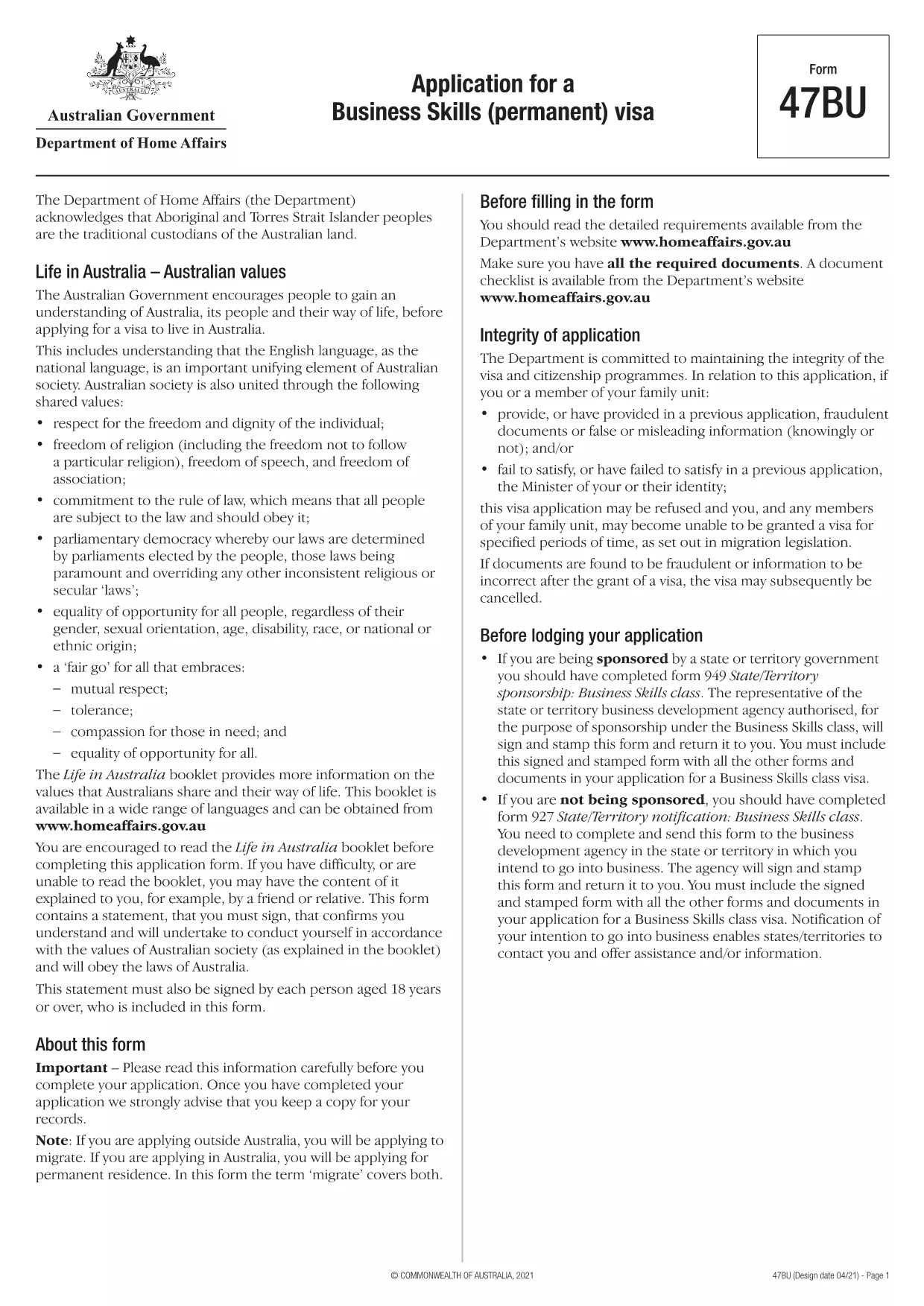
Form 47BU – Application for a Business Skills (Permanent) Visa

  1. 언어 영어
  2. 국가 호주
  3. 활동 사업 및 투자
Form 47BU – Application for a Business Skills (Permanent) Visa

Form 47BU – Application for a Business Skills (Permanent) Visa

The Form 47BU is the official Department of Home Affairs document used by entrepreneurs and business owners who want to apply for a permanent Business Skills visa (subclass 132) in Australia. This fillable PDF lets you provide personal, business, and sponsorship details required for a successful application.

What is Form 47BU?

Form 47BU collects information about the applicant’s business experience, investment plans, and the state or territory sponsor’s endorsement. It must be submitted together with other supporting documents such as the Business Plan, Financial Statements, and the sponsor’s Form 1318.

How to Fill Out Form 47BU Online with Formize

Instead of downloading the PDF and editing it in a separate editor, you can complete the form directly on our site:

  1. Click the "Fill out this form" button below.
  2. Wait a few seconds while the Formize PDF Filler app loads.
  3. Enter your details in each field – the interface is drag‑and‑drop friendly and auto‑saves.
  4. When finished, click Save & Download to get the completed PDF ready for submission.

Common Mistakes to Avoid

  • Leaving sections blank: Every field marked with an asterisk (*) is mandatory.
  • Mismatched sponsor details: Ensure the state/territory sponsor’s name and signature match the endorsement letter.
  • Incorrect dates: Use the DD/MM/YYYY format as required by Australian immigration.
  • Uploading the wrong version: Always use the latest 47BU PDF (downloaded from the link below).

Eligibility & Supporting Documents

Before you start, confirm that you meet the basic eligibility criteria for a Business Skills (permanent) visa, including:

  • Minimum business turnover of AUD 1 million for the last two fiscal years.
  • Ownership of at least 30 % of the business.
  • State or territory sponsorship.

Attach the following documents when you submit the form:

  • Business Plan (minimum 12 pages).
  • Financial statements and tax returns.
  • Sponsor’s Form 1318 and supporting letter.
  • Proof of assets and investment funds.

Where to Find Help

If you need assistance, consult the Department of Home Affairs website or a registered migration agent. Our fillable PDF is designed to reduce errors, but professional advice can ensure your application meets all legal requirements.

Download the official Form 47BU (PDF)

자주하는 질문
  • What is the purpose of Form 47BU?

    Form 47BU is used to apply for a permanent Business Skills visa (subclass 132). It captures personal, business, and sponsorship details required by the Department of Home Affairs.

  • Can I edit Form 47BU on a mobile device?

    Yes. The Formize fillable PDF works on smartphones and tablets, allowing you to complete the form on any device with an internet connection.

  • Do I need a certified translation if my documents are not in English?

    All supporting documents submitted with Form 47BU must be in English or accompanied by a certified translation.

  • How many pages does the completed Form 47BU have?

    The form itself is 7 pages long, but you will attach additional supporting documents as required.

  • Is there a fee to use Formize’s fillable PDF?

    No. Formize provides the fillable version of Form 47BU for free. The visa application fee is paid directly to the Australian Department of Home Affairs.

  • What should I do if I make a mistake after downloading the PDF?

    Return to the Formize page, click "Fill out this form" again, and re‑enter the corrected information. The tool will generate a new, clean PDF.

  • Do I need a sponsor to submit Form 47BU?

    Yes. A state or territory government sponsor must endorse your application and provide a signed Form 1318.

어떻게

4개의 간단한 단계를 통해 온라인으로 Form 47BU를 무료로 작성하는 방법:

  1. 1
    Click the Fill‑out Button
    Press the "Fill out this form" button on the page to launch the Formize PDF Filler.
  2. 2
    Wait for the App to Load
    The fillable interface loads in a few seconds; no download is required.
  3. 3
    Enter Your Information
    Complete each field, using the on‑screen guidance for format and mandatory sections.
  4. 4
    Save and Download
    When all sections are filled, click "Save & Download" to obtain the completed PDF ready for submission.
Formize PDF 필러 앱
에 대한

사업 및 투자 양식

Form 47BU는 사업을 시작, 관리 또는 투자하는 맥락에서 사용되는 양식 중 하나입니다. 이러한 양식은 정부 기관, 금융 기관 또는 규제 기관에서 정보를 수집하거나 법인을 설립하거나 비즈니스 운영 및 투자와 관련된 특정 규칙 및 규정을 준수하기 위해 요구하는 경우가 많습니다. 구체적인 형태는 사업이나 투자 활동의 성격에 따라 달라질 수 있습니다. 다음은 "사업 및 투자" 양식의 몇 가지 예입니다.

사업자 등록 양식: 이 양식은 해당 정부 기관에 사업체를 등록하는 데 사용됩니다. 그들은 상호, 법적 구조(예: 개인 사업자, 파트너십, 법인), 사업장 주소, 소유권 세부 정보 및 법적 승인에 필요한 기타 필수 정보에 대한 정보를 수집합니다.

법인설립 서류: 법인이나 회사를 설립하는 경우 법인설립을 위해 다양한 서류를 제출해야 합니다. 이러한 문서에는 일반적으로 정관, 정관, 주주 계약서 및 기타 관련 양식이 포함됩니다.

사업 허가 신청: 업종과 위치에 따라 특정 사업체는 합법적으로 운영하려면 특정 면허나 허가가 필요합니다. 사업 허가 신청서는 사업의 성격, 위치, 소유권 세부 사항 및 관련 규정 준수에 대한 정보를 수집합니다.

투자 계좌 개설 양식: 금융 기관이나 중개 회사에 투자 계좌를 개설하려는 투자자는 계좌 개설 양식을 작성해야 할 수 있습니다. 이러한 양식은 개인 정보, 투자 목표, 위험 허용 범위 및 기타 관련 세부 정보를 수집하여 투자자 계정을 설정합니다.

파트너십 계약: 파트너십을 체결할 때 파트너는 일반적으로 비즈니스 관계의 이용 약관을 설명하는 파트너십 계약을 작성합니다. 본 계약에는 이익 공유, 의사 결정, 기여 및 파트너십의 기타 측면과 관련된 조항이 포함될 수 있습니다.

비공개 계약(NDA): NDA는 민감한 정보나 영업 비밀을 보호하기 위해 비즈니스 거래에서 일반적으로 사용됩니다. 이러한 계약은 비즈니스 또는 투자 거래에 참여하는 당사자가 거래 과정에서 공유되는 특정 정보에 대한 기밀을 유지하도록 보장합니다.

대출 또는 자금 조달 신청서: 금융 기관으로부터 자금 조달이나 대출을 원하는 기업은 대출 신청서를 작성해야 할 수도 있습니다. 이 양식은 기업의 재무, 신용 기록, 담보 및 대출 승인 절차에 필요한 기타 세부 정보에 대한 정보를 수집합니다.

증권 신고: 주식이나 채권 등 증권 발행과 관련된 기업의 경우 증권법 및 규정을 준수하기 위해 다양한 증권 신고가 필요할 수 있습니다. 이러한 양식에는 투자 설명서, 등록 명세서, 연례 보고서 및 기타 공개가 포함됩니다.

구체적인 양식과 요구 사항은 국가, 산업, 특정 사업이나 투자 활동에 따라 달라질 수 있습니다. 특정 사업이나 투자 관련 활동에 필요한 양식에 관한 정확한 최신 정보를 얻으려면 관련 정부 기관, 법률 전문가 또는 금융 기관과 상담하는 것이 중요합니다.

특징

PDF 필러

온라인에서 PDF 양식을 채우는 가장 쉬운 방법

  • Form 47BU를 빠르게 작성하세요.
    온라인에서 Form 47BU을(를) 빠르게 채우는 방법을 찾고 계십니까? 온라인 무료 PDF 양식 필러를 사용하면 1분 이내에 이 PDF 문서를 편집하고 채우는 방법을 알 수 있습니다.
  • 사용하기 쉬운 온라인 PDF 편집기
    다시 스캔하여 다시 보내기 전에 편집할 수 있도록 PDF 파일을 인쇄하는 데 지쳤습니까? 온라인에서 무료로 PDF 문서를 편집하세요. 온라인 PDF 편집기를 사용하여 시간과 종이를 절약하십시오.
  • 훌륭한 도구, 모든 플랫폼
    Mac에서 Form 47BU를 채우는 방법이나 PDF 필러를 무료로 사용하는 방법이 궁금하십니까? 당사의 온라인 PDF 도구는 모든 플랫폼에서 작동합니다.
  • 안전한 파일 저장
    완료된 "Form 47BU" 파일은 Amazon 클라우드 호스팅에서 관리하는 보안 데이터베이스에 저장됩니다. 언제든지 시스템에서 파일을 삭제할 수 있습니다. 어쨌든 이러한 파일은 24시간 후에 자동으로 삭제됩니다.
  • Form 47BU님과 채팅
    무료 PDF 리더 도우미인 Chatize에서 "Form 47BU"와 채팅하세요. "Form 47BU"에서 질문하고 답변을 받으세요. 위의 문서와 채팅 버튼을 클릭하세요.

필링 세션 삭제

선택한 필링 세션을 삭제하시겠습니까?이 경우 양식 작성 진행 상황이 손실됩니다.

편집 세션 삭제

선택한 편집 세션을 삭제하시겠습니까? 이 경우 양식 작성 및 편집 진행 상황이 손실됩니다.