


{키워드} 템플릿
PDF 문서를 보고 작성하기 위한 기존 기능 세트와 웹 애플리케이션 및 반응형 레이아웃의 이점을 결합하면 몇 분 만에 Form 3 PDF을(를) 완료할 수 있습니다.
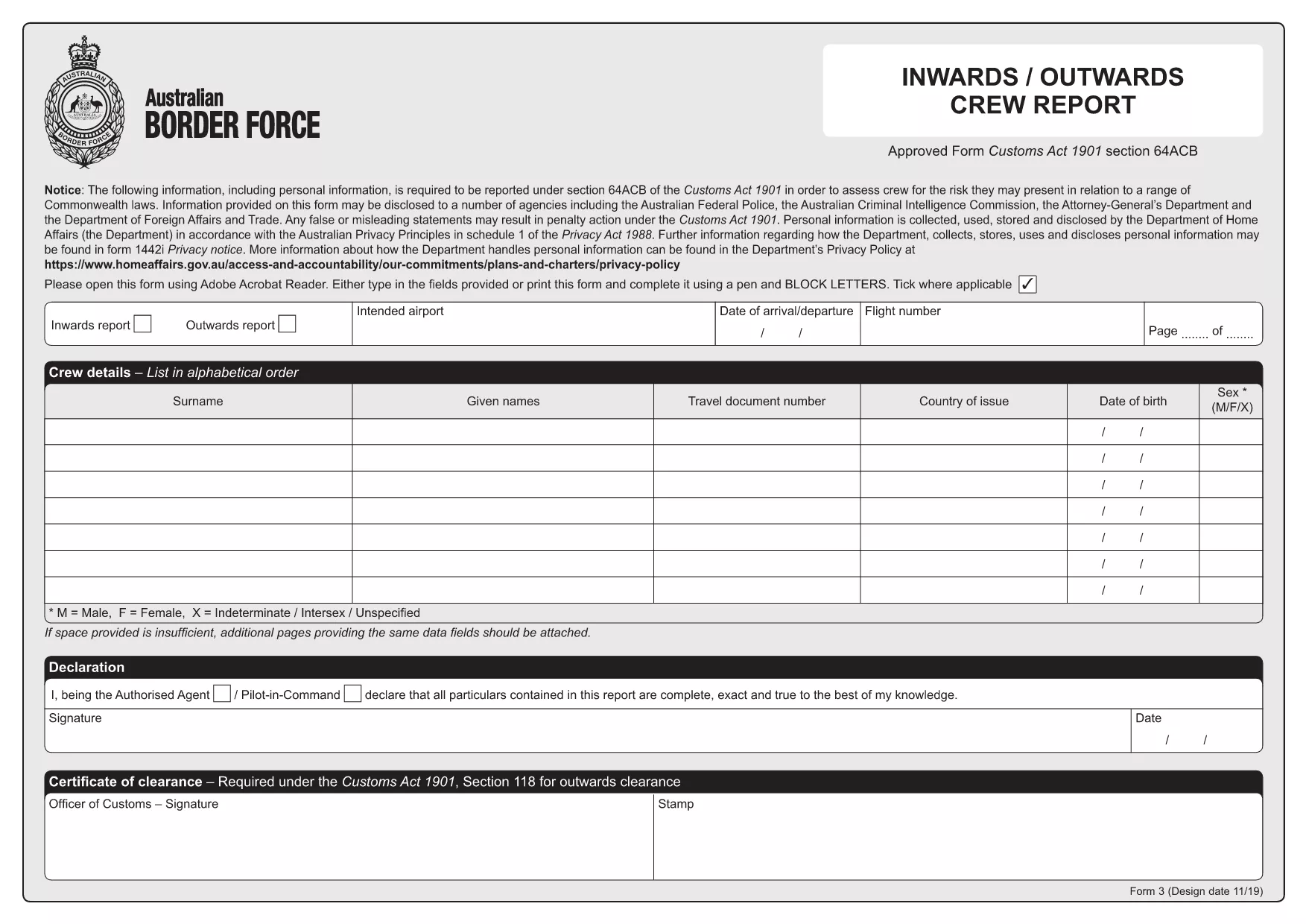
The Form 3 is the Australian Customs crew‑reporting document required for all inbound and outbound flights under section 64ACB of the Customs Act 1901. It captures personal details, travel document numbers, and a declaration of clearance for each crew member.
With Formize you can download the official Form 3 PDF and fill it directly in your browser—no Adobe Reader or other software needed.
Form 3 serves as a statutory record for customs authorities, helping them verify that all crew members have the appropriate travel documentation and have been cleared for entry or exit. The form includes sections for:
Follow these simple steps to complete the form instantly:
After saving the filled PDF, email it to the customs liaison officer at your airline or upload it through the airline’s internal portal. Keep a copy for your records in case the authorities request a re‑submission.
Need help? The Formize filler includes tooltips on every field and a quick‑reference guide at the top of the form.
No. Formize’s online PDF filler works in any modern browser, so you can complete the form without installing any software.
Once you download the completed PDF, you can open it in any PDF editor to make minor corrections, but the official submission should be the version saved from Formize.
Yes. All data is processed locally in your browser and never stored on our servers unless you choose to upload or email the file.
The filler highlights required fields and provides real‑time validation. You can simply click the field, correct the entry, and continue.
Email the finished PDF to your airline’s customs liaison officer or upload it through the airline’s internal portal as instructed by your employer.
Yes. After you finish filling the form, click “Download” to get a printable PDF that matches the original official layout.
PDF 문서를 보고 작성하기 위한 기존 기능 세트와 웹 애플리케이션 및 반응형 레이아웃의 이점을 결합하면 몇 분 만에 Form 3 PDF을(를) 완료할 수 있습니다.
온라인에서 PDF 양식을 채우는 가장 쉬운 방법
필링 세션 삭제
편집 세션 삭제