
언어 선택

Air Force Application Form – Fillable PDF

  1. 언어 영어
  2. 국가 호주
  3. 부서 Defence
  4. 활동 Military Recruitment
Air Force Application Form – Fillable PDF

What Is This Form For?

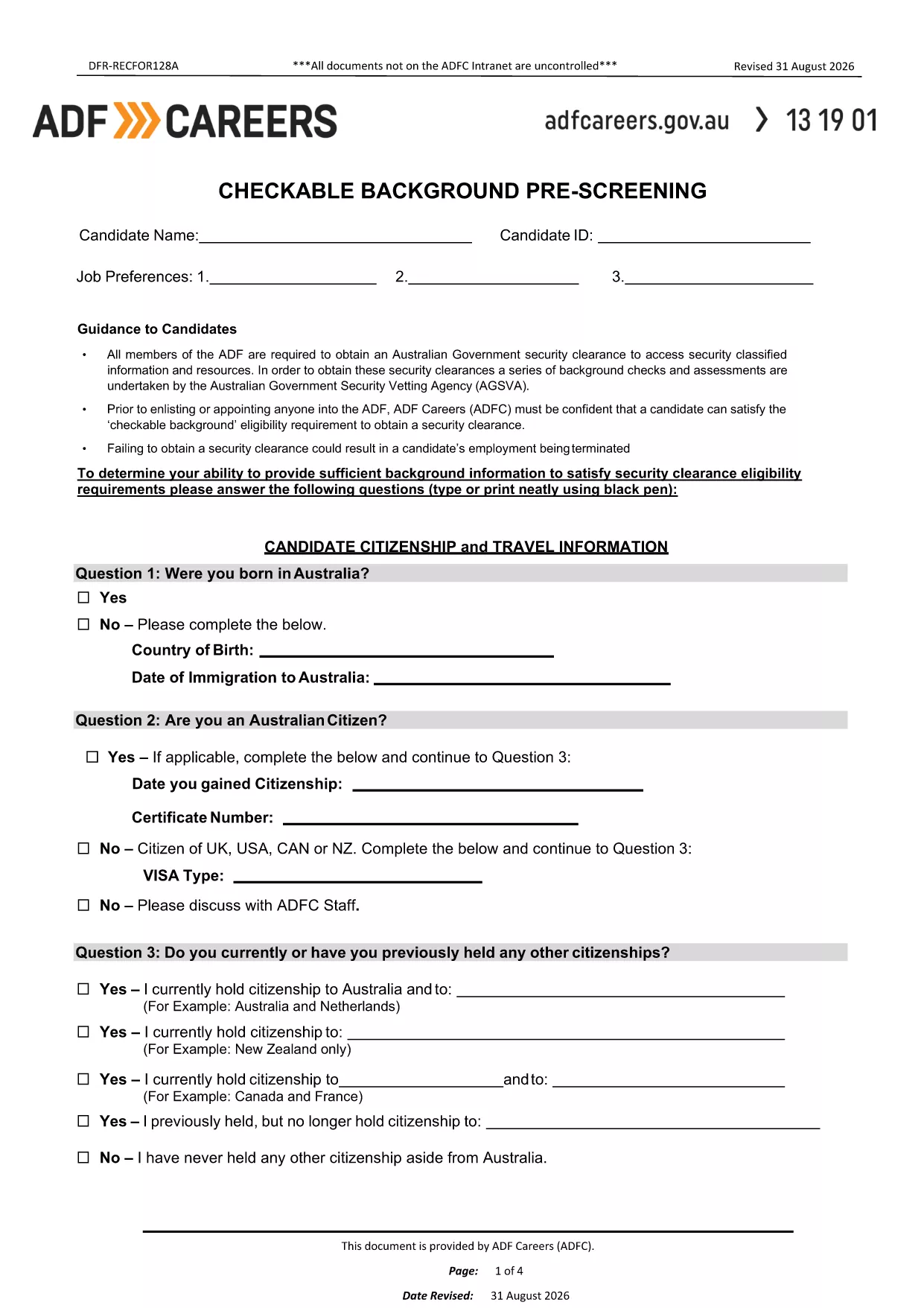
The Air Force Application Form is the first step in the enlistment or officer selection process. It captures personal details, education, employment history, and a background pre‑screening questionnaire that the Australian Defence Force (ADF) uses to assess eligibility for Air Force roles.

How to Fill Out the Air Force Application Form Online

Instead of downloading the PDF and editing it with a separate editor, simply click the "Fill out this form" button on this page. The Formize PDF Filler will load the fillable document directly in your browser, allowing you to:

  • Enter data into interactive fields.
  • Save progress at any time.
  • Validate required fields before submission.
  • Export the completed form as a PDF or send it directly to the recruiting office.

Common Mistakes to Avoid

  • Leaving required fields blank: The form will not let you submit until all mandatory sections are completed.
  • Using unofficial abbreviations: Write full names for schools, employers, and qualifications.
  • Skipping the background questions: Incomplete answers can delay security clearance.
  • Not signing the form: Use the built‑in e‑signature tool before saving.

Download & Save the PDF

If you prefer a local copy, you can still download the original PDF from the link below. Keep this file handy for reference or for printing a hard copy after you have completed the online version.

Download the Air Force Application Form (PDF)

Frequently Asked Questions

Answers to the most common queries are listed below. Click each question to expand the answer.

자주하는 질문
  • Do I need to print the form after filling it online?

    No. The Formize filler lets you save a PDF copy digitally, which is accepted by all ADF recruiting offices.

  • Can I edit the form after I have saved it?

    Yes. Open the saved PDF again with Formize, make any changes, and re‑save.

  • What if I make a mistake while typing?

    Use the backspace or delete key to correct any field before moving to the next section. The filler highlights incomplete or invalid entries.

  • Is my personal data secure?

    Formize uses SSL encryption and does not store your information on our servers unless you choose to save it to the cloud.

  • Do I need a PDF reader to complete the form?

    No special software is required. All modern browsers support the Formize filler, which works on desktop and mobile devices.

  • How long does the pre‑screening process take?

    After submission, the ADF typically reviews the background questionnaire within 5‑10 business days.

어떻게

4개의 간단한 단계를 통해 온라인으로 air force application form를 무료로 작성하는 방법:

  1. 1
    Open the Fillable Form
    Click the "Fill out this form" button on the page. The Formize PDF Filler loads the Air Force Application Form directly in your browser.
  2. 2
    Enter Your Information
    Complete each section – personal details, education, employment, and background questions – using the interactive fields.
  3. 3
    Validate & Sign
    The filler checks required fields automatically. When all sections are complete, use the built‑in e‑signature tool to sign the form.
  4. 4
    Save or Submit
    Save a copy to your device or click "Submit" to email the completed PDF to your recruiting officer.
Formize PDF 필러 앱
에 대한

{키워드} 템플릿

PDF 문서를 보고 작성하기 위한 기존 기능 세트와 웹 애플리케이션 및 반응형 레이아웃의 이점을 결합하면 몇 분 만에 air force application form을(를) 완료할 수 있습니다.
특징

PDF 필러

온라인에서 PDF 양식을 채우는 가장 쉬운 방법

  • air force application form를 빠르게 작성하세요.
    온라인에서 air force application form을(를) 빠르게 채우는 방법을 찾고 계십니까? 온라인 무료 PDF 양식 필러를 사용하면 1분 이내에 이 PDF 문서를 편집하고 채우는 방법을 알 수 있습니다.
  • 사용하기 쉬운 온라인 PDF 편집기
    다시 스캔하여 다시 보내기 전에 편집할 수 있도록 PDF 파일을 인쇄하는 데 지쳤습니까? 온라인에서 무료로 PDF 문서를 편집하세요. 온라인 PDF 편집기를 사용하여 시간과 종이를 절약하십시오.
  • 훌륭한 도구, 모든 플랫폼
    Mac에서 air force application form를 채우는 방법이나 PDF 필러를 무료로 사용하는 방법이 궁금하십니까? 당사의 온라인 PDF 도구는 모든 플랫폼에서 작동합니다.
  • 안전한 파일 저장
    완료된 "air force application form" 파일은 Amazon 클라우드 호스팅에서 관리하는 보안 데이터베이스에 저장됩니다. 언제든지 시스템에서 파일을 삭제할 수 있습니다. 어쨌든 이러한 파일은 24시간 후에 자동으로 삭제됩니다.
  • air force application form님과 채팅
    무료 PDF 리더 도우미인 Chatize에서 "air force application form"와 채팅하세요. "air force application form"에서 질문하고 답변을 받으세요. 위의 문서와 채팅 버튼을 클릭하세요.

필링 세션 삭제

선택한 필링 세션을 삭제하시겠습니까?이 경우 양식 작성 진행 상황이 손실됩니다.

편집 세션 삭제

선택한 편집 세션을 삭제하시겠습니까? 이 경우 양식 작성 및 편집 진행 상황이 손실됩니다.