


{키워드} 템플릿
PDF 문서를 보고 작성하기 위한 기존 기능 세트와 웹 애플리케이션 및 반응형 레이아웃의 이점을 결합하면 몇 분 만에 EFT sign up form을(를) 완료할 수 있습니다.
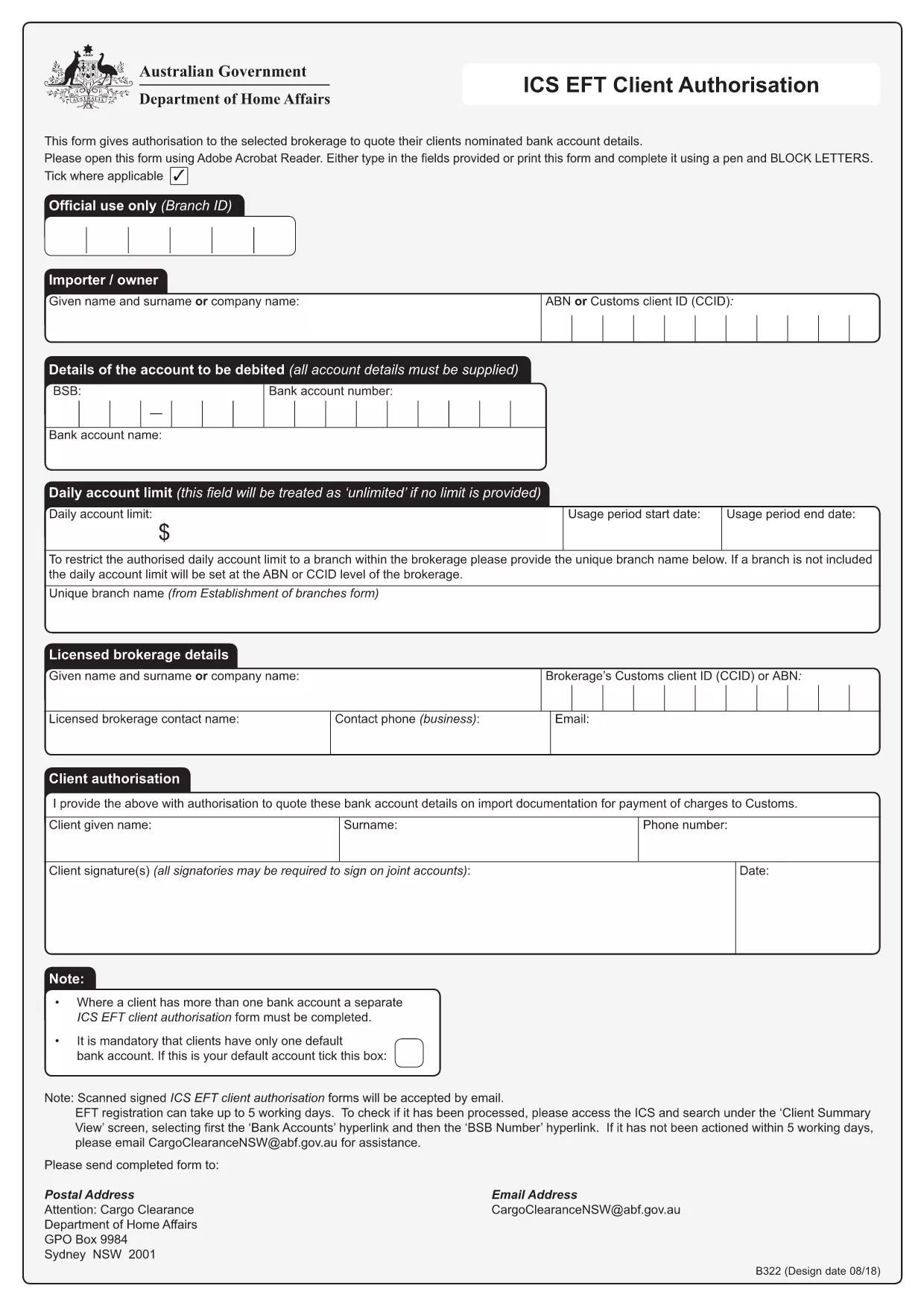
Need a quick and secure way to set up Electronic Funds Transfer (EFT) for your business or personal banking? Our fillable EFT sign‑up form lets you authorize recurring payments without the hassle of paper copies.
An EFT sign‑up form is a standard document used by banks and financial institutions to collect the necessary banking details and consent from a customer to transfer funds electronically. It captures information such as:
Instead of printing, signing, and scanning, simply click the "Fill out this form" button on this page. The Formize PDF Filler app will load the PDF directly in your browser, allowing you to type, select, and sign instantly.
To ensure your EFT registration is processed without delay, avoid these frequent errors:
Once you’ve completed the form, download the completed PDF and email it to the designated address provided by your bank or upload it through the bank’s secure portal. Processing typically takes up to five business days.
Below are quick answers to the most common questions users have about this form.
No. The Formize PDF Filler works in your browser, so you can complete the form without any additional software.
Yes. All data stays in your browser until you download the completed PDF. Formize does not store any personal information.
The filler allows you to download a partially completed PDF, which you can reopen later in any PDF viewer to finish.
The form will not be rejected automatically, but the bank may delay processing. Double‑check the numbers before submitting.
Processing usually takes up to five business days after the bank receives your completed form.
Only if your bank specifically requires a hard copy. Most institutions accept the downloaded PDF via email or secure upload.
The form itself is free. Any fees would be charged by your bank for setting up the EFT service.
PDF 문서를 보고 작성하기 위한 기존 기능 세트와 웹 애플리케이션 및 반응형 레이아웃의 이점을 결합하면 몇 분 만에 EFT sign up form을(를) 완료할 수 있습니다.
온라인에서 PDF 양식을 채우는 가장 쉬운 방법
필링 세션 삭제
편집 세션 삭제