
언어 선택

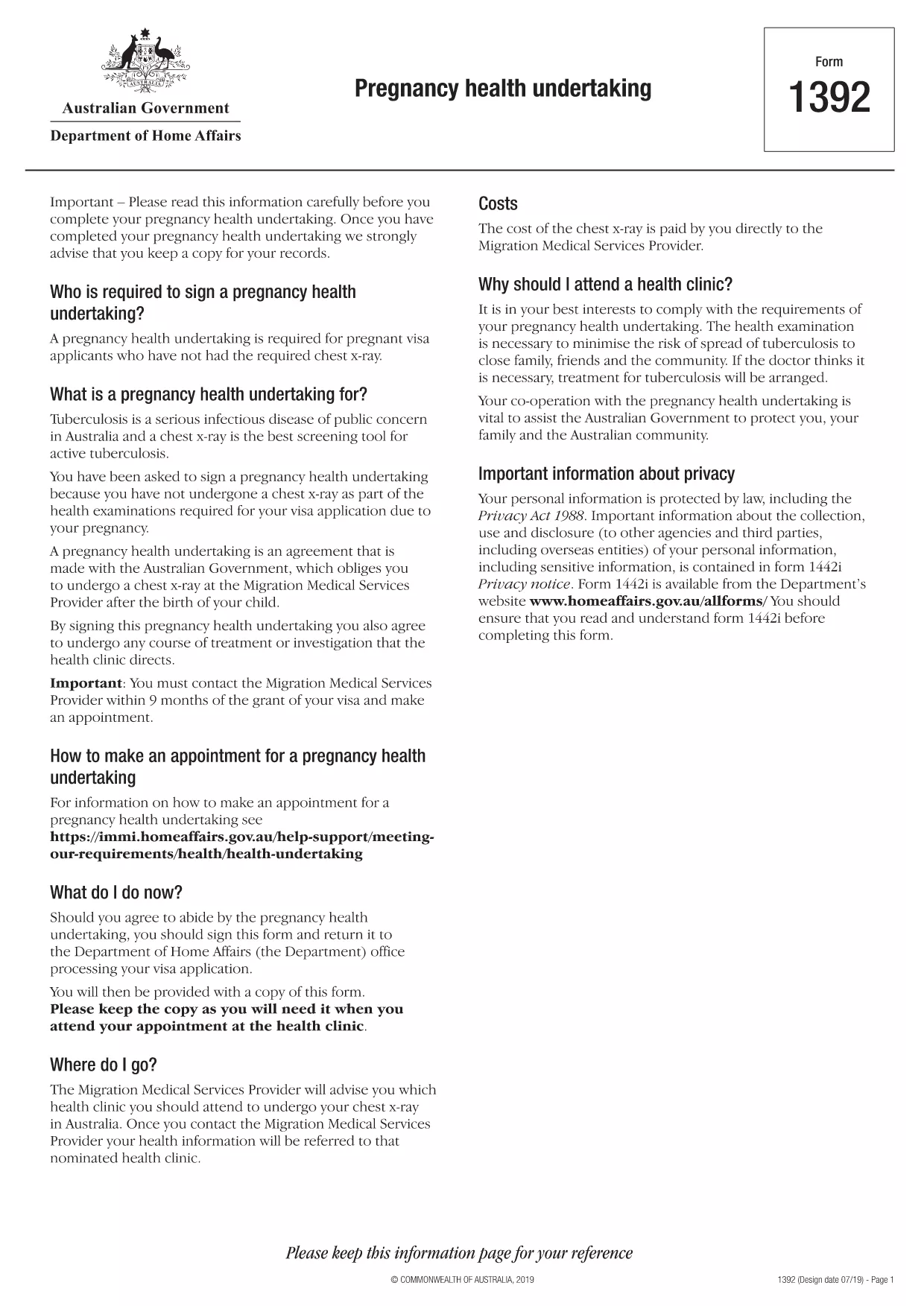
Form 1392 – Pregnancy Health Undertaking (Fillable PDF)

  1. 언어 영어
  2. 국가 호주
  3. 활동 건강
Form 1392 – Pregnancy Health Undertaking (Fillable PDF)

Form 1392 is the official Pregnancy Health Undertaking required by the Australian Department of Home Affairs for certain visa applicants. The form confirms that you will undergo a chest X‑ray after childbirth, satisfying the health requirement for a protection visa.

What is Form 1392?

This government‑issued PDF explains the obligations of both the applicant and the Australian Government regarding health examinations during pregnancy. It is part of the broader health undertaking process for visas that involve significant health conditions.

Why Use a Fillable PDF Version?

  • Save time: Fill fields directly on the page – no printing, scanning, or faxing.
  • Accuracy: Built‑in validation reduces data entry errors.
  • Secure storage: Your completed form can be saved as a protected PDF.
  • Instant download: Get the finished document in seconds.

Step‑by‑Step Guide to Complete Form 1392

Follow the simple steps below to complete the form using Formize’s online PDF filler.

Common Mistakes to Avoid

Before you submit, double‑check that you have:

  • Entered your full legal name exactly as it appears on your passport.
  • Provided a current Australian address where the health provider can contact you.
  • Signed the form electronically or printed and signed if required.
  • Attached any supporting medical documents referenced in the undertaking.

Where to Get Help

If you have questions about the health undertaking, contact your Migration Medical Services Provider (Bupa Medical Visa Services) or consult the official health undertaking guide.

자주하는 질문
  • What is the purpose of Form 1392?

    Form 1392 is a pregnancy health undertaking that obligates visa applicants to have a chest X‑ray after birth, ensuring they meet Australia’s health requirements.

  • Can I fill Form 1392 on a mobile device?

    Yes. The Formize PDF Filler works on smartphones and tablets, allowing you to complete the form anywhere with an internet connection.

  • Do I need to print and sign the form?

    Electronic signatures are accepted in most cases. If your visa officer requests a handwritten signature, you can print, sign, and scan the final PDF.

  • How long does the health undertaking remain valid?

    The undertaking is valid for 12 months from the date you sign it. You must complete the post‑birth X‑ray within 28 days of receiving the Request for Information letter.

  • What should I do if I make a mistake after submitting?

    Contact your Migration Medical Services Provider (Bupa) immediately. They can advise whether a corrected form needs to be resubmitted.

  • Is there a fee to use Formize’s fillable PDF service?

    Formize offers free online filling for this government form. No hidden charges apply.

어떻게

5개의 간단한 단계를 통해 온라인으로 form 1392를 무료로 작성하는 방법:

  1. 1
    Click the Fill button
    On this page, click the blue “Fill out this form” button to launch the Formize PDF Filler.
  2. 2
    Wait for the filler to load
    The online filler loads in a few seconds. No download or installation is required.
  3. 3
    Enter your information
    Type directly into each highlighted field—name, passport number, address, and medical details.
  4. 4
    Review and sign
    Check every entry for accuracy, then use the electronic signature tool or print to sign manually.
  5. 5
    Save or submit
    Download the completed PDF, store it securely, or follow your visa officer’s instructions to submit.
Formize PDF 필러 앱
에 대한

메디케어 신청서

form 1392는 미국에서 연방 정부가 관리하는 건강 보험 프로그램인 Medicare 프로그램과 관련된 다양한 프로세스에 사용되는 문서인 Medicare 양식 중 하나입니다. 메디케어는 65세 이상의 적격 개인뿐만 아니라 장애가 있거나 특정 질병이 있는 특정 개인에게 보험 혜택을 제공합니다.

일반적인 메디케어 양식에는 다음이 포함됩니다.

Medicare 등록 신청서: 이 양식은 Medicare 혜택을 신청하는 데 사용됩니다. 여기에는 이름, 주소, 사회 보장 번호, 현재 건강 보험 보장에 대한 세부 정보 등 신청자의 개인 정보가 포함됩니다.

메디케어 청구 양식: 이 양식은 메디케어가 보장하는 의료 서비스 또는 용품에 대한 환급을 요청하는 데 사용됩니다. 병원 입원(UB-04 양식), 의사 서비스(CMS-1500 양식) 또는 내구성 의료 장비(DMERC 양식)와 같은 다양한 유형의 서비스에 대해 다양한 청구 양식이 사용됩니다.

메디케어 처방약 플랜 양식: 이 양식은 처방약 보장을 제공하는 메디케어 파트 D에 등록하는 데 사용됩니다. 일반적으로 현재 복용 중인 약품에 대한 정보가 필요하며 특정 플랜에 대해 보장되는 약품 목록이 포함될 수도 있습니다.

Medicare 항소 양식: Medicare 청구가 거부되거나 보장 결정에 동의하지 않는 경우 개인은 항소를 제기할 수 있습니다. 항소 절차에 사용되는 양식은 특정 상황과 관련된 메디케어 보장 유형에 따라 다릅니다.

메디케어 승인 양식: 이 양식은 청구 처리 또는 치료 조정과 같은 목적으로 의료 기록에 접근해야 하는 개인 또는 조직에 보호 건강 정보 공개를 승인하는 데 사용됩니다.

Medicare 변경 양식: 이 양식은 개인 정보 업데이트, 주치의 변경, 다른 Medicare Advantage 또는 파트 D 처방약 플랜으로 전환 등 기존 Medicare 보장을 변경하는 데 사용됩니다.

Medicare 양식과 절차는 복잡할 수 있으므로 개인은 적절한 양식을 정확하고 시기적절하게 작성하기 위해 Medicare 프로그램이나 신뢰할 수 있는 의료 전문가의 도움을 구하는 것이 좋습니다.

특징

PDF 필러

온라인에서 PDF 양식을 채우는 가장 쉬운 방법

  • form 1392를 빠르게 작성하세요.
    온라인에서 form 1392을(를) 빠르게 채우는 방법을 찾고 계십니까? 온라인 무료 PDF 양식 필러를 사용하면 1분 이내에 이 PDF 문서를 편집하고 채우는 방법을 알 수 있습니다.
  • 사용하기 쉬운 온라인 PDF 편집기
    다시 스캔하여 다시 보내기 전에 편집할 수 있도록 PDF 파일을 인쇄하는 데 지쳤습니까? 온라인에서 무료로 PDF 문서를 편집하세요. 온라인 PDF 편집기를 사용하여 시간과 종이를 절약하십시오.
  • 훌륭한 도구, 모든 플랫폼
    Mac에서 form 1392를 채우는 방법이나 PDF 필러를 무료로 사용하는 방법이 궁금하십니까? 당사의 온라인 PDF 도구는 모든 플랫폼에서 작동합니다.
  • 안전한 파일 저장
    완료된 "form 1392" 파일은 Amazon 클라우드 호스팅에서 관리하는 보안 데이터베이스에 저장됩니다. 언제든지 시스템에서 파일을 삭제할 수 있습니다. 어쨌든 이러한 파일은 24시간 후에 자동으로 삭제됩니다.
  • form 1392님과 채팅
    무료 PDF 리더 도우미인 Chatize에서 "form 1392"와 채팅하세요. "form 1392"에서 질문하고 답변을 받으세요. 위의 문서와 채팅 버튼을 클릭하세요.

필링 세션 삭제

선택한 필링 세션을 삭제하시겠습니까?이 경우 양식 작성 진행 상황이 손실됩니다.

편집 세션 삭제

선택한 편집 세션을 삭제하시겠습니까? 이 경우 양식 작성 및 편집 진행 상황이 손실됩니다.