
언어 선택

Consent to Disclose Medical Information – Fillable PDF Download

  1. 언어 영어
  2. 국가 호주
  3. 부서 Services Australia
  4. 활동 건강
Consent to Disclose Medical Information – Fillable PDF Download

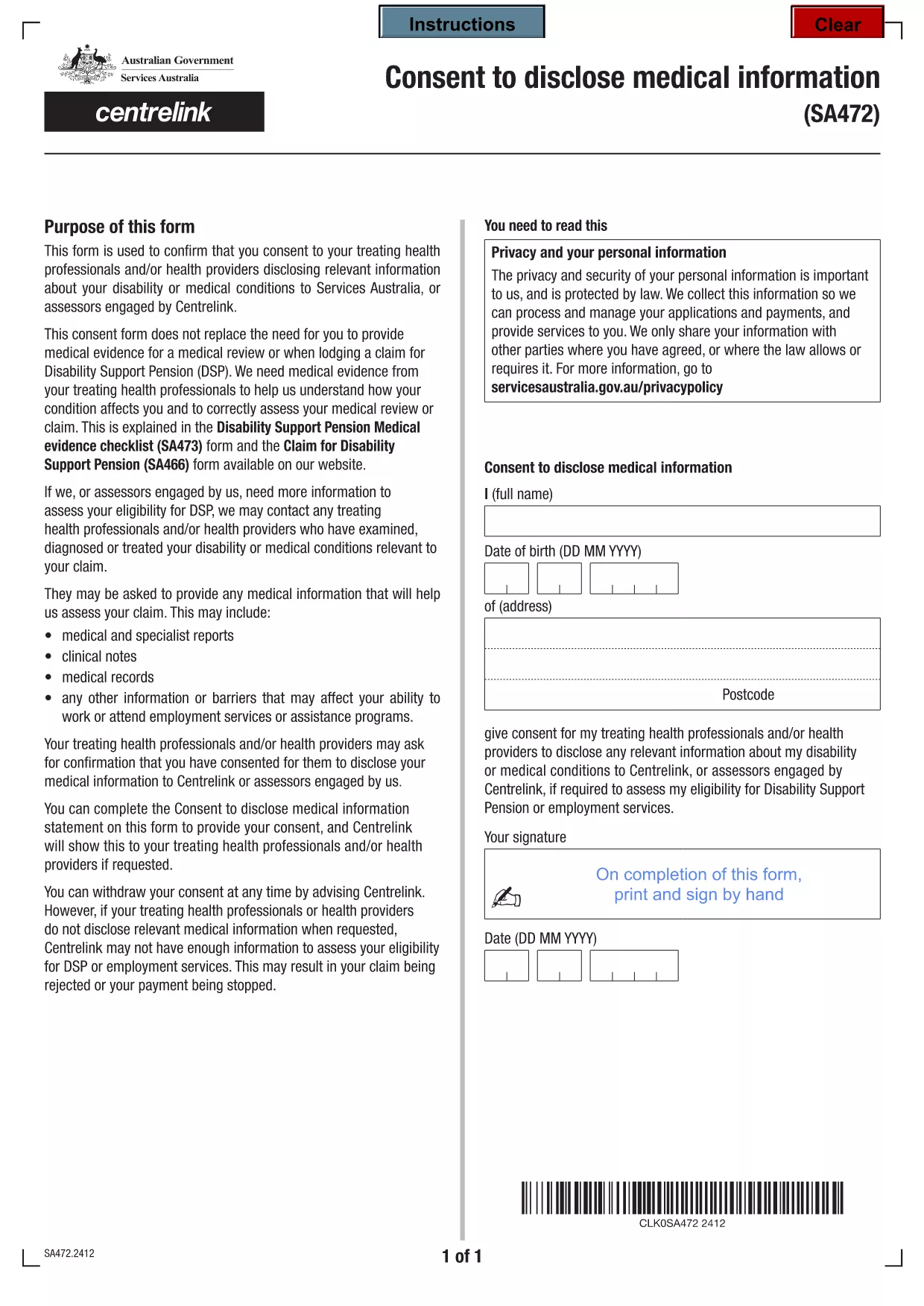
Need a quick, secure way to give permission for your health provider to share medical information with Services Australia? Our fillable consent form PDF lets you download, complete, and submit the required document in minutes.

Why You Need This Consent Form

The form is required whenever you want your treating health professionals to disclose relevant medical details to Services Australia or a Centrelink assessor. Without a signed consent, your information cannot be shared, which may delay benefits or services.

How to Fill the Form Online

Instead of printing and scanning, simply click the "Fill out this form" button on this page. The Formize PDF Filler loads instantly, allowing you to type directly into each field, add your signature, and save a completed copy.

Common Mistakes to Avoid

  • Leaving any mandatory field blank – the filler will highlight missing information.
  • Using cursive or unclear handwriting if you print – typing eliminates this risk.
  • Forgetting to sign – the digital signature field is mandatory for acceptance.

Where to Submit the Completed Form

After saving the filled PDF, upload it to your Centrelink online account or email it to the address provided by your service provider. Keep a copy for your records.

Need help? Review the FAQs below for quick answers to common questions.

자주하는 질문
  • Is this consent form only for Australian residents?

    Yes. The form is issued by Services Australia and is intended for individuals applying for Australian government services.

  • Can I fill the form on a mobile device?

    Absolutely. The Formize PDF Filler works on smartphones and tablets, allowing you to complete the form anywhere.

  • Do I need to print the form to sign it?

    No. The digital signature field is legally accepted for Services Australia submissions.

  • What happens if I forget to fill a mandatory field?

    The filler will highlight missing fields in red and prevent you from saving until they are completed.

  • How long is the consent valid?

    The consent remains valid until you withdraw it in writing or until the specific service period ends, as indicated on the form.

  • Can I use this PDF for other countries?

    This specific form is tailored for Australian services. Other countries have their own consent templates.

  • Is my personal data safe while using Formize?

    Formize processes the PDF locally in your browser; no data is stored on external servers unless you choose to upload it.

어떻게

5개의 간단한 단계를 통해 온라인으로 consent form download pdf를 무료로 작성하는 방법:

  1. 1
    Open the Fillable Form
    Click the "Fill out this form" button on the page. The Formize PDF Filler app will load in your browser.
  2. 2
    Enter Your Information
    Type directly into each field – name, date of birth, health provider details, and the specific information you consent to share.
  3. 3
    Add Your Digital Signature
    Use the signature field to draw or type your name. The form will prompt you if the signature is missing.
  4. 4
    Review and Save
    Check all entries for accuracy, then click "Save" to download the completed PDF to your device.
  5. 5
    Submit the Form
    Upload the saved PDF to your Centrelink online portal or email it as instructed by your service provider.
Formize PDF 필러 앱
에 대한

메디케어 신청서

consent form download pdf는 미국에서 연방 정부가 관리하는 건강 보험 프로그램인 Medicare 프로그램과 관련된 다양한 프로세스에 사용되는 문서인 Medicare 양식 중 하나입니다. 메디케어는 65세 이상의 적격 개인뿐만 아니라 장애가 있거나 특정 질병이 있는 특정 개인에게 보험 혜택을 제공합니다.

일반적인 메디케어 양식에는 다음이 포함됩니다.

Medicare 등록 신청서: 이 양식은 Medicare 혜택을 신청하는 데 사용됩니다. 여기에는 이름, 주소, 사회 보장 번호, 현재 건강 보험 보장에 대한 세부 정보 등 신청자의 개인 정보가 포함됩니다.

메디케어 청구 양식: 이 양식은 메디케어가 보장하는 의료 서비스 또는 용품에 대한 환급을 요청하는 데 사용됩니다. 병원 입원(UB-04 양식), 의사 서비스(CMS-1500 양식) 또는 내구성 의료 장비(DMERC 양식)와 같은 다양한 유형의 서비스에 대해 다양한 청구 양식이 사용됩니다.

메디케어 처방약 플랜 양식: 이 양식은 처방약 보장을 제공하는 메디케어 파트 D에 등록하는 데 사용됩니다. 일반적으로 현재 복용 중인 약품에 대한 정보가 필요하며 특정 플랜에 대해 보장되는 약품 목록이 포함될 수도 있습니다.

Medicare 항소 양식: Medicare 청구가 거부되거나 보장 결정에 동의하지 않는 경우 개인은 항소를 제기할 수 있습니다. 항소 절차에 사용되는 양식은 특정 상황과 관련된 메디케어 보장 유형에 따라 다릅니다.

메디케어 승인 양식: 이 양식은 청구 처리 또는 치료 조정과 같은 목적으로 의료 기록에 접근해야 하는 개인 또는 조직에 보호 건강 정보 공개를 승인하는 데 사용됩니다.

Medicare 변경 양식: 이 양식은 개인 정보 업데이트, 주치의 변경, 다른 Medicare Advantage 또는 파트 D 처방약 플랜으로 전환 등 기존 Medicare 보장을 변경하는 데 사용됩니다.

Medicare 양식과 절차는 복잡할 수 있으므로 개인은 적절한 양식을 정확하고 시기적절하게 작성하기 위해 Medicare 프로그램이나 신뢰할 수 있는 의료 전문가의 도움을 구하는 것이 좋습니다.

특징

PDF 필러

온라인에서 PDF 양식을 채우는 가장 쉬운 방법

  • consent form download pdf를 빠르게 작성하세요.
    온라인에서 consent form download pdf을(를) 빠르게 채우는 방법을 찾고 계십니까? 온라인 무료 PDF 양식 필러를 사용하면 1분 이내에 이 PDF 문서를 편집하고 채우는 방법을 알 수 있습니다.
  • 사용하기 쉬운 온라인 PDF 편집기
    다시 스캔하여 다시 보내기 전에 편집할 수 있도록 PDF 파일을 인쇄하는 데 지쳤습니까? 온라인에서 무료로 PDF 문서를 편집하세요. 온라인 PDF 편집기를 사용하여 시간과 종이를 절약하십시오.
  • 훌륭한 도구, 모든 플랫폼
    Mac에서 consent form download pdf를 채우는 방법이나 PDF 필러를 무료로 사용하는 방법이 궁금하십니까? 당사의 온라인 PDF 도구는 모든 플랫폼에서 작동합니다.
  • 안전한 파일 저장
    완료된 "consent form download pdf" 파일은 Amazon 클라우드 호스팅에서 관리하는 보안 데이터베이스에 저장됩니다. 언제든지 시스템에서 파일을 삭제할 수 있습니다. 어쨌든 이러한 파일은 24시간 후에 자동으로 삭제됩니다.
  • consent form download pdf님과 채팅
    무료 PDF 리더 도우미인 Chatize에서 "consent form download pdf"와 채팅하세요. "consent form download pdf"에서 질문하고 답변을 받으세요. 위의 문서와 채팅 버튼을 클릭하세요.

필링 세션 삭제

선택한 필링 세션을 삭제하시겠습니까?이 경우 양식 작성 진행 상황이 손실됩니다.

편집 세션 삭제

선택한 편집 세션을 삭제하시겠습니까? 이 경우 양식 작성 및 편집 진행 상황이 손실됩니다.