
언어 선택

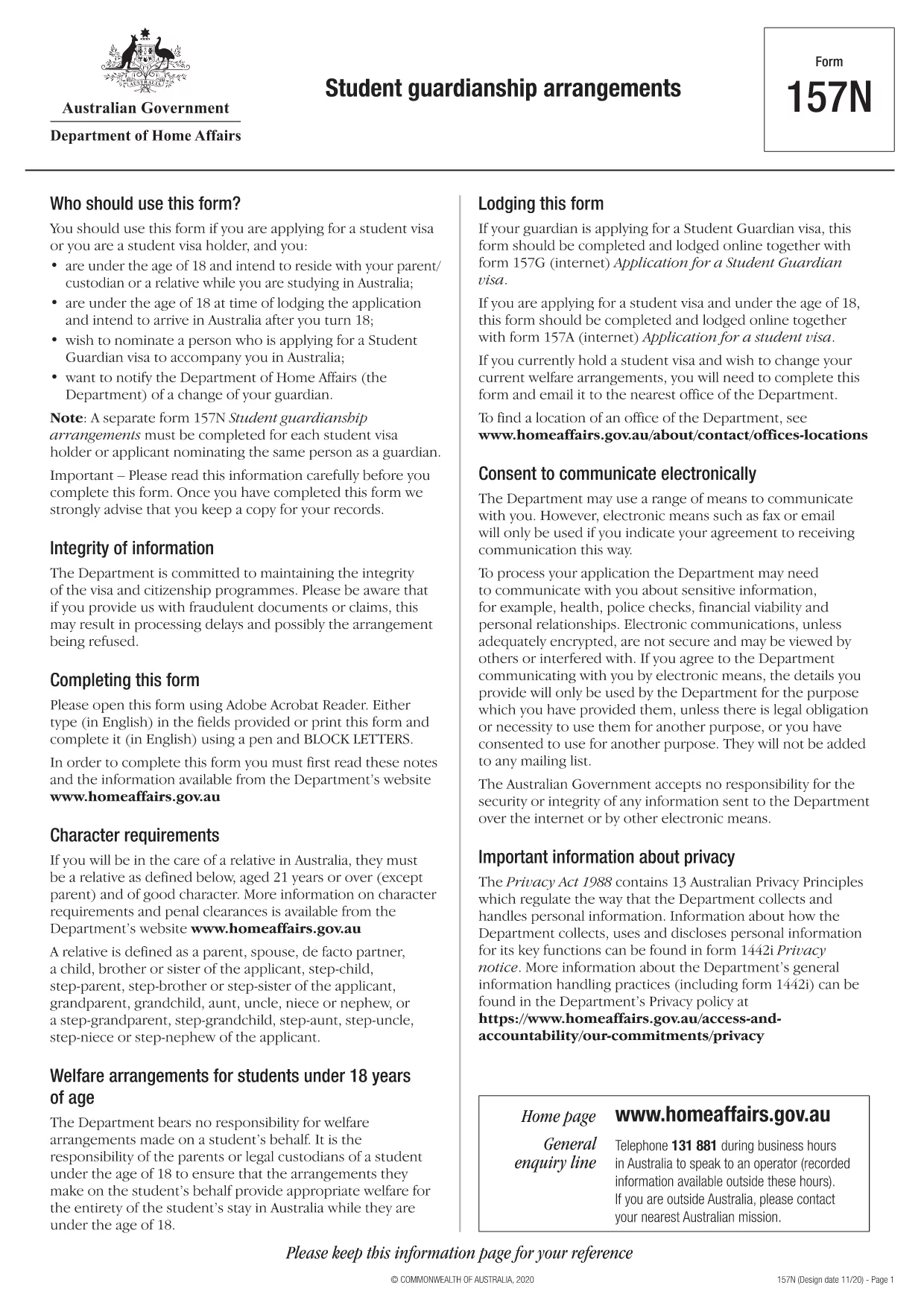
Form 157N – Student Guardian Arrangement (Fillable PDF)

  1. 언어 영어
  2. 국가 호주
  3. 활동 공부하다
Form 157N – Student Guardian Arrangement (Fillable PDF)

Form 157N is the official Australian document used to nominate a guardian for a student visa holder. Whether you are a parent, legal guardian, or an approved welfare provider, this form must be completed for every student who requires a guardian while studying in Australia.

What is Form 157N?

The Student Guardianship Arrangements – Form 157N captures details about the student, the proposed guardian, and the nature of the guardianship agreement. It is required by the Department of Home Affairs for visa subclasses 500, 590, and related student visas.

When and Who Must Complete Form 157N

  • Any new student visa applicant who needs a guardian in Australia.
  • Current visa holders who change their guardian or wish to add a second guardian.
  • Educational institutions acting on behalf of a student to nominate a welfare provider.

How to Fill Out Form 157N with Formize

Instead of downloading the PDF and editing it manually, use our Formize PDF Filler – a fast, secure, and fully fillable online solution.

Common Mistakes to Avoid

  • Leaving any mandatory field blank (marked with an asterisk *).
  • Submitting an outdated passport number for the guardian.
  • Providing an Australian address that does not belong to the guardian.
  • Failing to sign and date the form in the correct places.

Where to Submit the Completed Form

After you have filled the form online, download the completed PDF and attach it to your visa application through ImmiAccount, or email it to your education provider if they handle the submission.

Need help? Review our step‑by‑step guide below or check the FAQs for quick answers.

자주하는 질문
  • Do I need to fill out a separate Form 157N for each student?

    Yes. Every student visa holder who nominates a guardian must have an individual Form 157N, even if the same guardian is named for multiple students.

  • Can I use the same PDF for a change of guardian?

    For a change of guardian you must complete a new Form 157N (sometimes referenced as Form 157N‑N). Submit the new form together with supporting evidence of the change.

  • Is an electronic signature accepted?

    The Department of Home Affairs accepts electronic signatures made within an approved PDF filler such as Formize. Ensure the signature field is marked as signed before downloading.

  • What happens if I forget to sign the form?

    An unsigned Form 157N will be rejected, causing delays in visa processing. The Formize validator will alert you to any missing signatures.

  • Do I need to provide proof of the guardian’s relationship to the student?

    Yes. Attach supporting documents (e.g., birth certificate, adoption papers, or legal guardianship order) alongside the completed Form 157N.

  • Can I save my progress and finish later?

    Formize allows you to save a draft locally. Click **Save Draft** before closing the browser, then reopen the saved file to continue.

  • Is there a fee to use Formize’s PDF filler?

    No. Formize provides free online filling for government forms like Form 157N. There are no hidden charges.

  • What if I submit the wrong guardian’s details?

    You must submit a corrected Form 157N as soon as the error is discovered. The Department will treat the new submission as the official record.

어떻게

5개의 간단한 단계를 통해 온라인으로 Form 157N를 무료로 작성하는 방법:

  1. 1
    Open the Fillable Form
    Click the **Fill out this form** button on this page. The Formize PDF Filler app will load the Form 157N directly in your browser.
  2. 2
    Enter Your Details
    Complete each field—student information, guardian details, and signatures—using your keyboard. All fields are interactive and save automatically.
  3. 3
    Review and Validate
    Use the built‑in validation to check for missing or incorrectly formatted data. Correct any highlighted errors before proceeding.
  4. 4
    Download the Completed PDF
    When you’re satisfied, click **Download PDF**. The file will be saved with all your entries intact, ready for upload to ImmiAccount.
  5. 5
    Submit with Your Visa Application
    Attach the downloaded PDF to your student visa application or provide it to your education provider as instructed.
Formize PDF 필러 앱
에 대한

연구 양식

Form 157N는 교육 또는 학술 연구의 맥락에서 사용되는 문서 중 하나입니다. 이러한 양식은 일반적으로 학생, 교육 기관 또는 연구 조직에서 연구, 연구 프로젝트 또는 학업 과정과 관련된 정보를 수집하고 관리하는 데 사용됩니다. 사용되는 구체적인 양식은 연구의 성격이나 수행되는 연구에 따라 달라질 수 있습니다. 다음은 연구 양식의 몇 가지 예입니다.

지원 양식: 이 양식은 학생들이 교육 기관이나 특정 학습 프로그램에 입학을 신청할 때 사용됩니다. 입학전형에 필요한 개인정보, 학력, 기타 세부사항을 수집합니다.

강좌 등록 양식: 학생들은 특정 강좌나 과목에 등록하기 위해 강좌 등록 양식을 작성해야 하는 경우가 많습니다. 이 양식을 통해 학생들은 다가오는 학기 또는 학년도에 선호하는 과목을 선택할 수 있습니다.

연구 제안서: 연구 프로젝트를 시작할 때 연구자는 연구 제안서를 제출해야 할 수도 있습니다. 이 양식에는 제안된 연구에 필요한 목표, 방법론, 일정 및 자원이 요약되어 있습니다.

사전 동의 양식: 인간 피험자를 대상으로 한 연구에서는 참가자에게 연구의 목적, 위험, 이점 및 절차에 대한 완전한 정보를 제공하기 위해 사전 동의 양식이 사용됩니다. 참가자는 연구에 참여하기 전에 이러한 양식에 서명하여 동의를 제공합니다.

설문조사 또는 설문지 양식: 연구자들은 종종 설문조사 또는 설문지 양식을 사용하여 연구 참가자로부터 데이터를 수집합니다. 이 양식에는 연구와 관련된 특정 정보를 수집하기 위해 고안된 일련의 질문이 포함되어 있습니다.

연구 진행 보고서 양식: 특정 교육 프로그램이나 연구 프로젝트에서 학생이나 연구자는 정기적인 진행 보고서를 제출해야 할 수 있습니다. 이 양식은 연구 또는 연구의 진행 상황, 성과, 과제 및 다음 단계를 추적합니다.

논문 또는 논문 양식: 고급 학위를 취득하려는 학생은 자신의 논문 또는 논문과 관련된 다양한 양식을 작성해야 할 수도 있습니다. 이러한 양식에는 제안서 양식, 위원회 승인 양식, 최종 제출 양식 등이 포함됩니다.

해외 유학 신청서: 해외 유학 프로그램을 신청하는 학생은 자신이 원하는 학업 목적지, 학업 목표, 언어 능력 및 기타 관련 세부 사항에 대한 정보를 수집하는 특정 신청서를 작성해야 하는 경우가 많습니다.

이는 교육 또는 연구 환경에서 일반적으로 사용되는 학습 형식의 몇 가지 예입니다. 구체적인 양식과 요구 사항은 기관, 프로그램 또는 연구 프로젝트에 따라 다를 수 있습니다. 특정 학문이나 연구 활동에 필요한 학습 양식에 관한 정확한 최신 정보를 얻으려면 교육 기관이나 연구 기관에 문의하는 것이 중요합니다.

특징

PDF 필러

온라인에서 PDF 양식을 채우는 가장 쉬운 방법

  • Form 157N를 빠르게 작성하세요.
    온라인에서 Form 157N을(를) 빠르게 채우는 방법을 찾고 계십니까? 온라인 무료 PDF 양식 필러를 사용하면 1분 이내에 이 PDF 문서를 편집하고 채우는 방법을 알 수 있습니다.
  • 사용하기 쉬운 온라인 PDF 편집기
    다시 스캔하여 다시 보내기 전에 편집할 수 있도록 PDF 파일을 인쇄하는 데 지쳤습니까? 온라인에서 무료로 PDF 문서를 편집하세요. 온라인 PDF 편집기를 사용하여 시간과 종이를 절약하십시오.
  • 훌륭한 도구, 모든 플랫폼
    Mac에서 Form 157N를 채우는 방법이나 PDF 필러를 무료로 사용하는 방법이 궁금하십니까? 당사의 온라인 PDF 도구는 모든 플랫폼에서 작동합니다.
  • 안전한 파일 저장
    완료된 "Form 157N" 파일은 Amazon 클라우드 호스팅에서 관리하는 보안 데이터베이스에 저장됩니다. 언제든지 시스템에서 파일을 삭제할 수 있습니다. 어쨌든 이러한 파일은 24시간 후에 자동으로 삭제됩니다.
  • Form 157N님과 채팅
    무료 PDF 리더 도우미인 Chatize에서 "Form 157N"와 채팅하세요. "Form 157N"에서 질문하고 답변을 받으세요. 위의 문서와 채팅 버튼을 클릭하세요.

필링 세션 삭제

선택한 필링 세션을 삭제하시겠습니까?이 경우 양식 작성 진행 상황이 손실됩니다.

편집 세션 삭제

선택한 편집 세션을 삭제하시겠습니까? 이 경우 양식 작성 및 편집 진행 상황이 손실됩니다.