


{키워드} 템플릿
PDF 문서를 보고 작성하기 위한 기존 기능 세트와 웹 애플리케이션 및 반응형 레이아웃의 이점을 결합하면 몇 분 만에 renew driving licence at 70을(를) 완료할 수 있습니다.
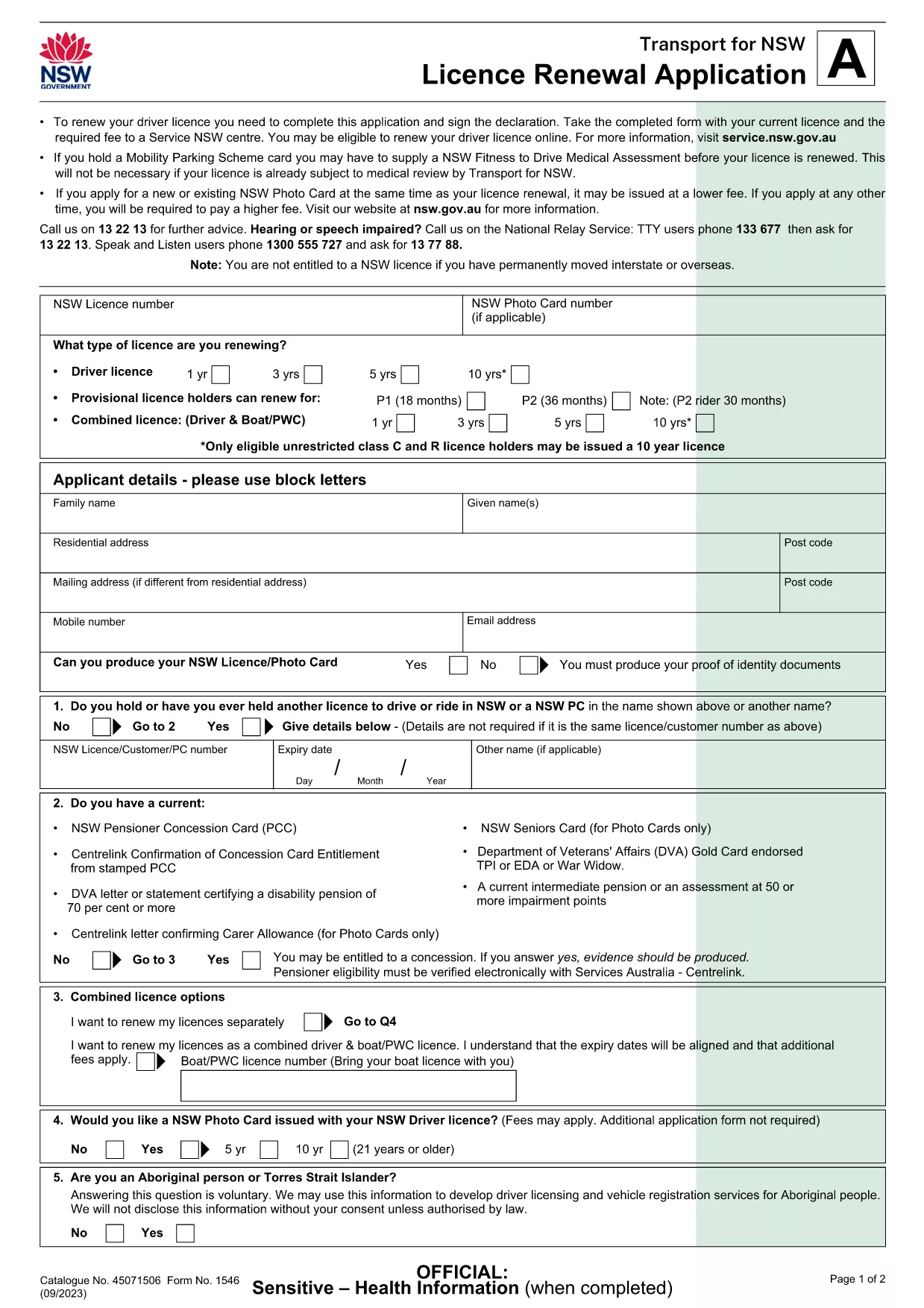
Turning 70 means it’s time to update your driver’s licence to meet the latest safety standards. The Licence Renewal Application (Form 1546) is a fillable PDF that lets you provide all required details from the comfort of home.
This page gives you everything you need – a direct download, an instant online filler, clear instructions, and answers to the most common questions.
Click the Fill out this form button below. The Formize PDF Filler app will load the official Licence Renewal Application (PDF) directly in your browser, so you never need to install additional software.
Follow the simple steps in the How To section to finish your renewal quickly.
Scroll down for quick answers to the questions most drivers ask when renewing at 70.
Yes. The Service NSW centre requires a hard copy with your original signature and supporting documents.
Currently the NSW government accepts only paper submissions for licence renewal, so you must print and deliver the form.
Bring your current driver’s licence, proof of residence (e.g., utility bill), and a recent passport‑style photo.
The renewal fee is the standard rate for senior drivers in NSW; check the Service NSW website for the exact amount.
Processing at the centre usually takes 15‑30 minutes once you submit the completed form and payment.
If you notice an error before printing, simply go back to the Formize filler, correct the field, and re‑download the PDF.
The Formize filler works best on a desktop or laptop. Mobile browsers may not display all fields correctly.
If you have a medical condition that could affect driving, attach a Doctor’s Certificate with the form.
PDF 문서를 보고 작성하기 위한 기존 기능 세트와 웹 애플리케이션 및 반응형 레이아웃의 이점을 결합하면 몇 분 만에 renew driving licence at 70을(를) 완료할 수 있습니다.
온라인에서 PDF 양식을 채우는 가장 쉬운 방법
필링 세션 삭제
편집 세션 삭제