


{키워드} 템플릿
PDF 문서를 보고 작성하기 위한 기존 기능 세트와 웹 애플리케이션 및 반응형 레이아웃의 이점을 결합하면 몇 분 만에 revival application form을(를) 완료할 수 있습니다.
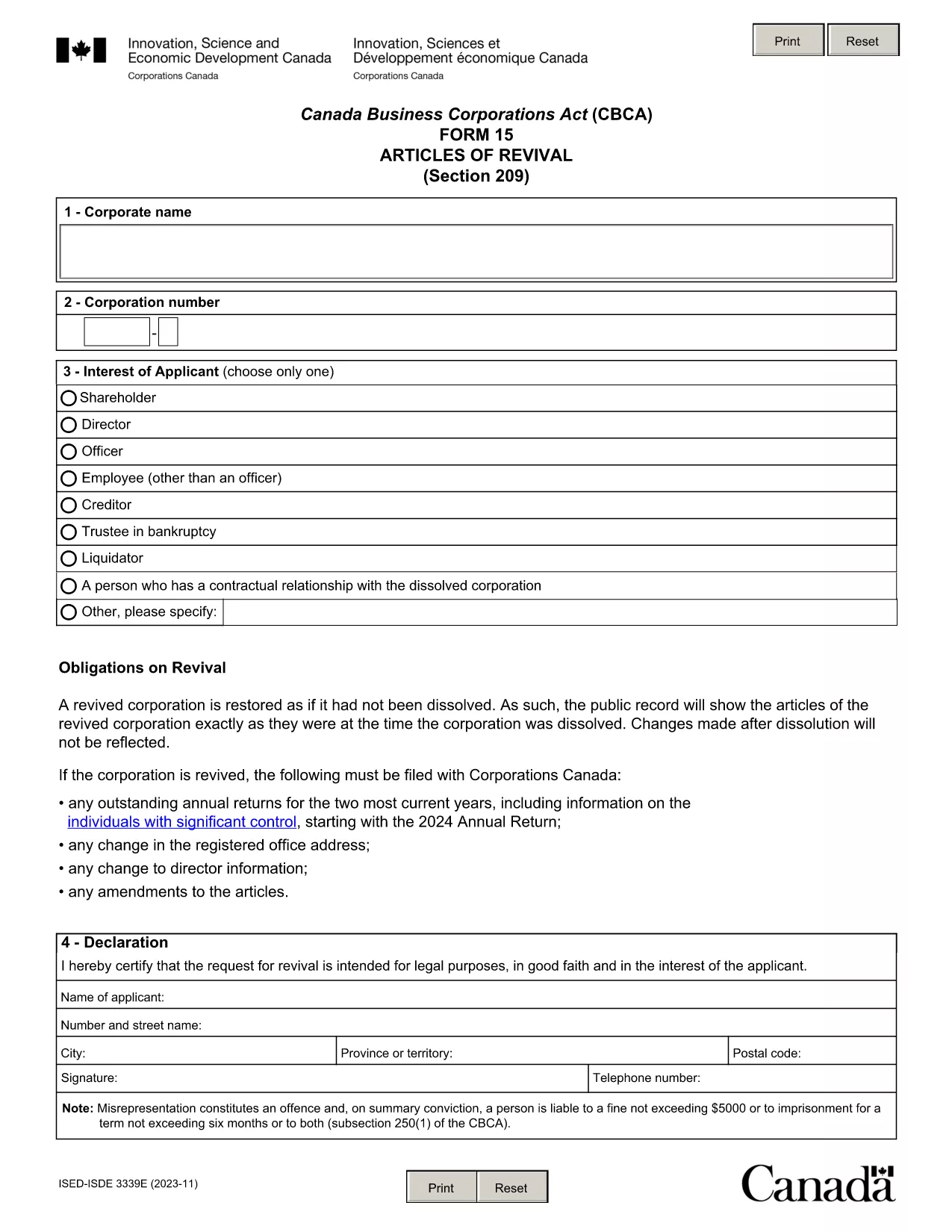
Need to bring a dissolved corporation or lapsed policy back to life? The Revival Application Form is the legal document you submit to request reinstatement. Our fillable PDF version lets you complete the form quickly, securely, and without any extra software.
A revival (or reinstatement) application is filed when a business, corporation, or insurance policy has been dissolved, cancelled, or become inactive and the owner wishes to reactivate it. The form typically requires details such as the applicant’s name, registration number, reason for revival, and a declaration of good‑faith intent.
Instead of downloading the PDF and opening it in a separate editor, simply click the "Fill out this form" button on this page. The Formize PDF Filler app will load directly in your browser, allowing you to:
The PDF linked below is the official revival application provided by Corporations Canada. It is fully fillable and updated as of 2023‑12.
It is filed to reactivate a dissolved corporation, cancelled insurance policy, or any legal entity that has become inactive.
A lawyer is not required, but you may consult one to ensure the information is accurate and meets legal requirements.
Yes. The Formize PDF Filler lets you save the partially completed form and return to it at any time.
Fees vary by jurisdiction. Check the Corporations Canada fee schedule for the most current amount.
Processing times depend on the completeness of the application; typically, it ranges from a few days to several weeks.
The filing will be rejected, and you will be asked to correct the missing or erroneous sections before resubmission.
Yes. After completing the fillable PDF, you can upload the file directly through the Corporations Canada online portal.
The link provided points to the latest official version (as of December 2023). We regularly update the page when newer versions are released.
PDF 문서를 보고 작성하기 위한 기존 기능 세트와 웹 애플리케이션 및 반응형 레이아웃의 이점을 결합하면 몇 분 만에 revival application form을(를) 완료할 수 있습니다.
온라인에서 PDF 양식을 채우는 가장 쉬운 방법
필링 세션 삭제
편집 세션 삭제