


{키워드} 템플릿
PDF 문서를 보고 작성하기 위한 기존 기능 세트와 웹 애플리케이션 및 반응형 레이아웃의 이점을 결합하면 몇 분 만에 Canada application form을(를) 완료할 수 있습니다.
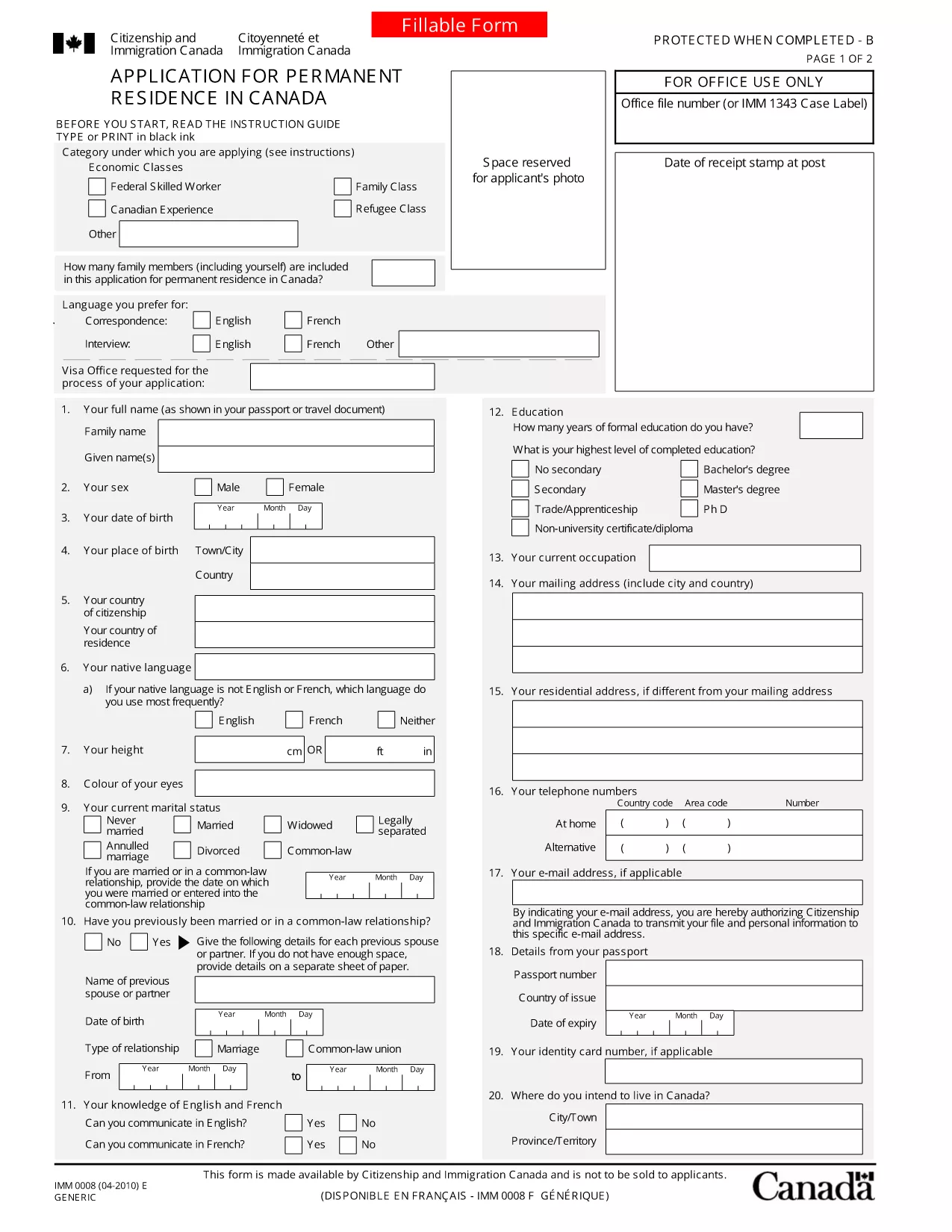
Simply click the "Fill out this form" button on this page. The Formize PDF Filler app will load in your browser, allowing you to complete every field without installing any software.
The IMM 0008 form is divided into personal details, family information, background, and declaration sections. Have your passport, travel history, and supporting documents ready before you start.
For users who prefer to work offline, you can download the official PDF below. The file is the exact version provided by Immigration, Refugees and Citizenship Canada.
Below are answers to the most common questions applicants have.
Yes. The official IMM 0008 PDF is provided by the Canadian government at no cost.
The Formize PDF Filler works on most smartphones and tablets with a modern browser.
Only if the specific visa program requires a paper copy. Most applications accept a signed digital PDF.
Use the filler’s undo feature or clear the field and re‑enter the correct information before saving.
Our download link points directly to the IRCC website, ensuring you always get the current version.
Yes. The French version (IMM 0008‑F) is available on the IRCC site; you can switch languages using the top navigation.
PDF 문서를 보고 작성하기 위한 기존 기능 세트와 웹 애플리케이션 및 반응형 레이아웃의 이점을 결합하면 몇 분 만에 Canada application form을(를) 완료할 수 있습니다.
온라인에서 PDF 양식을 채우는 가장 쉬운 방법
필링 세션 삭제
편집 세션 삭제