


{키워드} 템플릿
PDF 문서를 보고 작성하기 위한 기존 기능 세트와 웹 애플리케이션 및 반응형 레이아웃의 이점을 결합하면 몇 분 만에 application form을(를) 완료할 수 있습니다.
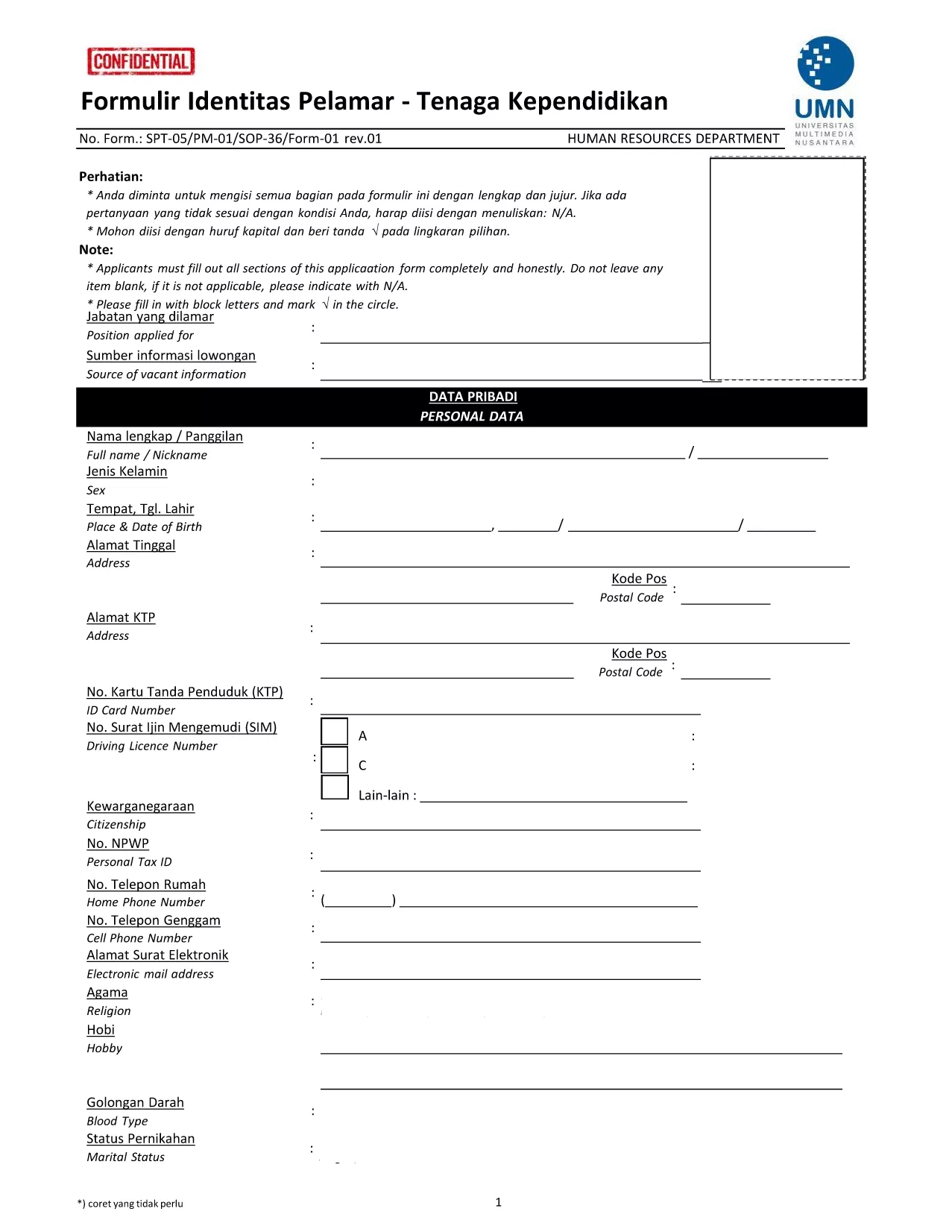
Looking for an easy way to complete the Formulir Identitas Pelamar (Applicant Identity Form) without printing, scanning, or worrying about formatting? Our online fillable PDF solution lets you fill the form directly in your browser using the Formize PDF Filler app.
This form is required by many Indonesian universities and educational institutions when applying for teaching or staff positions. It collects personal data, education background, and work experience, and must be signed accurately to avoid application delays.
Simply click the "Fill out this form" button below. The Formize PDF Filler will load, and you can start entering your details immediately. No extra software or plug‑ins are required.
After saving the completed PDF, attach it to your application portal or email it to the HR department of the university you are applying to. Always keep a copy for your records.
Ready to start? Click the button below and let Formize do the heavy lifting.
No. The Formize PDF Filler runs completely in your web browser, so there is nothing to install.
Yes. Open the saved PDF again with the Formize filler, make changes, and re‑save.
All processing occurs locally in your browser; the data never leaves your device unless you choose to download or share it.
Use the "Undo" button or simply click into the field and correct the entry before saving.
Yes. The form requires a signature. You can draw it with your mouse, touchpad, or upload an image of your handwritten signature.
Absolutely. After saving, you can open the PDF in any viewer and print it as needed.
Yes. The PDF linked below is the latest revision provided by Universitas Multimedia Nusantara.
All modern browsers – Chrome, Edge, Firefox, Safari – support the Formize filler.
PDF 문서를 보고 작성하기 위한 기존 기능 세트와 웹 애플리케이션 및 반응형 레이아웃의 이점을 결합하면 몇 분 만에 application form을(를) 완료할 수 있습니다.
온라인에서 PDF 양식을 채우는 가장 쉬운 방법
필링 세션 삭제
편집 세션 삭제