
세금 양식
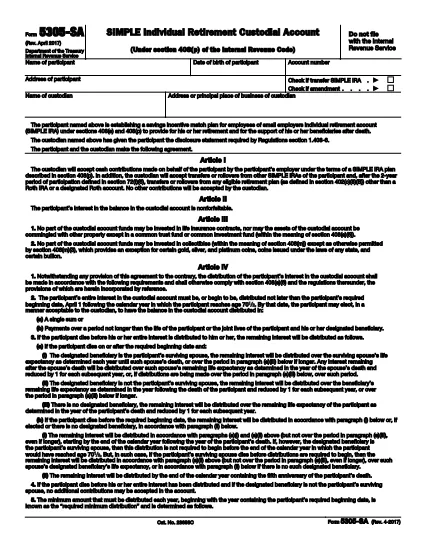
IRS Form 5305-SA는 세금 관련 정보를 해당 세무 당국에 보고하는 데 사용되는 문서인 세금 양식 중 하나입니다. 납세자의 상황과 위치에 따라 연방, 주 및 지방 세금 양식을 포함하여 다양한 유형의 세금 양식이 있습니다.
IRS Form 5305-SA is the official Required Minimum Distribution (RMD) election form used by participants who have reached age 70½ and need to specify how their retirement account distributions will be taken. The form is available as a fillable PDF, allowing you to complete it quickly without printing.
A fillable PDF preserves the exact layout required by the IRS while letting you type directly into the fields. When you use Formize’s online PDF filler, your data is saved securely and you can download a completed copy ready for submission.
Following the instructions below will help you fill out the form accurately and avoid common errors.
Form 5305-SA is used to elect how a Required Minimum Distribution (RMD) will be taken from a retirement account once the participant reaches age 70½.
The IRS does not accept electronic submissions for this form. You must print the completed PDF, sign it, and mail it to the appropriate custodian.
Yes. The participant’s original signature is required for the form to be valid. An electronic signature is not accepted.
You submit the form only when you first elect an RMD method. If you want to change the election later, you must file a new Form 5305-SA.
Common errors include using the wrong account balance date, leaving required fields blank, and forgetting to sign the form.
Send the signed form to the financial institution that holds your retirement account. They will forward it to the IRS as needed.
Formize offers a free basic version for filling out standard IRS PDFs like Form 5305-SA. No charge is required for the basic fill‑out and download.
IRS Form 5305-SA는 세금 관련 정보를 해당 세무 당국에 보고하는 데 사용되는 문서인 세금 양식 중 하나입니다. 납세자의 상황과 위치에 따라 연방, 주 및 지방 세금 양식을 포함하여 다양한 유형의 세금 양식이 있습니다.
온라인에서 PDF 양식을 채우는 가장 쉬운 방법
필링 세션 삭제
편집 세션 삭제
