
언어 선택

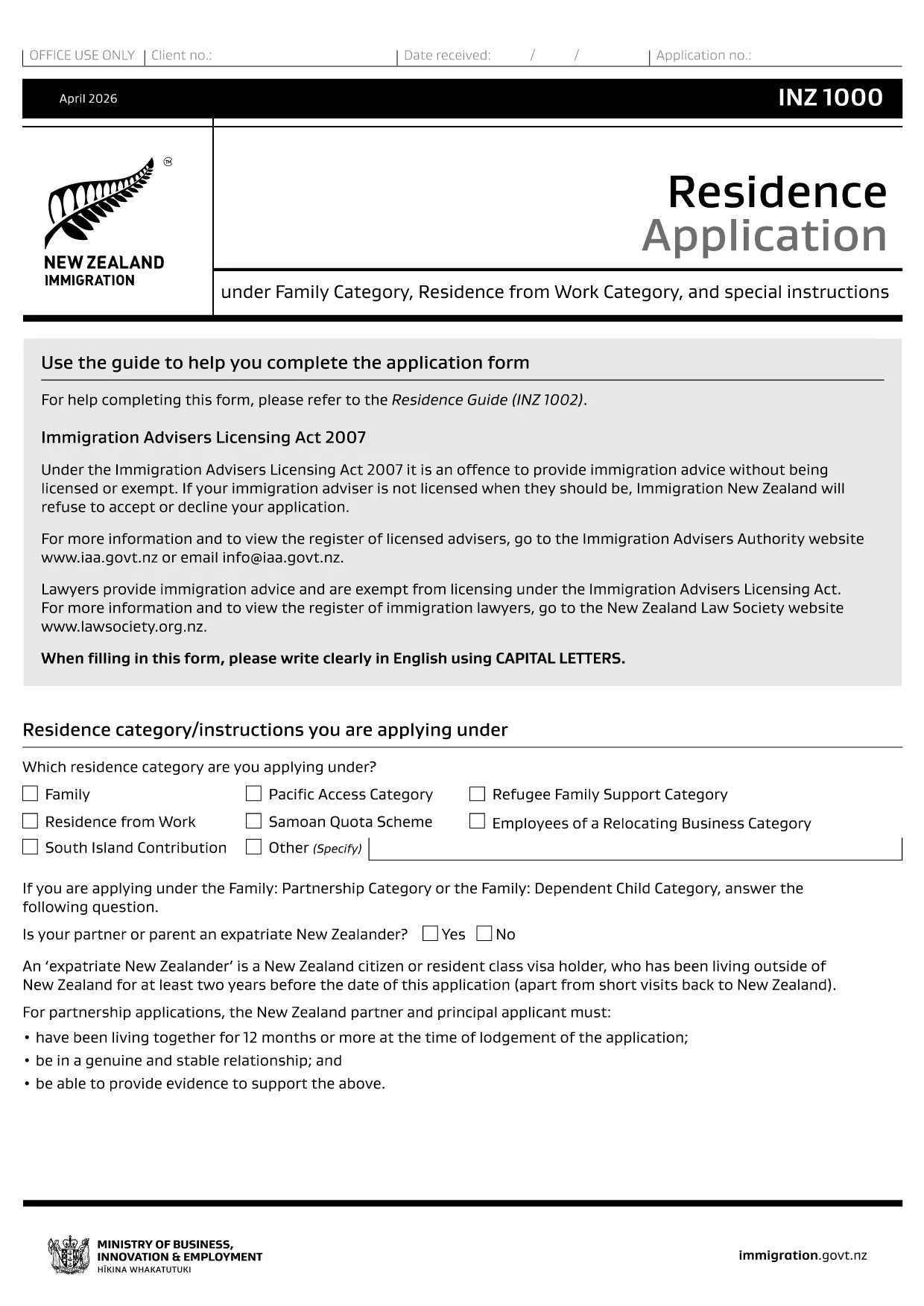
INZ 1000 Residence Application – Fillable PDF Form

  1. 국가 뉴질랜드
  2. 언어 영어
  3. 활동 일하다 거주 이민
INZ 1000 Residence Application – Fillable PDF Form

What Is the INZ 1000 Form?

The INZ 1000 is the official Residence Application used by Immigration New Zealand for individuals who have received an invitation to apply for New Zealand residency. It collects personal details, immigration history, health information, and supporting evidence.

How to Complete the INZ 1000 Online

Instead of downloading the PDF and editing it in a separate program, you can fill the form directly on our page using the Formize PDF Filler app. This ensures all fields stay correctly formatted and the file remains printable for submission.

Common Mistakes to Avoid

  • Leaving mandatory fields blank – the filler highlights required sections.
  • Uploading files that exceed the size limit – keep each attachment under 5 MB.
  • Using an outdated version of the form – our link always points to the latest official PDF.

Where to Submit Your Completed Form

After you have filled out and saved the INZ 1000, submit the PDF to the Immigration officer who issued your invitation letter, usually via the online portal or by email as instructed in the invitation.

Download the Official PDF

If you prefer to work offline, you can download the official form below. The online filler uses the same PDF, so no data is lost.

자주하는 질문
  • Do I need to print the INZ 1000 after filling it online?

    No. The online filler creates a fully completed PDF that can be submitted electronically. Print only if specifically requested by the immigration officer.

  • Can I save my progress and return later?

    Yes. Use the “Save Draft” option in the Formize filler, then reload the saved file to continue later.

  • What file format is required for supporting documents?

    Immigration New Zealand accepts PDF, JPG, or PNG files. Keep each file under 5 MB.

  • Is there a fee to use the Formize PDF Filler?

    No. The filler is completely free for all users.

  • How do I know I have the latest version of INZ 1000?

    Our download link points to the official Immigration New Zealand website, guaranteeing you always get the current version.

  • What should I do if the filler crashes or freezes?

    Refresh the page and reopen the form. All data entered before the crash is saved automatically.

  • Can I fill out the form on a mobile device?

    Yes. The Formize filler is responsive and works on smartphones and tablets.

  • Do I need a PDF editor to edit the saved form?

    No. The saved PDF is already completed. Only a PDF viewer is needed to open and submit it.

어떻게

6개의 간단한 단계를 통해 온라인으로 INZ 1000를 무료로 작성하는 방법:

  1. 1
    Click the Fill‑out Button
    On this page, press the “Fill out this form” button to launch the Formize PDF Filler.
  2. 2
    Wait for the Filler to Load
    The app loads the official INZ 1000 PDF in a secure window. This only takes a few seconds.
  3. 3
    Enter Your Information
    Complete each highlighted field. Required fields are marked with a red asterisk.
  4. 4
    Add Attachments
    Upload supporting documents (passport copy, health certificates, etc.) using the attachment icons.
  5. 5
    Review and Save
    Use the “Preview” button to check the filled form, then click “Save PDF” to download the completed application.
  6. 6
    Submit to Immigration New Zealand
    Follow the instructions in your invitation letter to submit the saved PDF to the designated officer.
Formize PDF 필러 앱
에 대한

작업 양식

INZ 1000는 외국에서 취업하려는 개인이 사용하는 신청서 중 하나입니다. 이러한 양식은 일반적으로 개인의 고용 배경, 기술 및 자격에 대한 정보를 수집하기 위해 목적지 국가의 이민 당국에서 요구합니다. 구체적인 근무 형태와 요구 사항은 국가와 이민 정책에 따라 달라질 수 있습니다. 다음은 이민 측면에서 근무 형태의 몇 가지 예입니다.

취업 비자 신청서: 외국에서 일하려는 개인이 사용하는 주요 양식입니다. 이는 개인정보, 원하는 고용에 대한 세부정보, 후원하는 고용주 또는 조직, 취업 비자 신청에 필요한 기타 관련 정보를 수집합니다.

고용 계약: 어떤 경우에는 개인이 취업 허가 신청의 일부로 고용 계약 사본을 제출해야 할 수도 있습니다. 고용 계약에는 직위, 급여, 근무 시간 및 기타 고용 관련 세부 사항을 포함하여 직업 조건이 명시되어 있습니다.

노동 시장 영향 평가(LMIA) 양식: 특정 국가에서는 고용주가 노동 시장 영향 평가(LMIA)를 취득하여 외국인 근로자가 특정 직무를 맡을 필요성이 실제로 있음을 입증해야 합니다. LMIA 양식은 고용주가 작성하며 구인 정보, 현지 근로자 채용 노력, 현지 노동 시장에 미치는 영향에 대한 정보를 포함합니다.

기술 평가 또는 자격 인정 양식: 국가에 따라 개인은 직무에 필요한 표준을 충족하는지 확인하기 위해 자신의 기술이나 자격을 평가하거나 인정해야 할 수도 있습니다. 기술 평가 또는 자격 인정 양식은 개인의 교육 배경, 업무 경험 및 특정 직업과 관련된 기술에 대한 정보를 수집합니다.

취업 증명서 또는 취업 제안서: 취업 비자를 신청하는 개인은 후원 고용주가 보낸 취업 증명서 또는 취업 증명서를 제출해야 할 수도 있습니다. 이러한 문서에는 일반적으로 직위, 책임, 시작일 및 급여에 대한 세부 정보가 포함됩니다.

취업 허가 신청서: 취업 비자가 승인되면 개인은 국가에서 일하기 위한 공식 허가를 얻기 위해 별도의 취업 허가 신청서를 작성해야 할 수도 있습니다. 이 양식에는 취업 비자 번호, 개인 정보, 고용 정보, 관련 수수료 등의 정보가 필요할 수 있습니다.

건강 검진 양식: 국가 및 업무 성격에 따라 개인은 해당 국가에서 근무하기 위한 건강 요건을 충족하는지 확인하기 위해 건강 검진을 받아야 할 수도 있습니다. 건강검진 양식에는 필요한 건강 정보와 검사 결과가 수집됩니다.

구체적인 업무 형태와 요구 사항은 국가, 추구하는 업무 유형, 시행 중인 이민 정책에 따라 크게 달라질 수 있다는 점을 유념하는 것이 중요합니다. 이민 목적에 필요한 업무 양식에 관한 정확하고 최신 정보를 얻으려면 이민 당국의 공식 웹사이트를 참조하거나 법적 조언을 구하는 것이 좋습니다.

특징

PDF 필러

온라인에서 PDF 양식을 채우는 가장 쉬운 방법

  • INZ 1000를 빠르게 작성하세요.
    온라인에서 INZ 1000을(를) 빠르게 채우는 방법을 찾고 계십니까? 온라인 무료 PDF 양식 필러를 사용하면 1분 이내에 이 PDF 문서를 편집하고 채우는 방법을 알 수 있습니다.
  • 사용하기 쉬운 온라인 PDF 편집기
    다시 스캔하여 다시 보내기 전에 편집할 수 있도록 PDF 파일을 인쇄하는 데 지쳤습니까? 온라인에서 무료로 PDF 문서를 편집하세요. 온라인 PDF 편집기를 사용하여 시간과 종이를 절약하십시오.
  • 훌륭한 도구, 모든 플랫폼
    Mac에서 INZ 1000를 채우는 방법이나 PDF 필러를 무료로 사용하는 방법이 궁금하십니까? 당사의 온라인 PDF 도구는 모든 플랫폼에서 작동합니다.
  • 안전한 파일 저장
    완료된 "INZ 1000" 파일은 Amazon 클라우드 호스팅에서 관리하는 보안 데이터베이스에 저장됩니다. 언제든지 시스템에서 파일을 삭제할 수 있습니다. 어쨌든 이러한 파일은 24시간 후에 자동으로 삭제됩니다.
  • INZ 1000님과 채팅
    무료 PDF 리더 도우미인 Chatize에서 "INZ 1000"와 채팅하세요. "INZ 1000"에서 질문하고 답변을 받으세요. 위의 문서와 채팅 버튼을 클릭하세요.

필링 세션 삭제

선택한 필링 세션을 삭제하시겠습니까?이 경우 양식 작성 진행 상황이 손실됩니다.

편집 세션 삭제

선택한 편집 세션을 삭제하시겠습니까? 이 경우 양식 작성 및 편집 진행 상황이 손실됩니다.