
언어 선택

INZ 1220 Supplementary Form – Fillable PDF

  1. 국가 뉴질랜드
  2. 언어 영어
  3. 활동 방문 및 관광 일하다 이민 공부하다
INZ 1220 Supplementary Form – Fillable PDF

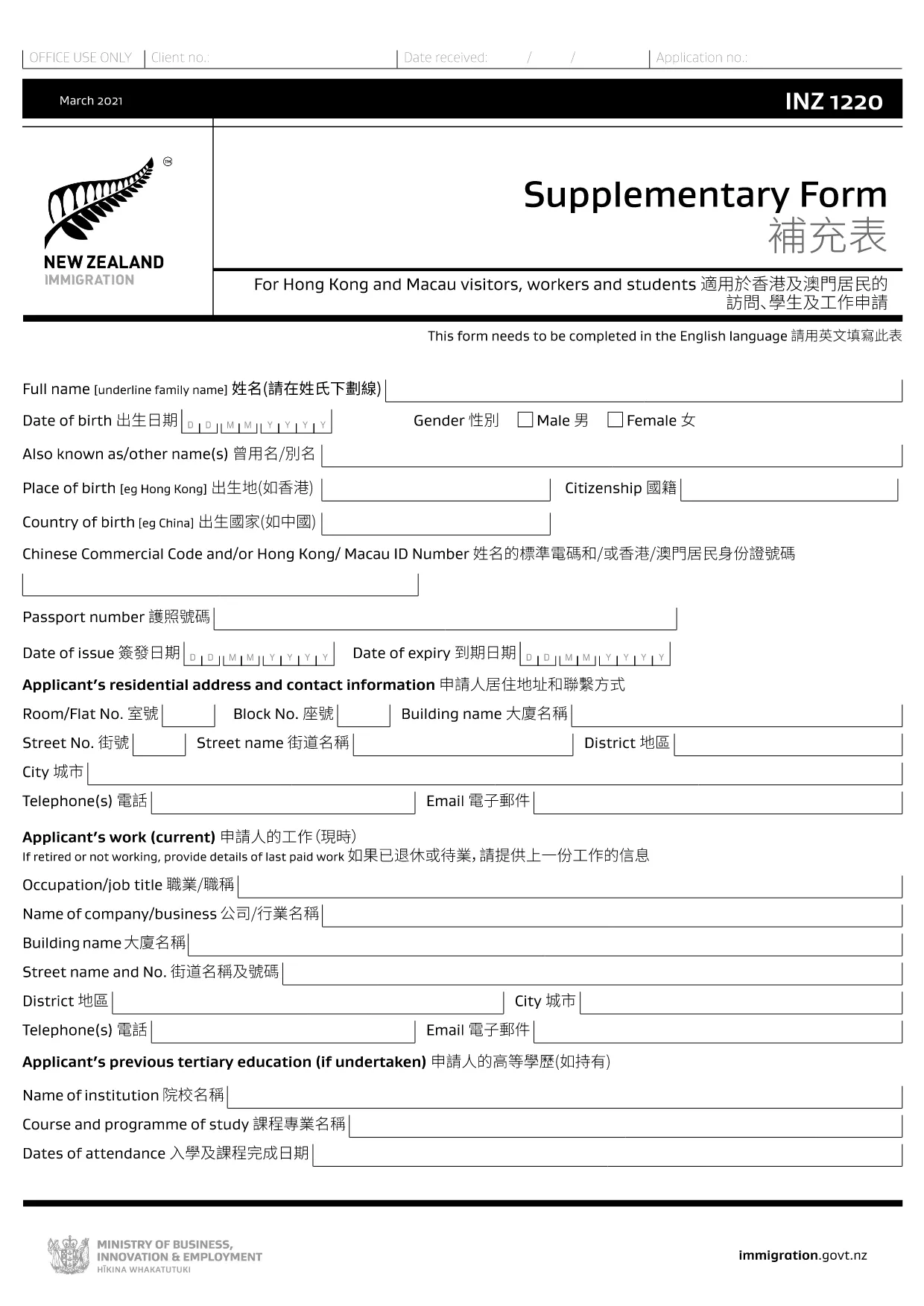
The INZ 1220 Supplementary Form is required by Immigration New Zealand for visitors, workers and students from Hong Kong and Macau who need to provide additional contact details. This fillable PDF lets you complete the form quickly, securely, and without printing.

Our page integrates the Formize PDF Filler app, so you can edit the document directly in your browser. No extra software, no downloads – just click, fill, and submit.

What Is the INZ 1220 Form?

INZ 1220 is a supplementary information sheet that collects the name, address, telephone, and email of a New Zealand contact (friend, family member, or sponsor). It is often requested alongside visa applications to verify local support.

How to Complete the INZ 1220 Online

Follow the simple steps below to fill out the form using Formize:

  • Click the **Fill out this form** button on this page.
  • Wait a few seconds while the Formize PDF Filler loads.
  • Enter the required details in each field – the interface highlights mandatory sections.
  • Review the information for accuracy.
  • Save the completed PDF to your device or download a copy for your records.

Common Mistakes to Avoid

  • Leaving the contact’s phone number incomplete – include country code.
  • Using an outdated email address – Immigration may send important updates.
  • Submitting the form with blank mandatory fields – the filler will flag these before you can save.

Where to Submit the Completed Form

After saving the PDF, attach it to your visa application through the Immigration New Zealand online portal, or email it to the address specified in your application instructions.

FAQs About INZ 1220

Find quick answers to the most common questions below (full FAQ list further down).

자주하는 질문
  • Do I need to print the INZ 1220 form?

    No. Using the Formize PDF Filler you can complete the form entirely online and download the finished PDF.

  • What language is the INZ 1220 form in?

    The official form is in English. If you need a translation, you must provide a certified translation alongside the original.

  • Can I save my progress and finish later?

    Yes. While the Formize app is open, you can click **Save** to download a partially‑filled PDF, then reload it later to continue.

  • Is the contact’s New Zealand address mandatory?

    Yes. Immigration requires a full local address (street, city, postal code) to verify your support network.

  • What if I make a mistake after saving?

    Simply reopen the saved PDF in the Formize filler, correct the error, and save a new version.

  • How many pages is the INZ 1220 form?

    The supplementary form is a single‑page PDF, making it quick to fill and attach.

  • Do I need a digital signature?

    A handwritten signature is required. Print the completed PDF, sign it, then scan or take a clear photo to upload.

  • Where can I find help if I’m stuck?

    The Formize filler includes tooltip help for each field. For further assistance, consult the Immigration New Zealand website.

어떻게

5개의 간단한 단계를 통해 온라인으로 INZ 1220를 무료로 작성하는 방법:

  1. 1
    Open the Fillable Form
    Click the **Fill out this form** button on the page. The Formize PDF Filler app will open in a new tab.
  2. 2
    Load the Form
    Wait a few seconds while the INZ 1220 PDF loads. All fields become editable directly in the browser.
  3. 3
    Enter Your Information
    Type the required details (contact name, address, phone, email). Required fields are marked with an asterisk.
  4. 4
    Review and Save
    Check the entered data for errors, then click **Save** to download the completed PDF to your device.
  5. 5
    Submit with Your Visa Application
    Attach the saved INZ 1220 PDF to your Immigration New Zealand online application or email it as instructed.
Formize PDF 필러 앱
에 대한

작업 양식

INZ 1220는 외국에서 취업하려는 개인이 사용하는 신청서 중 하나입니다. 이러한 양식은 일반적으로 개인의 고용 배경, 기술 및 자격에 대한 정보를 수집하기 위해 목적지 국가의 이민 당국에서 요구합니다. 구체적인 근무 형태와 요구 사항은 국가와 이민 정책에 따라 달라질 수 있습니다. 다음은 이민 측면에서 근무 형태의 몇 가지 예입니다.

취업 비자 신청서: 외국에서 일하려는 개인이 사용하는 주요 양식입니다. 이는 개인정보, 원하는 고용에 대한 세부정보, 후원하는 고용주 또는 조직, 취업 비자 신청에 필요한 기타 관련 정보를 수집합니다.

고용 계약: 어떤 경우에는 개인이 취업 허가 신청의 일부로 고용 계약 사본을 제출해야 할 수도 있습니다. 고용 계약에는 직위, 급여, 근무 시간 및 기타 고용 관련 세부 사항을 포함하여 직업 조건이 명시되어 있습니다.

노동 시장 영향 평가(LMIA) 양식: 특정 국가에서는 고용주가 노동 시장 영향 평가(LMIA)를 취득하여 외국인 근로자가 특정 직무를 맡을 필요성이 실제로 있음을 입증해야 합니다. LMIA 양식은 고용주가 작성하며 구인 정보, 현지 근로자 채용 노력, 현지 노동 시장에 미치는 영향에 대한 정보를 포함합니다.

기술 평가 또는 자격 인정 양식: 국가에 따라 개인은 직무에 필요한 표준을 충족하는지 확인하기 위해 자신의 기술이나 자격을 평가하거나 인정해야 할 수도 있습니다. 기술 평가 또는 자격 인정 양식은 개인의 교육 배경, 업무 경험 및 특정 직업과 관련된 기술에 대한 정보를 수집합니다.

취업 증명서 또는 취업 제안서: 취업 비자를 신청하는 개인은 후원 고용주가 보낸 취업 증명서 또는 취업 증명서를 제출해야 할 수도 있습니다. 이러한 문서에는 일반적으로 직위, 책임, 시작일 및 급여에 대한 세부 정보가 포함됩니다.

취업 허가 신청서: 취업 비자가 승인되면 개인은 국가에서 일하기 위한 공식 허가를 얻기 위해 별도의 취업 허가 신청서를 작성해야 할 수도 있습니다. 이 양식에는 취업 비자 번호, 개인 정보, 고용 정보, 관련 수수료 등의 정보가 필요할 수 있습니다.

건강 검진 양식: 국가 및 업무 성격에 따라 개인은 해당 국가에서 근무하기 위한 건강 요건을 충족하는지 확인하기 위해 건강 검진을 받아야 할 수도 있습니다. 건강검진 양식에는 필요한 건강 정보와 검사 결과가 수집됩니다.

구체적인 업무 형태와 요구 사항은 국가, 추구하는 업무 유형, 시행 중인 이민 정책에 따라 크게 달라질 수 있다는 점을 유념하는 것이 중요합니다. 이민 목적에 필요한 업무 양식에 관한 정확하고 최신 정보를 얻으려면 이민 당국의 공식 웹사이트를 참조하거나 법적 조언을 구하는 것이 좋습니다.

특징

PDF 필러

온라인에서 PDF 양식을 채우는 가장 쉬운 방법

  • INZ 1220를 빠르게 작성하세요.
    온라인에서 INZ 1220을(를) 빠르게 채우는 방법을 찾고 계십니까? 온라인 무료 PDF 양식 필러를 사용하면 1분 이내에 이 PDF 문서를 편집하고 채우는 방법을 알 수 있습니다.
  • 사용하기 쉬운 온라인 PDF 편집기
    다시 스캔하여 다시 보내기 전에 편집할 수 있도록 PDF 파일을 인쇄하는 데 지쳤습니까? 온라인에서 무료로 PDF 문서를 편집하세요. 온라인 PDF 편집기를 사용하여 시간과 종이를 절약하십시오.
  • 훌륭한 도구, 모든 플랫폼
    Mac에서 INZ 1220를 채우는 방법이나 PDF 필러를 무료로 사용하는 방법이 궁금하십니까? 당사의 온라인 PDF 도구는 모든 플랫폼에서 작동합니다.
  • 안전한 파일 저장
    완료된 "INZ 1220" 파일은 Amazon 클라우드 호스팅에서 관리하는 보안 데이터베이스에 저장됩니다. 언제든지 시스템에서 파일을 삭제할 수 있습니다. 어쨌든 이러한 파일은 24시간 후에 자동으로 삭제됩니다.
  • INZ 1220님과 채팅
    무료 PDF 리더 도우미인 Chatize에서 "INZ 1220"와 채팅하세요. "INZ 1220"에서 질문하고 답변을 받으세요. 위의 문서와 채팅 버튼을 클릭하세요.

필링 세션 삭제

선택한 필링 세션을 삭제하시겠습니까?이 경우 양식 작성 진행 상황이 손실됩니다.

편집 세션 삭제

선택한 편집 세션을 삭제하시겠습니까? 이 경우 양식 작성 및 편집 진행 상황이 손실됩니다.