


{키워드} 템플릿
PDF 문서를 보고 작성하기 위한 기존 기능 세트와 웹 애플리케이션 및 반응형 레이아웃의 이점을 결합하면 몇 분 만에 CSE application form을(를) 완료할 수 있습니다.
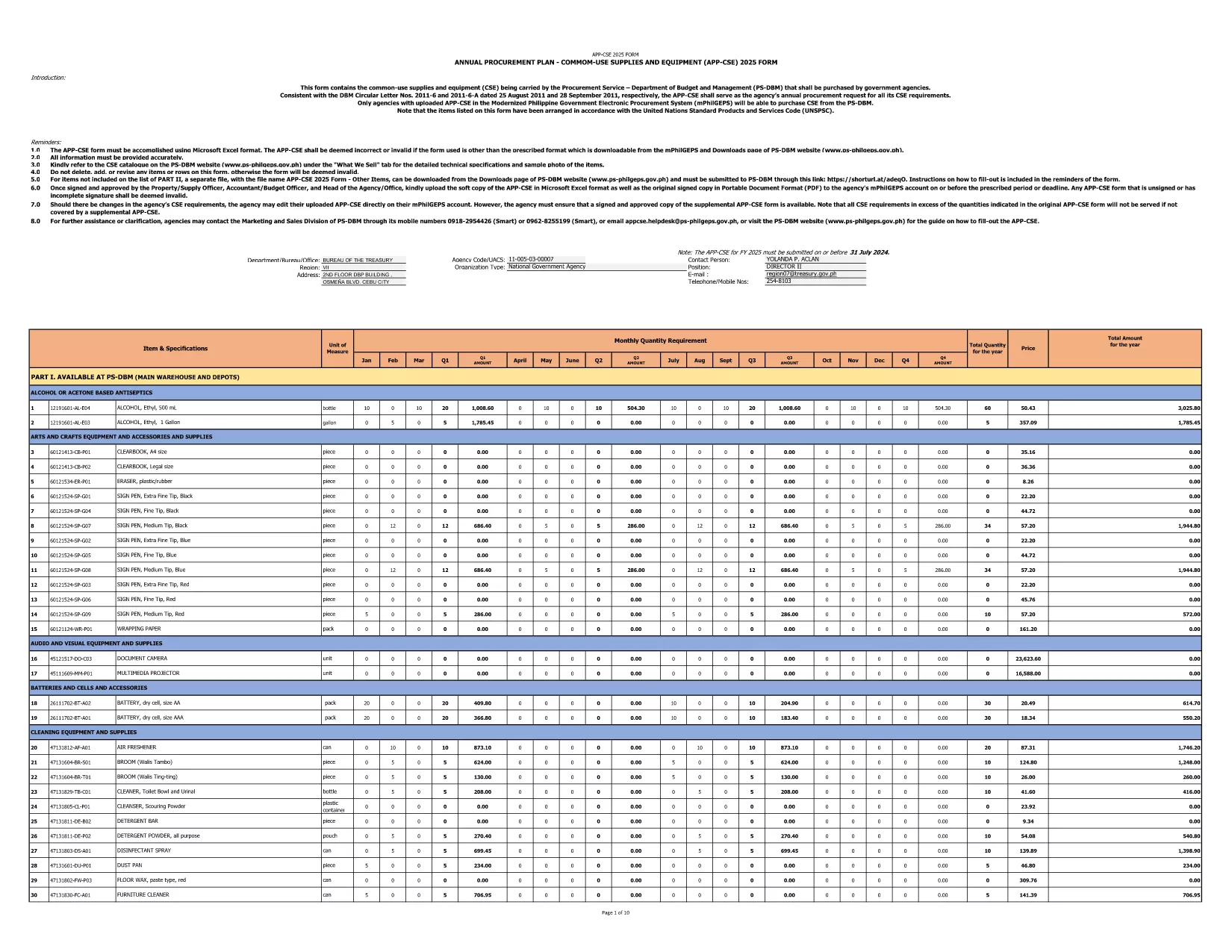
The 2025 CSE (Common‑Use Supplies and Equipment) Application Form is the official document used by Philippine government agencies to request procurement of shared supplies and equipment. This fillable PDF is hosted by the Department of Budget and Management and follows the latest DBM Circular Letters.
The CSE form consolidates all common‑use items that agencies plan to purchase for the fiscal year. It ensures transparency, avoids duplication, and streamlines the procurement process across the public sector.
Instead of downloading the PDF and opening a separate editor, simply click the "Fill out this form" button on this page. The Formize PDF Filler app will load in your browser, letting you enter data directly into the fields.
If you prefer to keep a local copy, you can download the original PDF from the government site. The file is the same one used by Formize.
Formize provides a secure, browser‑based environment that:
Start filling the 2025 CSE Application Form now and accelerate your agency’s procurement workflow.
Yes. The downloaded PDF is specifically labeled APP‑CSE FY 2025 and follows the 2025 procurement guidelines.
No. The Formize PDF Filler works in any modern browser—no extra software is required.
Absolutely. The filler auto‑saves your entries, and you can download a draft PDF at any time.
You can download the completed PDF, correct it using Formize, and re‑submit. Always keep a backup copy.
Formize uses SSL encryption, and the PDF remains on your device unless you choose to upload it to a secure agency portal.
Each field includes a tooltip with brief instructions. For detailed guidance, refer to DBM Circular Letter Nos. 2011‑6 and 2011‑6‑A.
Yes. After filling out the form, click "Print" to generate a printer‑ready version.
PDF 문서를 보고 작성하기 위한 기존 기능 세트와 웹 애플리케이션 및 반응형 레이아웃의 이점을 결합하면 몇 분 만에 CSE application form을(를) 완료할 수 있습니다.
온라인에서 PDF 양식을 채우는 가장 쉬운 방법
필링 세션 삭제
편집 세션 삭제