
언어 선택

OS AD02 – Notice of Location or Change in Location of Charges

  1. 언어 영어
  2. 국가 United Kingdom
  3. 활동 Company Charges
  4. 부서 Companies House
OS AD02 – Notice of Location or Change in Location of Charges

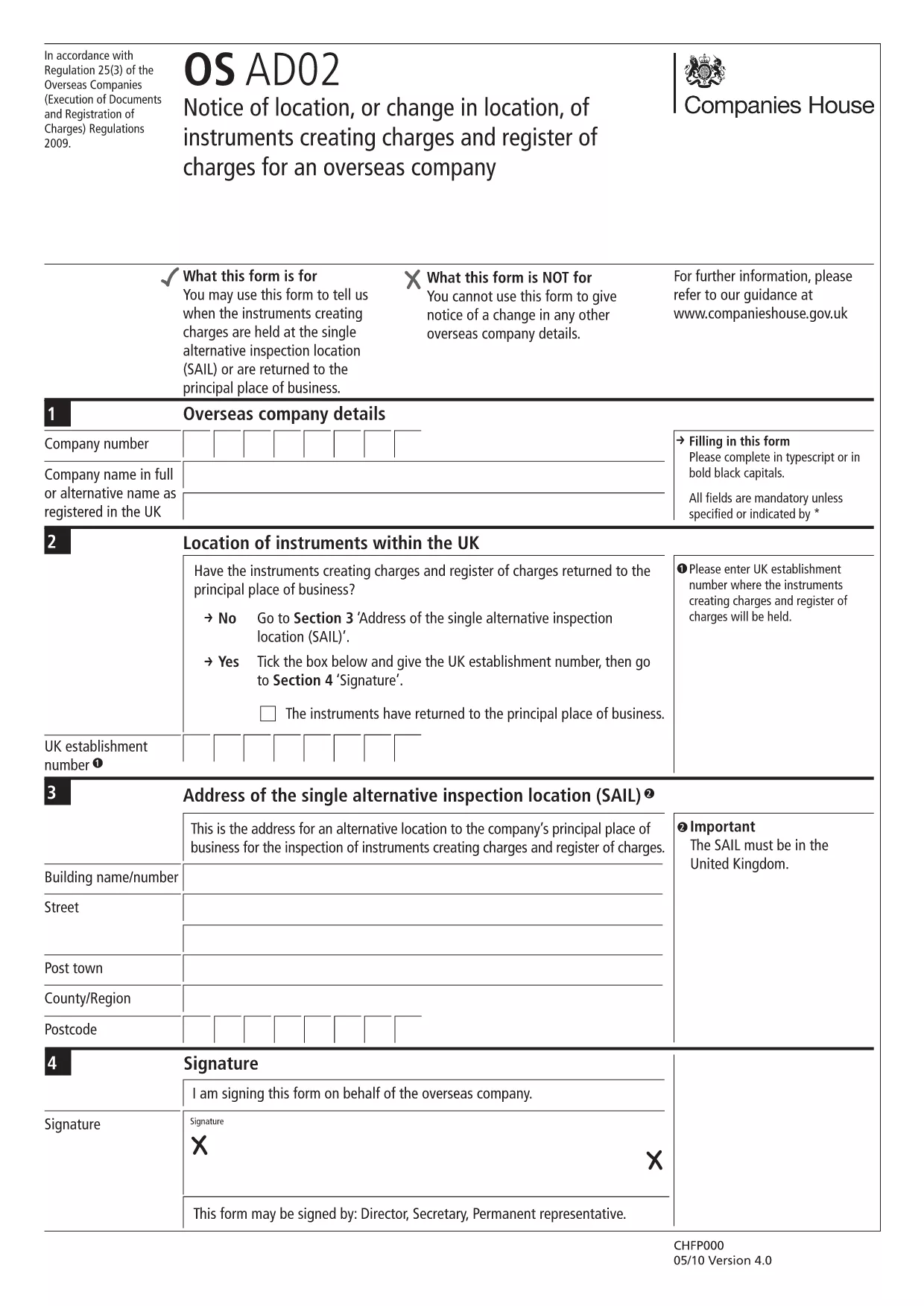
The OS AD02 (also referenced as en‑ad.02) is the official Companies House form used by overseas companies to notify a change of location for instruments that create charges, and to update the register of charges. This form is required whenever a charge‑creating instrument moves to a new jurisdiction or when the location details need correction.

What is the OS AD02 Form?

OS AD02 captures essential information about the charge, the instrument, and its new location. It ensures the public register remains accurate and that creditors can trace the security interests tied to a company.

How to Complete the OS AD02 Online

Instead of downloading the PDF and editing it manually, simply click the "Fill out this form" button on this page. The Formize PDF Filler app will load the fillable version of the OS AD02, allowing you to enter data directly in your browser.

  • Step 1: Click Fill out this form and wait for the Formize PDF Filler to load.
  • Step 2: Enter the company details, charge reference, and the new location information in the highlighted fields.
  • Step 3: Review each section for accuracy – the filler highlights required fields.
  • Step 4: Click Save & Download to obtain a completed PDF ready for submission.

Common Mistakes & Tips

To avoid delays, watch out for these frequent errors:

  • Leaving the date of change blank – the field is mandatory.
  • Mismatching the charge reference number with the one on the original filing.
  • Using an outdated address format for the new jurisdiction.
  • Failing to sign the form or attach a digital signature where required.

Tip: Use the built‑in validation in the Formize filler; it will flag incomplete or incorrectly formatted entries before you download.

Where to Submit the Completed Form

Once you have the finished PDF, submit it to Companies House via their online filing portal or by post to the address indicated on the form. Keep a copy for your records.

Need help? Refer to the Companies House guidance notes linked at the bottom of the form.

자주하는 질문
  • What is the purpose of the OS AD02 form?

    It notifies Companies House of a change in location for instruments that create charges, keeping the public register up‑to‑date.

  • Can I edit the OS AD02 after downloading it?

    Yes, but using the Formize fillable version is faster and reduces errors compared to editing a static PDF.

  • Is a digital signature accepted on the OS AD02?

    Companies House accepts a digital signature if it complies with their e‑signing standards; the Formize filler supports adding a digital signature.

  • How long does it take for Companies House to process the OS AD02?

    Processing typically takes 5‑7 business days after a correct submission, but you can track the status online.

  • What should I do if I make a mistake after submission?

    Submit an amended OS AD02 with the corrected details, clearly marking it as an amendment.

  • Do I need to pay a fee to file OS AD02?

    No, filing the OS AD02 notice of location is free of charge.

  • Can I submit the form on behalf of another company?

    Yes, provided you have proper authorisation and include the authorised signatory’s details.

  • Is the OS AD02 form available in languages other than English?

    The official version is only in English; however, you may attach a certified translation if required.

어떻게

5개의 간단한 단계를 통해 온라인으로 OS AD02를 무료로 작성하는 방법:

  1. 1
    Open the Fillable Form
    Click the "Fill out this form" button on the page. The Formize PDF Filler app will load the OS AD02 directly in your browser.
  2. 2
    Enter Required Information
    Complete each highlighted field: company details, charge reference, old and new locations, and the effective date of the change.
  3. 3
    Validate Your Entries
    Use the built‑in validation to ensure all mandatory fields are filled and formatted correctly.
  4. 4
    Save and Download
    When all data is correct, click "Save & Download" to get a completed PDF ready for submission to Companies House.
  5. 5
    Submit the Form
    Upload the PDF via the Companies House online portal or mail it to the address shown on the form.
Formize PDF 필러 앱
에 대한

{키워드} 템플릿

PDF 문서를 보고 작성하기 위한 기존 기능 세트와 웹 애플리케이션 및 반응형 레이아웃의 이점을 결합하면 몇 분 만에 OS AD02을(를) 완료할 수 있습니다.
특징

PDF 필러

온라인에서 PDF 양식을 채우는 가장 쉬운 방법

  • OS AD02를 빠르게 작성하세요.
    온라인에서 OS AD02을(를) 빠르게 채우는 방법을 찾고 계십니까? 온라인 무료 PDF 양식 필러를 사용하면 1분 이내에 이 PDF 문서를 편집하고 채우는 방법을 알 수 있습니다.
  • 사용하기 쉬운 온라인 PDF 편집기
    다시 스캔하여 다시 보내기 전에 편집할 수 있도록 PDF 파일을 인쇄하는 데 지쳤습니까? 온라인에서 무료로 PDF 문서를 편집하세요. 온라인 PDF 편집기를 사용하여 시간과 종이를 절약하십시오.
  • 훌륭한 도구, 모든 플랫폼
    Mac에서 OS AD02를 채우는 방법이나 PDF 필러를 무료로 사용하는 방법이 궁금하십니까? 당사의 온라인 PDF 도구는 모든 플랫폼에서 작동합니다.
  • 안전한 파일 저장
    완료된 "OS AD02" 파일은 Amazon 클라우드 호스팅에서 관리하는 보안 데이터베이스에 저장됩니다. 언제든지 시스템에서 파일을 삭제할 수 있습니다. 어쨌든 이러한 파일은 24시간 후에 자동으로 삭제됩니다.
  • OS AD02님과 채팅
    무료 PDF 리더 도우미인 Chatize에서 "OS AD02"와 채팅하세요. "OS AD02"에서 질문하고 답변을 받으세요. 위의 문서와 채팅 버튼을 클릭하세요.

필링 세션 삭제

선택한 필링 세션을 삭제하시겠습니까?이 경우 양식 작성 진행 상황이 손실됩니다.

편집 세션 삭제

선택한 편집 세션을 삭제하시겠습니까? 이 경우 양식 작성 및 편집 진행 상황이 손실됩니다.