


세금 양식
tourist VAT refund form는 세금 관련 정보를 해당 세무 당국에 보고하는 데 사용되는 문서인 세금 양식 중 하나입니다. 납세자의 상황과 위치에 따라 연방, 주 및 지방 세금 양식을 포함하여 다양한 유형의 세금 양식이 있습니다.
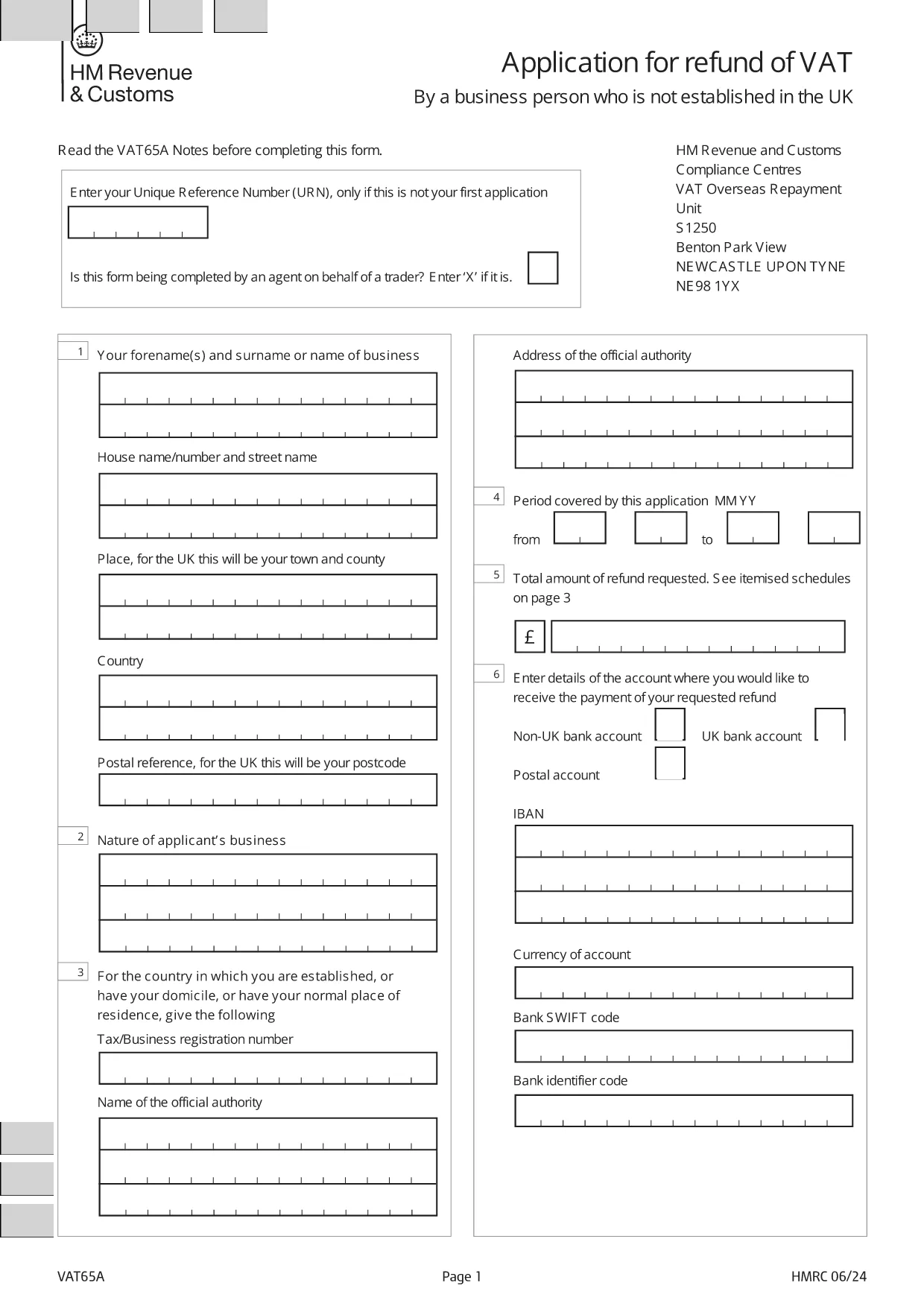
Welcome to Formize's dedicated page for the application form for registration of vendors under the Tourist VAT Refund Scheme. This form allows eligible businesses to claim refunds on VAT paid by overseas visitors when they leave the United Kingdom. Below you will find everything you need to know – from why you should register, to step‑by‑step instructions and answers to the most frequently asked questions.
Registering under the Tourist VAT Refund Scheme helps you:
The form you need is the official HMRC VAT65A PDF. Instead of downloading and editing it manually, simply click the "Fill out this form" button on this page. The Formize PDF Filler will load instantly, letting you type directly into the fields, save, and export a completed PDF.
Avoid these pitfalls to speed up approval:
Once you have filled out the form, download the completed PDF and submit it to HMRC as instructed in the guidance notes.
Any UK‑registered business that sells goods to non‑UK residents and wishes to reclaim VAT on those sales can apply.
No. The URN is only required for subsequent applications. Leave the field blank on your first submission.
Yes. Mark the agent box with an “X” and provide the agent’s details in the designated section.
No. Formize provides the filler for free; you only need internet access and a modern browser.
HMRC will review your application, may request additional information, and then issue a VAT refund if you meet all criteria.
Typical processing time is 4‑6 weeks, but it can vary depending on the volume of applications.
Yes, you can reopen the saved PDF in the Formize filler to make changes before final submission.
Include copies of sales invoices, proof of export (e.g., customs declarations), and your VAT registration certificate.
tourist VAT refund form는 세금 관련 정보를 해당 세무 당국에 보고하는 데 사용되는 문서인 세금 양식 중 하나입니다. 납세자의 상황과 위치에 따라 연방, 주 및 지방 세금 양식을 포함하여 다양한 유형의 세금 양식이 있습니다.
온라인에서 PDF 양식을 채우는 가장 쉬운 방법
필링 세션 삭제
편집 세션 삭제