


{키워드} 템플릿
PDF 문서를 보고 작성하기 위한 기존 기능 세트와 웹 애플리케이션 및 반응형 레이아웃의 이점을 결합하면 몇 분 만에 TM5 form을(를) 완료할 수 있습니다.
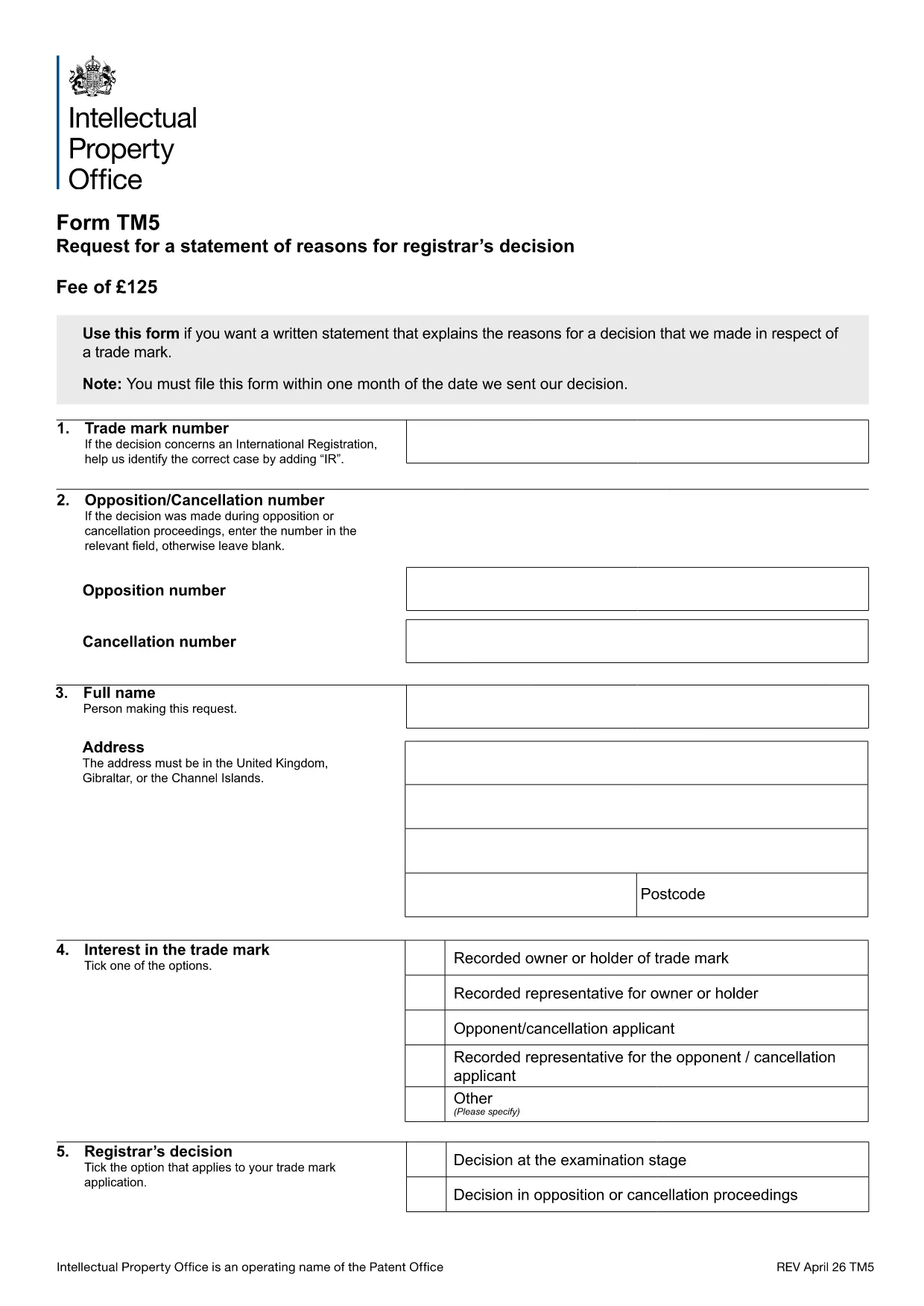
The TM5 form is the official UK Intellectual Property Office (IPO) document used to request a written statement of reasons when a trade mark application is refused or limited. It is essential for anyone contesting a decision, filing an opposition, or seeking clarification on the registrar’s reasoning.
Formize makes the TM5 completely fillable in the browser. No need to print, scan, or download a separate editor – simply click the "Fill out this form" button and the Formize PDF Filler loads the official document ready for you to complete.
Our step‑by‑step guide walks you through each section, highlights common pitfalls, and provides quick answers to the most frequently asked questions. You’ll be able to submit a correctly completed TM5 in minutes, saving time and avoiding costly re‑submissions.
The TM5 requests a written statement of reasons from the UK IPO when a trade mark application is refused, limited, or otherwise affected.
No. The TM5 is a straightforward request form. However, you may wish to consult a trademark attorney for complex cases.
Yes. With Formize you can edit the PDF directly in your browser before downloading the final version.
Typically the IPO provides the statement of reasons within 14 days of receiving a correctly completed TM5.
Missing the trademark number, leaving required fields blank, or providing unclear reasons are the most frequent errors. Follow our guide to ensure every field is completed.
No fee is charged for requesting a statement of reasons using the TM5 form.
Yes. After filling the form online, download the completed PDF and upload it via the IPO’s electronic filing portal.
You can submit a corrected TM5 as a new request, clearly referencing the previous submission and explaining the changes.
PDF 문서를 보고 작성하기 위한 기존 기능 세트와 웹 애플리케이션 및 반응형 레이아웃의 이점을 결합하면 몇 분 만에 TM5 form을(를) 완료할 수 있습니다.
온라인에서 PDF 양식을 채우는 가장 쉬운 방법
필링 세션 삭제
편집 세션 삭제