


{키워드} 템플릿
PDF 문서를 보고 작성하기 위한 기존 기능 세트와 웹 애플리케이션 및 반응형 레이아웃의 이점을 결합하면 몇 분 만에 scholarship application form을(를) 완료할 수 있습니다.
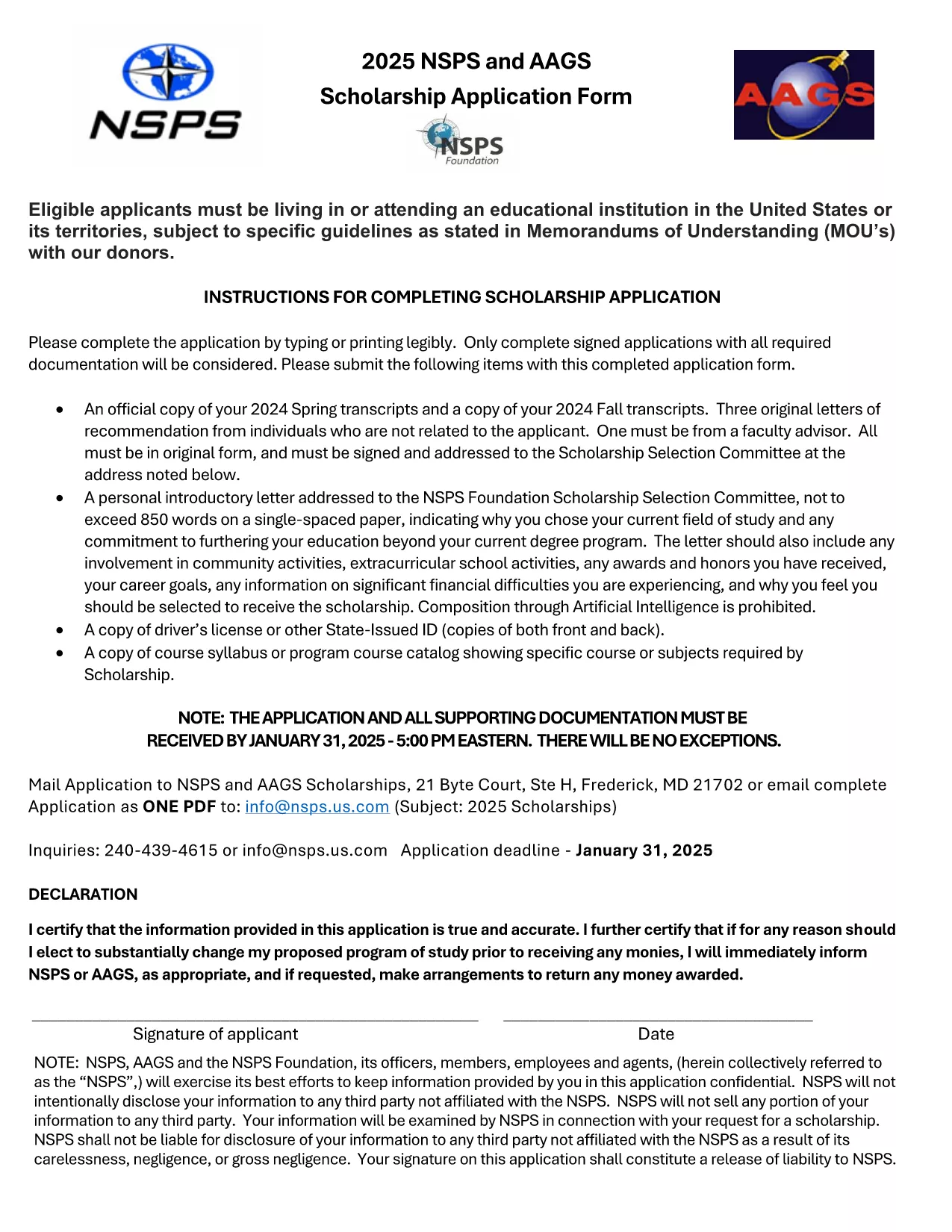
Looking for a hassle‑free way to apply for a scholarship? Our fillable scholarship application form lets you download a ready‑to‑use PDF, fill it out directly in your browser, and submit it with confidence. No printing, scanning, or re‑typing required.
Fillable PDFs preserve the exact layout of the original scholarship form while allowing you to type, select, and save your answers. This ensures:
Simply click the Fill out this form button on this page. The Formize PDF Filler app will load the document, and you can start entering your information right away.
Before you hit submit, double‑check these points:
After saving the filled PDF, follow the scholarship’s submission guidelines—usually an email attachment or an upload portal on the sponsor’s website. Keep the saved copy for future reference.
Ready to start? Click the button below and let Formize do the heavy lifting.
No. The Formize PDF Filler works in any modern browser, so you can complete the form without installing anything.
Yes. Use the "Save" button in the filler to download a partially completed PDF and reload it when you’re ready.
Formize uses SSL encryption, and the PDF is stored locally on your device unless you choose to upload it.
Open the saved PDF again in the Formize filler, correct the error, and re‑save the file.
A digital signature is accepted by most scholarship programs. Check the specific instructions of the scholarship you’re applying for.
Yes. Use the attachment fields in the form to upload transcripts, essays, or letters of recommendation.
PDF 문서를 보고 작성하기 위한 기존 기능 세트와 웹 애플리케이션 및 반응형 레이아웃의 이점을 결합하면 몇 분 만에 scholarship application form을(를) 완료할 수 있습니다.
온라인에서 PDF 양식을 채우는 가장 쉬운 방법
필링 세션 삭제
편집 세션 삭제