
언어 선택

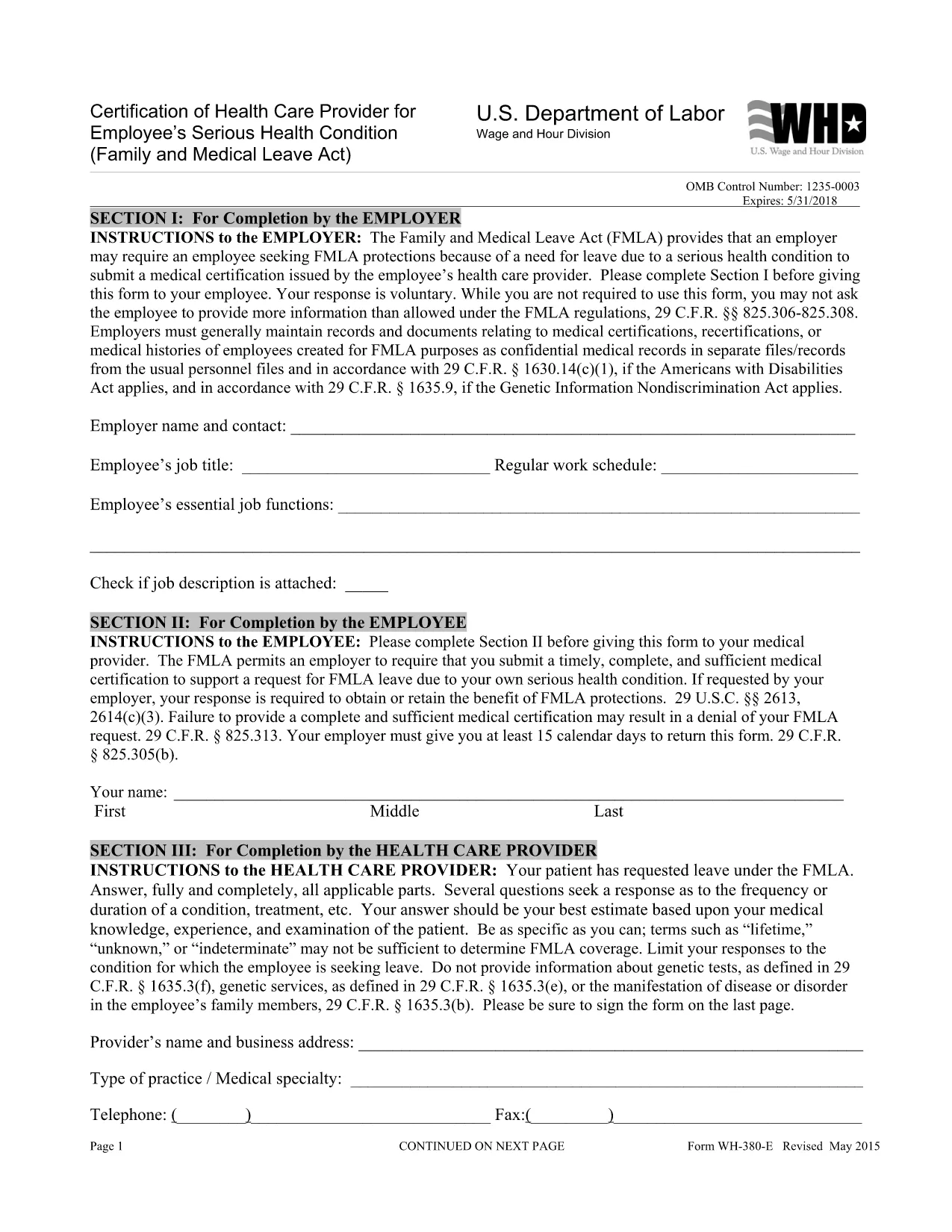
WH‑380‑E Fillable PDF – Family & Medical Leave Act Medical Certification

  1. 언어 영어
  2. 국가 미국
  3. 부서 노동부
  4. 대행사 임금 및 시간 구분
WH‑380‑E Fillable PDF – Family & Medical Leave Act Medical Certification

The WH‑380‑E is the official certification of a health care provider required under the Family and Medical Leave Act (FMLA). Employers use this form to verify an employee’s serious health condition, a newborn or newly‑adopted child, or a need for caretaker leave.

What Is the WH‑380‑E Form?

This government‑issued PDF collects detailed medical information, including diagnosis, treatment dates, and the provider’s certification that the condition qualifies for FMLA leave. It is used by federal, state, and private employers across the United States.

How to Complete the WH‑380‑E Online

Instead of downloading and editing the PDF in a separate editor, simply click the “Fill out this form” button on this page. The Formize PDF Filler app will load the fillable version instantly. Follow these steps:

  • Step 1: Click the “Fill out this form” button.
  • Step 2: The Formize filler loads – the document becomes interactive.
  • Step 3: Enter the employee’s information, health‑care provider details, and medical certification data.
  • Step 4: Review for completeness and accuracy.
  • Step 5: Click “Save & Download” to obtain a completed PDF you can print or email to HR.

Common Mistakes to Avoid

  • Leaving any required field blank – every asterisk (*) field must be completed.
  • Providing a diagnosis when the form states it is optional (unless your employer requests it).
  • Using illegible handwriting – the online filler ensures clear, typed text.
  • Submitting the form without the provider’s signature and date.

Where to Submit the Certified Form

After saving the completed WH‑380‑E, send it to your employer’s Human Resources or Benefits department according to your company’s leave‑request policy. Federal employees may also submit it to the agency’s HR office.

Download the Fillable WH‑380‑E PDF

If you prefer to keep a copy of the original document, you can download the official WH‑380‑E PDF from the West Virginia Legislature site. Our online filler uses the same version, guaranteeing compliance.

자주하는 질문
  • What is the purpose of the WH‑380‑E form?

    The WH‑380‑E certifies that an employee’s serious health condition (or a family member’s condition) meets the eligibility criteria for FMLA leave.

  • Can I fill out WH‑380‑E on a mobile device?

    Yes. The Formize PDF Filler works on smartphones and tablets, allowing you to complete the form on any modern browser.

  • Do I need to include a diagnosis on the form?

    A diagnosis is optional unless your employer specifically requests it. The form’s instructions note that the provider may omit the diagnosis while still meeting FMLA requirements.

  • How many copies of the completed WH‑380‑E do I need?

    Typically one completed, signed copy is submitted to HR. Keep a personal copy for your records.

  • Is the WH‑380‑E required for all FMLA leave types?

    The form is required for serious health conditions of the employee or an immediate family member. Separate certification forms exist for newborn or adopted child care.

  • What if I make a mistake after submitting the form?

    Contact your HR department immediately. You can submit a corrected WH‑380‑E with a note explaining the changes.

  • Is the WH‑380‑E a federal or state form?

    It is a federal form issued under the Family and Medical Leave Act, but many states adopt the same version for their own leave programs.

  • Do I need a notary for the WH‑380‑E?

    No. The health‑care provider’s signature and date satisfy the certification requirements.

어떻게

5개의 간단한 단계를 통해 온라인으로 WH-380-E를 무료로 작성하는 방법:

  1. 1
    Open the Fillable Form
    Click the “Fill out this form” button on the page. The Formize PDF Filler loads the WH‑380‑E as an interactive document.
  2. 2
    Enter Required Information
    Type the employee’s name, dates of care, and the health‑care provider’s details into the highlighted fields.
  3. 3
    Complete the Medical Certification
    Provide the diagnosis (if required), treatment plan, and any functional limitations. Ensure the provider signs and dates the form.
  4. 4
    Review and Save
    Double‑check all entries for accuracy, then click “Save & Download” to get a completed PDF you can print or email.
  5. 5
    Submit to HR
    Send the saved PDF to your employer’s HR or Benefits department following your organization’s leave‑submission guidelines.
Formize PDF 필러 앱
에 대한

노동부(DOL) 양식

WH-380-E는 미국 노동부 및 다양한 기관에서 정보를 수집하고, 프로그램을 관리하고, 노동 관련 법률 및 규정을 집행하는 데 사용하는 공식 양식 중 하나입니다. 노동부는 근로자의 복지 증진 및 보호, 공정한 고용 관행 보장, 미국 노동 및 고용의 다양한 측면을 감독하는 연방 행정부입니다.

다음은 노동부 양식의 몇 가지 예입니다.

취업 자격 확인(양식 I-9): 미국 시민권 및 이민국(USCIS)에서 관리하는 양식 I-9는 노동부와 관련이 있는 경우가 많습니다. 이는 고용주가 미국에서 고용하기 위해 고용된 개인의 신원과 고용 자격을 확인하는 데 사용됩니다.

가족 및 의료 휴가법(FMLA) 양식: DOL의 임금 및 시간 부서에서 FMLA를 관리하며 의료 인증을 포함하여 이 연방법의 조항을 구현하고 준수하기 위해 다양한 양식이 사용됩니다. 제공자 양식 및 FMLA 적격성 및 권리 및 책임 통지서 양식.

산업안전보건청(OSHA) 양식: DOL의 한 부서인 OSHA는 특정 고용주가 OSHA 양식 300, OSHA 양식 300A 및 OSHA와 같은 양식을 사용하여 직장 부상 및 질병 기록을 유지하도록 요구합니다. 양식 301.

실업 보험 양식: DOL의 고용 훈련국은 실업 보험(UI) 프로그램을 감독하며 주 인력 기관에서는 UI 수당 청구를 관리하고 처리하기 위해 다양한 양식을 사용합니다.

임금 및 근무 시간 준수 양식: DOL의 임금 및 근무 시간 부서는 공정 노동 기준법(FLSA) 및 가족 및 의료 휴가법(FMLA)을 포함한 다양한 노동법을 시행합니다. 고용주는 근무 시간, 임금, 기타 관련 정보 기록 등 이러한 법률 준수를 유지하기 위해 특정 양식을 사용해야 할 수도 있습니다.

이러한 예는 노동부 양식의 몇 가지 일반적인 범주를 나타내지만 노동부 및 다양한 기관에서 노동 및 고용과 관련된 책임을 수행하기 위해 사용하는 다른 양식도 많이 있습니다. 필요한 특정 양식은 관련된 프로그램, 규정 또는 집행 조치에 따라 달라질 수 있습니다. 정확한 최신 정보를 얻으려면 미국 노동부 공식 웹사이트(www.dol.gov)를 방문하거나 관련 DOL 기관 또는 법률 전문가와 상담하는 것이 좋습니다. 노동 관련 요구 사항 또는 규정 준수 요구 사항과 관련된 특정 DOL 양식에 관한 날짜 정보.

특징

PDF 필러

온라인에서 PDF 양식을 채우는 가장 쉬운 방법

  • WH-380-E를 빠르게 작성하세요.
    온라인에서 WH-380-E을(를) 빠르게 채우는 방법을 찾고 계십니까? 온라인 무료 PDF 양식 필러를 사용하면 1분 이내에 이 PDF 문서를 편집하고 채우는 방법을 알 수 있습니다.
  • 사용하기 쉬운 온라인 PDF 편집기
    다시 스캔하여 다시 보내기 전에 편집할 수 있도록 PDF 파일을 인쇄하는 데 지쳤습니까? 온라인에서 무료로 PDF 문서를 편집하세요. 온라인 PDF 편집기를 사용하여 시간과 종이를 절약하십시오.
  • 훌륭한 도구, 모든 플랫폼
    Mac에서 WH-380-E를 채우는 방법이나 PDF 필러를 무료로 사용하는 방법이 궁금하십니까? 당사의 온라인 PDF 도구는 모든 플랫폼에서 작동합니다.
  • 안전한 파일 저장
    완료된 "WH-380-E" 파일은 Amazon 클라우드 호스팅에서 관리하는 보안 데이터베이스에 저장됩니다. 언제든지 시스템에서 파일을 삭제할 수 있습니다. 어쨌든 이러한 파일은 24시간 후에 자동으로 삭제됩니다.
  • WH-380-E님과 채팅
    무료 PDF 리더 도우미인 Chatize에서 "WH-380-E"와 채팅하세요. "WH-380-E"에서 질문하고 답변을 받으세요. 위의 문서와 채팅 버튼을 클릭하세요.

필링 세션 삭제

선택한 필링 세션을 삭제하시겠습니까?이 경우 양식 작성 진행 상황이 손실됩니다.

편집 세션 삭제

선택한 편집 세션을 삭제하시겠습니까? 이 경우 양식 작성 및 편집 진행 상황이 손실됩니다.