


{키워드} 템플릿
PDF 문서를 보고 작성하기 위한 기존 기능 세트와 웹 애플리케이션 및 반응형 레이아웃의 이점을 결합하면 몇 분 만에 reschedule interview form을(를) 완료할 수 있습니다.
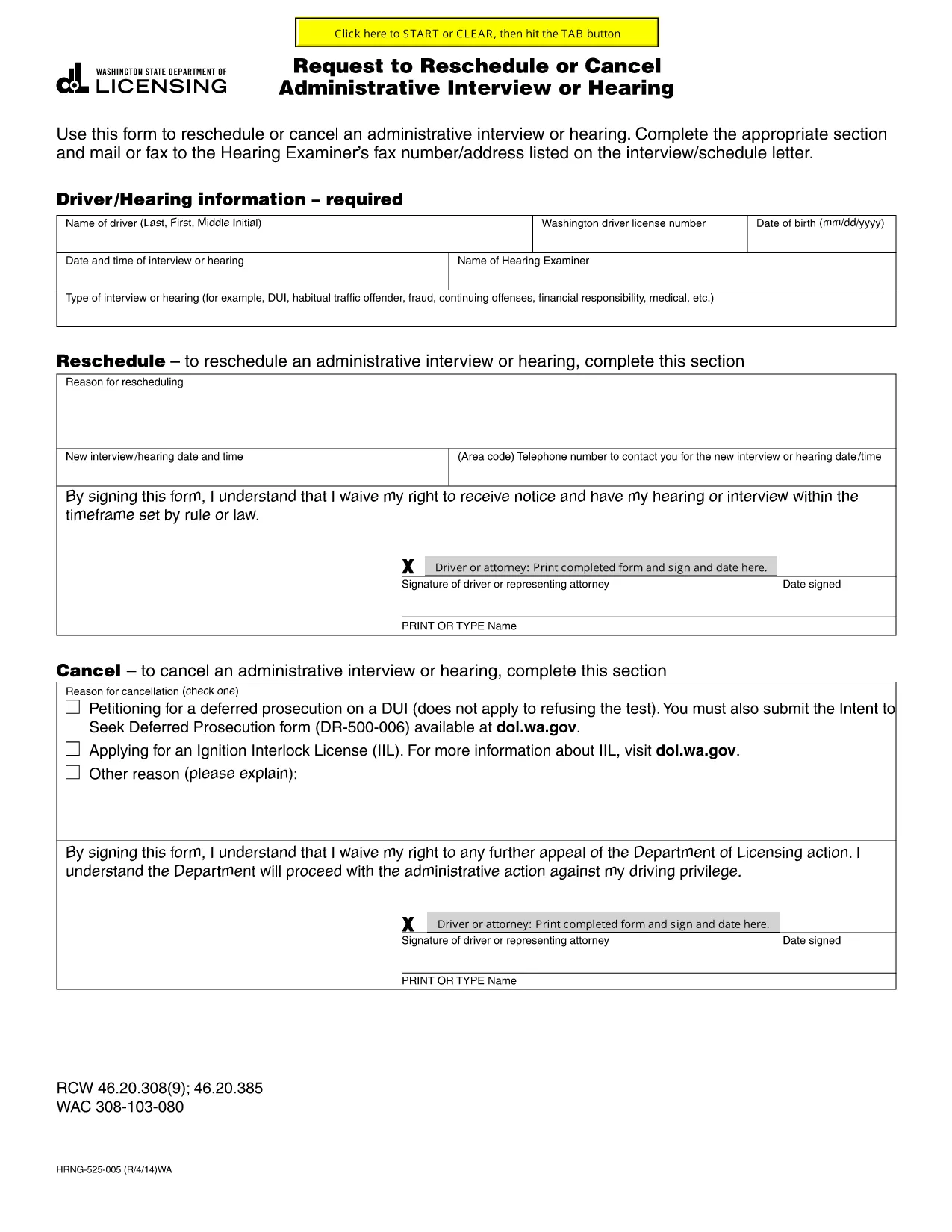
If you have received an interview or hearing notice and need to change the date—or cancel altogether—this official fillable PDF is the right tool. The form complies with state licensing requirements and can be completed directly in your browser using Formize's PDF Filler, so you never have to download, print, or scan.
Key benefits:
Use this form whenever you need to request a new interview date, ask for a cancellation, or provide a valid reason for the change (medical emergency, travel conflict, etc.). The completed request should be sent to the address or fax number listed on your original interview notice.
Below you’ll find step‑by‑step instructions, common pitfalls to watch out for, and answers to the most common questions.
No. The fillable PDF is designed for individuals to complete on their own. If you have legal questions, you may consult an attorney separately.
Yes. After completing the form, download the PDF and email it to the address provided on your interview notice. Keep a copy for your records.
Contact the hearing examiner immediately. Some jurisdictions may accept late requests if you provide a compelling reason and supporting documentation.
No. Formize provides free online filling for this government form.
Common attachments include a medical certificate, travel itinerary, or a letter from your employer explaining why you cannot attend on the scheduled date.
Yes. The form includes separate sections for "Reschedule Request" and "Cancellation Request." Fill out only the section that applies to you.
Response times vary by agency, but you should receive a confirmation within 5‑10 business days.
PDF 문서를 보고 작성하기 위한 기존 기능 세트와 웹 애플리케이션 및 반응형 레이아웃의 이점을 결합하면 몇 분 만에 reschedule interview form을(를) 완료할 수 있습니다.
온라인에서 PDF 양식을 채우는 가장 쉬운 방법
필링 세션 삭제
편집 세션 삭제