
언어 선택

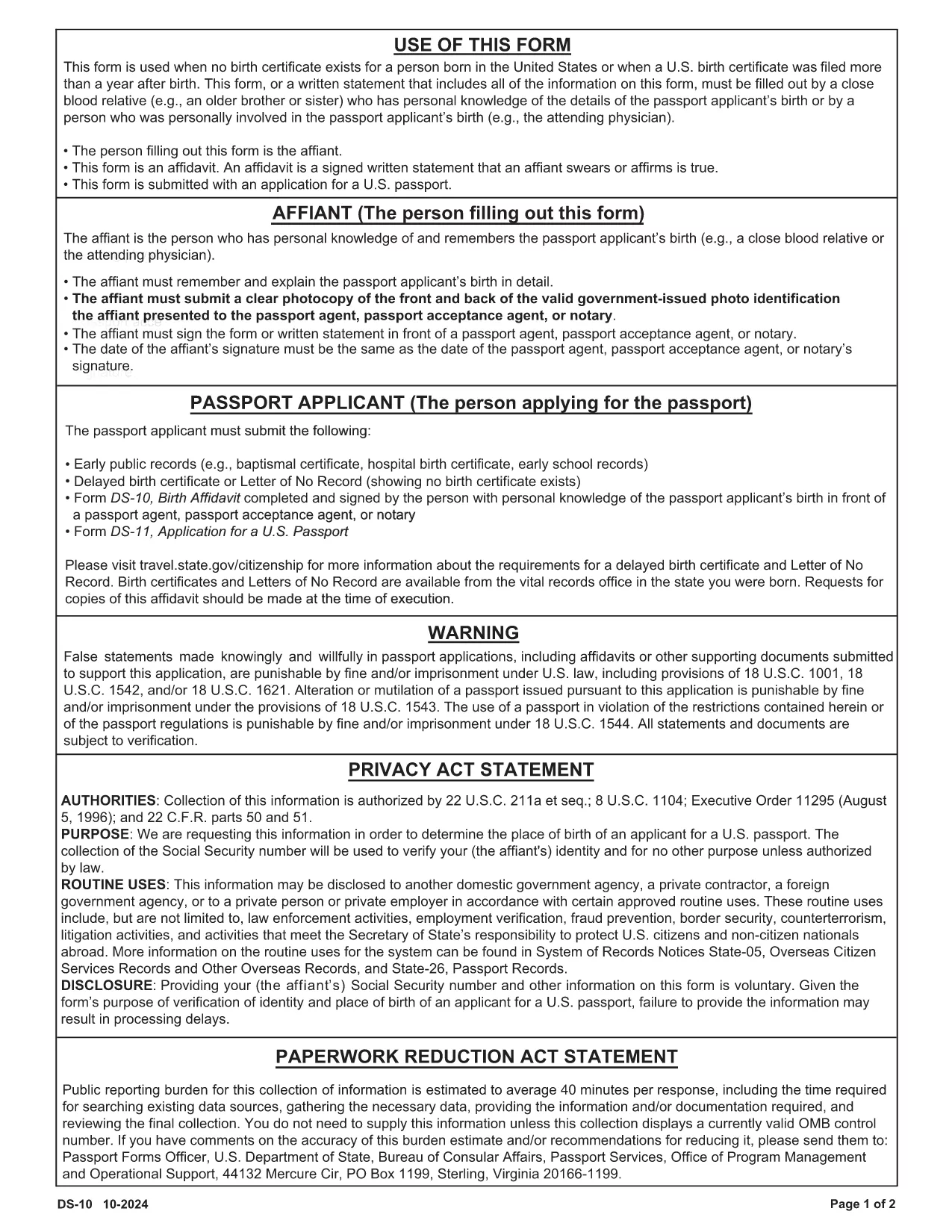
DS-0010 Birth Affidavit – Fillable PDF Form

  1. 언어 영어
  2. 국가 미국
  3. 활동 Passport & Visa
  4. 부서 국무부
DS-0010 Birth Affidavit – Fillable PDF Form

The DS-0010 Birth Affidavit is the official form used by the U.S. Department of State to verify a person’s birth when a certified birth certificate is unavailable. This fillable PDF is required for many passport and visa applications, especially for applicants born abroad or in circumstances where standard documentation cannot be provided.

Formize hosts a secure, web‑based PDF filler that lets you complete the DS-0010 entirely online—no extra software needed. Simply click the “Fill out this form” button, wait for the Formize PDF Filler to load, and start entering your information.

What Is the DS-0010 Birth Affidavit?

The DS-0010 is a sworn statement that includes:

  • Applicant’s full name, date of birth, and place of birth
  • Details about the missing or unavailable birth certificate
  • Contact information for a person who can verify the birth (e.g., a parent, grandparent, or other relative)
  • Signature of the applicant and a notary public (if required)

How to Complete the Form Online with Formize

Follow these simple steps to fill out the DS-0010 without ever leaving your browser:

  1. Click the “Fill out this form” button on the page.
  2. Wait a few seconds while the Formize PDF Filler loads the DS-0010 document.
  3. Enter your information in each fillable field. The interface automatically saves your progress.
  4. When you’re done, click “Save & Download” to get a completed PDF you can print or upload.

Common Mistakes to Avoid

  • Leaving fields blank: Every required field must be completed; otherwise the form will be rejected.
  • Incorrect date formats: Use the MM/DD/YYYY format as shown in the example fields.
  • Misspelling names: The name must match exactly what appears on other supporting documents.
  • Skipping the notary: Some visa categories require a notarized signature. Verify your specific requirement before submitting.

Download & Print Options

If you prefer a hard copy, you can still download the original PDF from the official source (https://eforms.state.gov/Forms/ds10.PDF) and print it after completing the form online.

Where to Submit the Completed Form

After you have saved the filled‑out DS-0010, attach it to your passport or visa application package and submit it to the nearest U.S. Embassy, Consulate, or the Department of State’s Visa Services office as instructed in your application guide.

자주하는 질문
  • Do I need a notary for the DS-0010?

    A notary is required only for certain visa categories. Check the specific instructions for your application; otherwise, a plain signature is sufficient.

  • Can I edit the form after I download it?

    Yes, you can reopen the downloaded PDF in Formize’s filler to make edits, or edit it with any standard PDF editor before submission.

  • Is the Formize filler secure?

    Absolutely. All data is processed in an encrypted session (HTTPS) and is never stored on our servers after you download the completed PDF.

  • What if I don’t have a birth certificate at all?

    The DS-0010 is designed for exactly this situation. Provide as much detail as possible and include supporting statements from relatives or officials.

  • How long does it take to fill out the DS-0010?

    Most users complete the form in 5–10 minutes when all required information is on hand.

  • Can I submit the form electronically?

    Yes, many U.S. embassies accept a scanned copy of the completed PDF. Verify the submission method in your specific visa or passport instructions.

어떻게

3개의 간단한 단계를 통해 온라인으로 DS-0010를 무료로 작성하는 방법:

  1. 1
    Open the Fillable Form
    Click the “Fill out this form” button on this page. The Formize PDF Filler will load the DS-0010 directly in your browser.
  2. 2
    Enter Your Information
    Complete each highlighted field. The filler auto‑saves, so you can pause and return later without losing data.
  3. 3
    Save and Download
    When all fields are filled, click “Save & Download” to obtain a completed PDF you can print, notarize, or upload with your application.
Formize PDF 필러 앱
에 대한

국무부(DOS) 양식

DS-0010는 미국 국무부(DOS)에서 해외 여행, 비자, 여권, 영사 서비스와 관련된 정보를 수집하고 다양한 서비스를 처리하기 위해 사용하는 신청서 양식 중 하나입니다. DOS는 미국의 외교 정책과 국제 관계를 관리하고 미국 시민과 외국인에게 서비스를 제공하는 일을 담당합니다.

다음은 국무부 양식의 몇 가지 예입니다.

여권 신청서: 이 양식은 개인이 해외 여행을 할 수 있도록 정부가 발행한 공식 문서인 미국 여권을 신청하는 데 사용됩니다. 여권 신청 양식은 개인정보, 시민권 세부정보, 신원 및 기타 필수 정보를 수집합니다.

비이민 비자 신청서: DOS는 외국인이 관광, 사업, 학업, 취업 등 다양한 목적으로 일시적으로 미국을 방문할 수 있도록 허용하는 비이민 비자 발급을 감독합니다. DS-160, DS-156 또는 DS-260과 같은 비이민 비자 신청서는 신청자의 개인 정보, 여행 이력, 여행 목적 및 기타 관련 정보에 대한 정보를 수집하는 데 사용됩니다.

이민 비자 신청서: 미국으로 이민하려는 개인의 경우 이민 비자 신청서가 사용됩니다. 이 양식은 신청자의 개인 이력, 가족, 고용 이력 및 기타 관련 정보에 대한 자세한 정보를 수집합니다. 가족 기반 이민을 위한 DS-260 양식 또는 다양성 비자 복권 당첨자를 위한 DS-230 양식을 예로 들 수 있습니다.

해외 출생 영사 보고서(CRBA) 양식: 이 양식이 사용됩니다. 해외에서 미국 시민 자녀가 태어났다는 사실을 미국 시민 부모에게 문서로 기록하는 것입니다. 아동, 부모 및 증빙 서류에 대한 정보를 수집합니다.

지원 진술서 양식: 미국 이민자를 후원하는 경우 미국 시민권자 또는 합법적인 영주권자는 재정 지원 진술서 양식을 제출해야 할 수도 있습니다. I-864 또는 I-134와 같은 이 양식은 이민자를 지원하고 생활 보호 대상이 되는 것을 방지할 수 있는 재정적 능력을 입증하는 데 사용됩니다.

영사 서비스 양식: DOS는 미국 시민과 외국인에게 공증 서비스, 긴급 지원 요청, 미국 시민권 포기 등 다양한 영사 서비스를 제공합니다. 요청된 서비스의 성격에 따라 양식 DS-11, DS-3053 또는 DS-4079를 포함한 특정 양식이 이러한 서비스에 사용됩니다.

미국 국무부에서 사용하는 특정 양식은 시간이 지남에 따라 변경될 수 있으며 서비스마다 다른 양식이 필요할 수 있다는 점에 유의하는 것이 중요합니다. 다양한 서비스에 필요한 특정 양식에 관한 가장 최신의 정확한 정보를 얻으려면 미국 국무부의 공식 웹사이트를 방문하거나 가장 가까운 미국 대사관 또는 영사관에 ​​문의하는 것이 좋습니다.

특징

PDF 필러

온라인에서 PDF 양식을 채우는 가장 쉬운 방법

  • DS-0010를 빠르게 작성하세요.
    온라인에서 DS-0010을(를) 빠르게 채우는 방법을 찾고 계십니까? 온라인 무료 PDF 양식 필러를 사용하면 1분 이내에 이 PDF 문서를 편집하고 채우는 방법을 알 수 있습니다.
  • 사용하기 쉬운 온라인 PDF 편집기
    다시 스캔하여 다시 보내기 전에 편집할 수 있도록 PDF 파일을 인쇄하는 데 지쳤습니까? 온라인에서 무료로 PDF 문서를 편집하세요. 온라인 PDF 편집기를 사용하여 시간과 종이를 절약하십시오.
  • 훌륭한 도구, 모든 플랫폼
    Mac에서 DS-0010를 채우는 방법이나 PDF 필러를 무료로 사용하는 방법이 궁금하십니까? 당사의 온라인 PDF 도구는 모든 플랫폼에서 작동합니다.
  • 안전한 파일 저장
    완료된 "DS-0010" 파일은 Amazon 클라우드 호스팅에서 관리하는 보안 데이터베이스에 저장됩니다. 언제든지 시스템에서 파일을 삭제할 수 있습니다. 어쨌든 이러한 파일은 24시간 후에 자동으로 삭제됩니다.
  • DS-0010님과 채팅
    무료 PDF 리더 도우미인 Chatize에서 "DS-0010"와 채팅하세요. "DS-0010"에서 질문하고 답변을 받으세요. 위의 문서와 채팅 버튼을 클릭하세요.

필링 세션 삭제

선택한 필링 세션을 삭제하시겠습니까?이 경우 양식 작성 진행 상황이 손실됩니다.

편집 세션 삭제

선택한 편집 세션을 삭제하시겠습니까? 이 경우 양식 작성 및 편집 진행 상황이 손실됩니다.