


운전 면허증 신청서
대부분의 국가에서는 운전 면허증을 소지해야 도로를 달릴 수 있습니다. 운전 면허증을 취득하는 것은 자동차를 운전하려는 모든 사람에게 중요한 이정표입니다.
DS-7 form는 운전 면허증을 신청하려는 사람들로부터 정보를 수집하는 데 사용되는 문서인 운전 면허증 신청 양식 중 하나입니다. 일반적으로 신청자의 이름, 생년월일, ID 번호, 연락처 정보, 운전 면허증 기록 및 경험에 대한 필드가 포함됩니다.
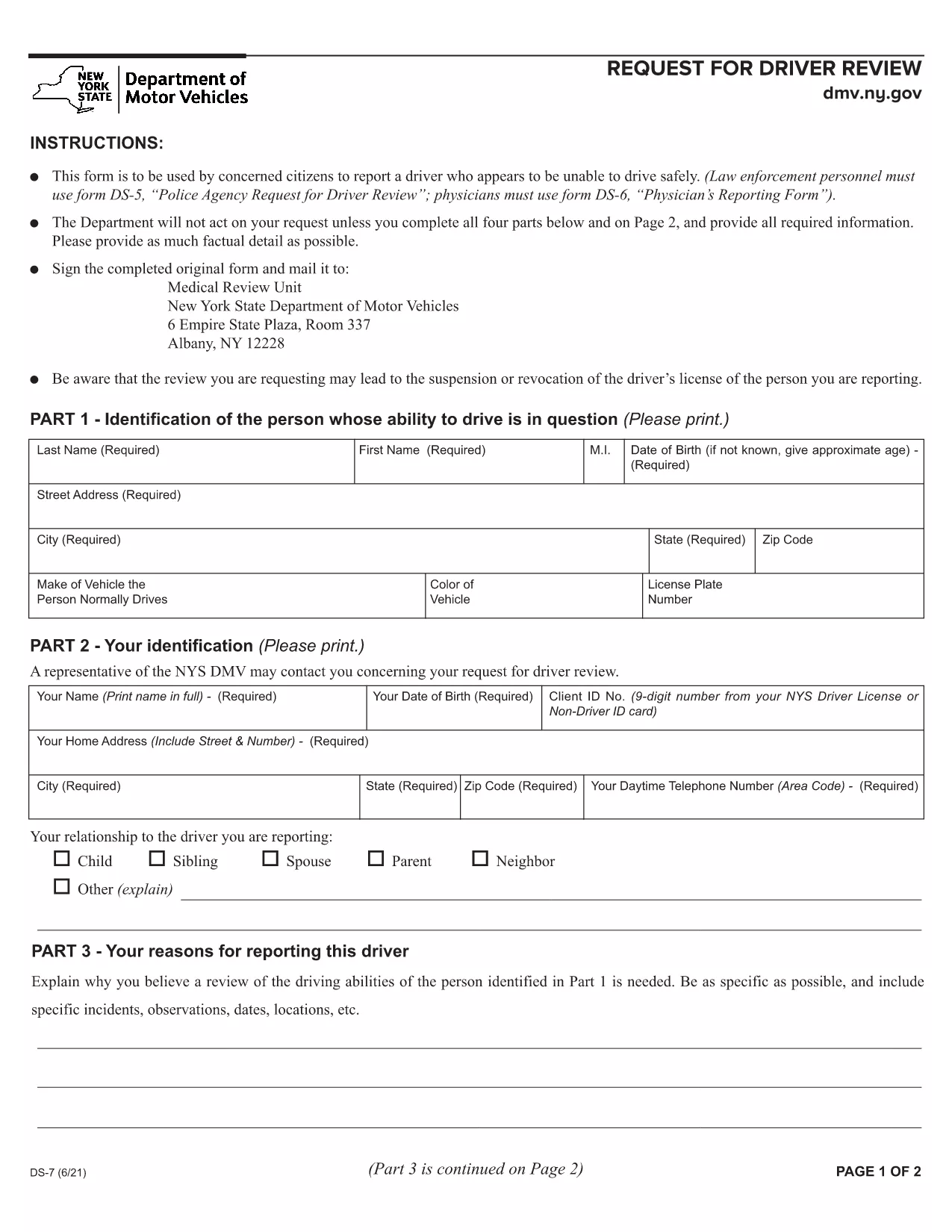
The New York Department of Motor Vehicles (DMV) requires a completed Form DS‑7 when a citizen wants to report a driver who may be unsafe on the road. This form is used by law‑enforcement, physicians, and concerned citizens to initiate a driver safety review.
Our online fillable PDF lets you complete the entire DS‑7 directly in your browser—no extra software needed. Simply click the “Fill out this form” button, wait for the Formize PDF Filler to load, and start entering your information.
Below you’ll find a quick overview of the form, detailed instructions, and tips to avoid common errors.
Form DS‑7, titled “Request for Driver Review,” collects detailed information about the driver’s behavior, vehicle details, and incident description. The DMV uses this data to determine whether a formal investigation or licensing action is required.
Follow the step‑by‑step guide in the How To section. The online filler automatically validates required fields, so you won’t miss any critical information.
After completing the form, click the “Submit” button to download a signed PDF. Mail or fax the PDF to the address listed on the last page of the form, or bring a printed copy to any DMV office.
If you prefer to work offline, you can download the official fillable PDF directly from the New York DMV website.
Any concerned citizen, law‑enforcement officer, or medical professional can submit a DS‑7 to request a driver safety review.
Yes, Formize provides a free, secure fillable PDF experience for the DS‑7 form.
The filler allows you to save a draft locally on your computer and resume editing at any time before final submission.
Printing is optional. You can submit the signed PDF electronically by mail or fax, or bring a printed copy to a DMV office.
The DMV reviews the information, may contact the driver for additional details, and determines whether a formal investigation or license action is needed.
Processing times vary, but the DMV typically acknowledges receipt within 10 business days and may take several weeks for a full review.
Yes, you can attach photos, police reports, or medical records as separate PDF files when you mail or fax the completed DS‑7.
No, filing a DS‑7 request is free of charge.
대부분의 국가에서는 운전 면허증을 소지해야 도로를 달릴 수 있습니다. 운전 면허증을 취득하는 것은 자동차를 운전하려는 모든 사람에게 중요한 이정표입니다.
DS-7 form는 운전 면허증을 신청하려는 사람들로부터 정보를 수집하는 데 사용되는 문서인 운전 면허증 신청 양식 중 하나입니다. 일반적으로 신청자의 이름, 생년월일, ID 번호, 연락처 정보, 운전 면허증 기록 및 경험에 대한 필드가 포함됩니다.
온라인에서 PDF 양식을 채우는 가장 쉬운 방법
필링 세션 삭제
편집 세션 삭제