


운전 면허증 신청서
대부분의 국가에서는 운전 면허증을 소지해야 도로를 달릴 수 있습니다. 운전 면허증을 취득하는 것은 자동차를 운전하려는 모든 사람에게 중요한 이정표입니다.
DL 514는 운전 면허증을 신청하려는 사람들로부터 정보를 수집하는 데 사용되는 문서인 운전 면허증 신청 양식 중 하나입니다. 일반적으로 신청자의 이름, 생년월일, ID 번호, 연락처 정보, 운전 면허증 기록 및 경험에 대한 필드가 포함됩니다.
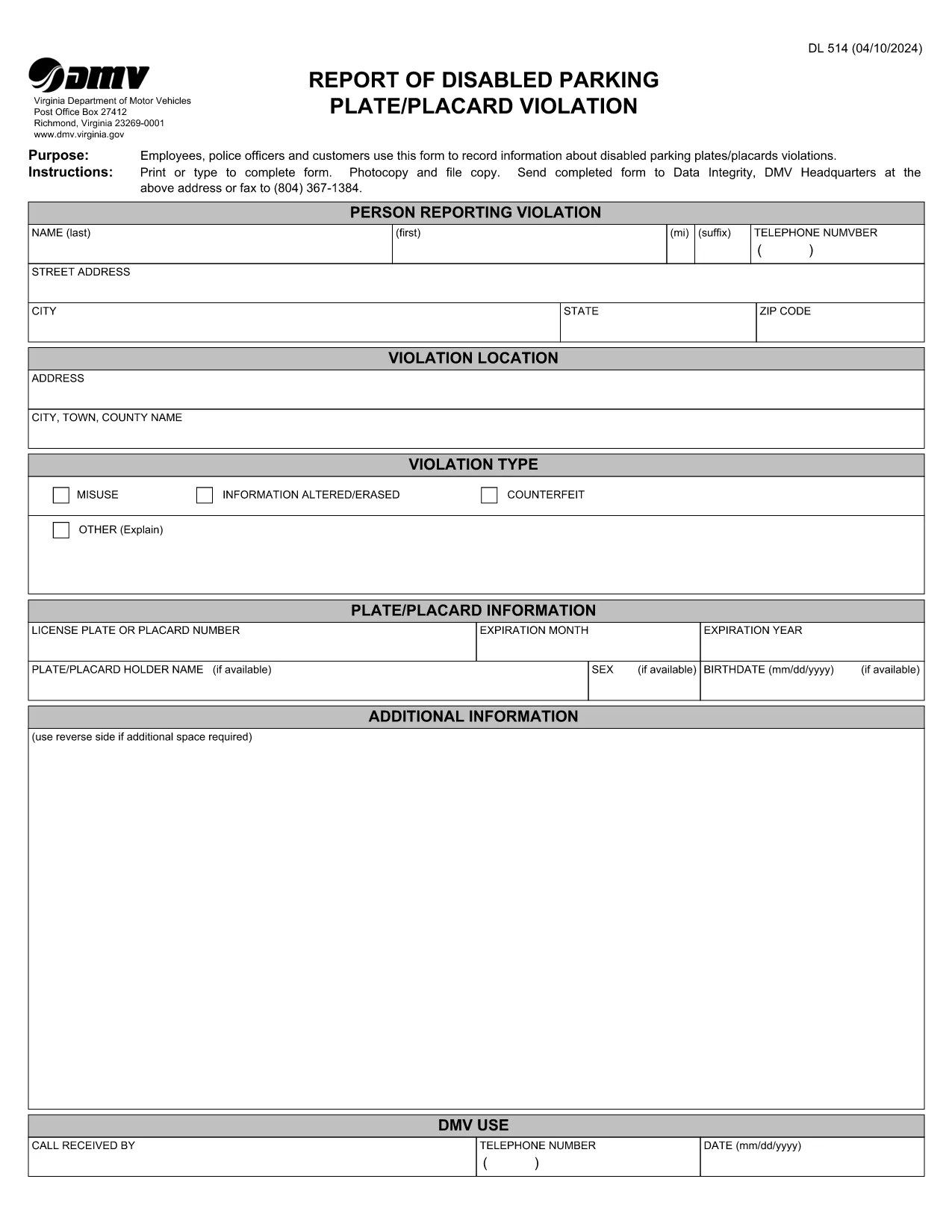
The DL 514 is the official Virginia Department of Motor Vehicles (DMV) form used to record violations of disabled parking plates or placards. Law‑enforcement officers, DMV employees, and private citizens can use this form to document the date, location, and details of each violation.
This form captures essential information such as the vehicle’s license plate, the disabled placard number, the officer’s badge number, and a description of the violation. Once completed, the form is filed with the DMV’s Data Integrity unit for further review.
Instead of printing, typing, and scanning, you can fill the PDF directly in your browser using Formize’s PDF Filler app. Follow the simple steps below.
After you finish the form, you can either:
Formize provides a secure, browser‑based PDF filler that eliminates the need for third‑party software. Your data stays private, the form validates required fields automatically, and you can download a clean, printable copy in seconds.
Any law‑enforcement officer, DMV employee, or private citizen who observes a disabled parking placard violation in Virginia may complete the DL 514.
Yes. The PDF is fully fillable online through Formize’s PDF Filler, allowing you to type directly into the document.
A photo is optional but recommended. If you include one, attach it to the back of the form or submit it separately by fax.
The DMV’s Data Integrity unit reviews the report. If the violation is confirmed, the vehicle owner may receive a citation or a warning.
Yes. The Formize app lets you download a partially completed PDF so you can finish it later.
No. Filing the DL 514 report with the Virginia DMV is free of charge.
Correct any errors before submitting. If you notice a mistake after mailing, you can submit a corrected form with a note referencing the original report.
The official PDF is hosted by the Virginia DMV at the URL provided in this page.
대부분의 국가에서는 운전 면허증을 소지해야 도로를 달릴 수 있습니다. 운전 면허증을 취득하는 것은 자동차를 운전하려는 모든 사람에게 중요한 이정표입니다.
DL 514는 운전 면허증을 신청하려는 사람들로부터 정보를 수집하는 데 사용되는 문서인 운전 면허증 신청 양식 중 하나입니다. 일반적으로 신청자의 이름, 생년월일, ID 번호, 연락처 정보, 운전 면허증 기록 및 경험에 대한 필드가 포함됩니다.
온라인에서 PDF 양식을 채우는 가장 쉬운 방법
필링 세션 삭제
편집 세션 삭제