


{키워드} 템플릿
PDF 문서를 보고 작성하기 위한 기존 기능 세트와 웹 애플리케이션 및 반응형 레이아웃의 이점을 결합하면 몇 분 만에 GATE application 2027을(를) 완료할 수 있습니다.
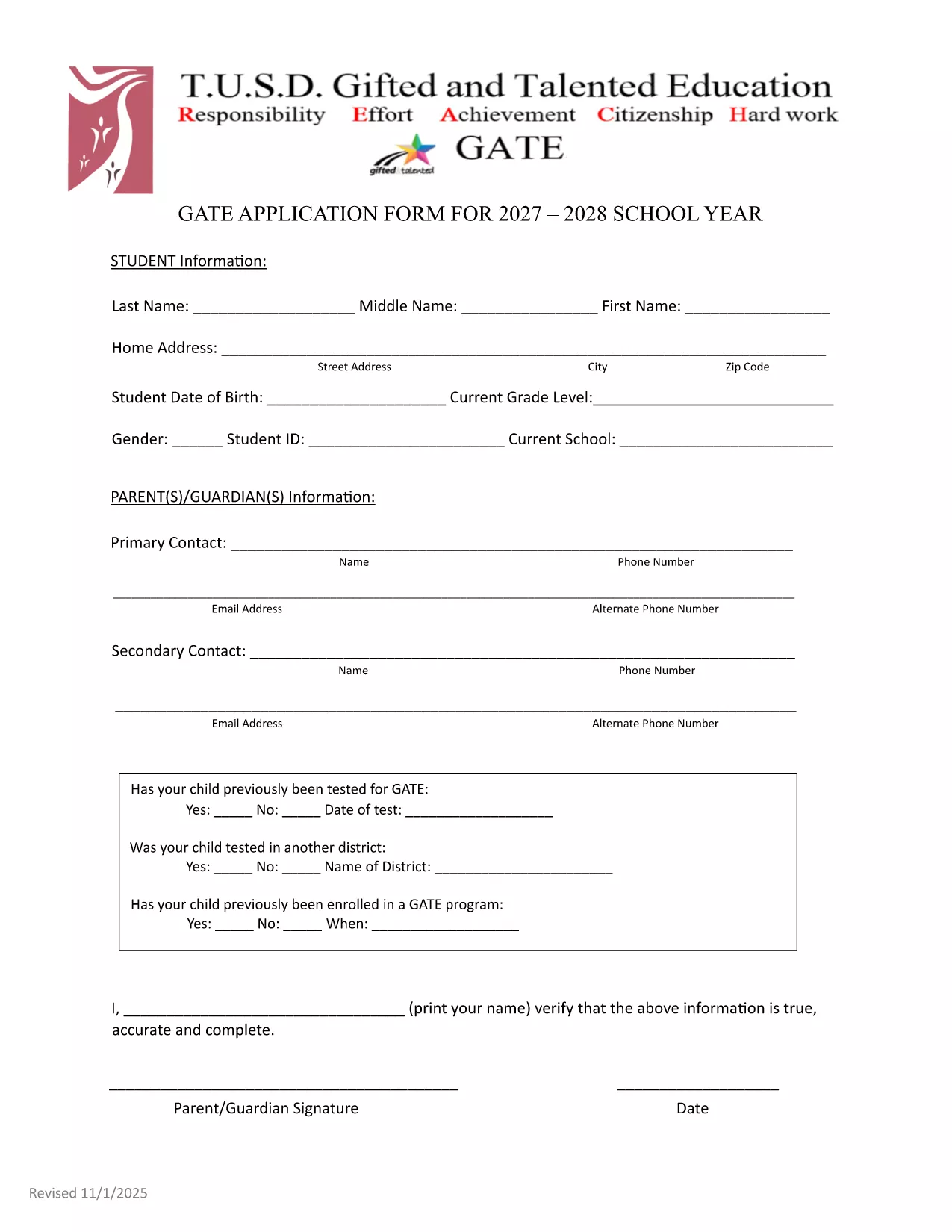
The GATE 2027‑28 Application Form is now available as a fully fillable PDF. Whether you’re a parent, guardian, or student, you can complete the form directly in your browser using the Formize PDF Filler – no extra software required.
Follow the simple steps below to fill out the form quickly and accurately.
After completing the form, review all entries, sign electronically, and submit according to your district’s instructions. The deadline for the 2027‑28 cycle is May 15, 2027. Late submissions may not be considered.
Need help? Refer to the official PDF guide for detailed explanations of each section.
No. The Formize PDF Filler works in any modern browser, so you can complete the form without installing additional software.
Yes. Use the "Save Draft" button in the Formize app to store your work securely, then return with the same link to finish.
Contact your district’s GATE coordinator immediately. They can provide a corrected form or allow you to resubmit a revised PDF.
All data transmitted through Formize is encrypted with SSL/TLS, keeping your personal details safe.
Most districts accept the electronic submission directly. Check your local guidelines; a printed copy is only needed if explicitly requested.
Enter the previous test date in the "Date of Test" field and attach the original test report if required.
PDF 문서를 보고 작성하기 위한 기존 기능 세트와 웹 애플리케이션 및 반응형 레이아웃의 이점을 결합하면 몇 분 만에 GATE application 2027을(를) 완료할 수 있습니다.
온라인에서 PDF 양식을 채우는 가장 쉬운 방법
필링 세션 삭제
편집 세션 삭제