


{키워드} 템플릿
PDF 문서를 보고 작성하기 위한 기존 기능 세트와 웹 애플리케이션 및 반응형 레이아웃의 이점을 결합하면 몇 분 만에 UET application form을(를) 완료할 수 있습니다.
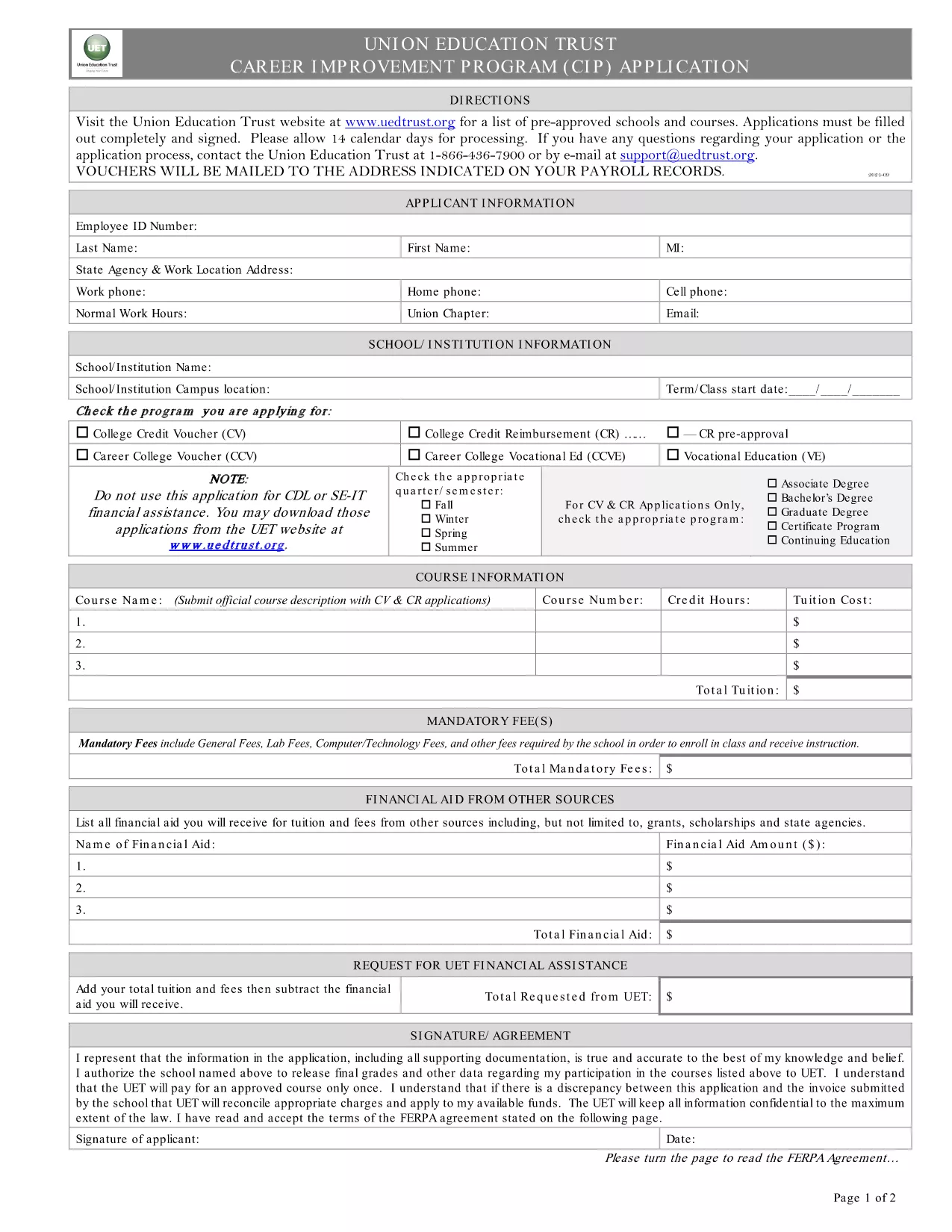
The UET Application Form is the official document used to apply for the University Education Trust’s voucher and reimbursement programs, including College Credit Reimbursement, Vocational Education, and Specialty Education.
This fillable PDF collects essential applicant information such as personal details, program selection, and supporting documentation. It is accepted by all UET partner institutions.
Instead of printing and scanning, simply click the Fill out this form button below. The Formize PDF Filler app loads the PDF directly in your browser, letting you type, check boxes, and sign electronically.
After you finish, click Submit to send the form securely to UET, or download a copy for your records and mail it to the address shown on the confirmation screen.
If you prefer a hard‑copy, you can also download the printable PDF and fill it out manually.
No. Formize’s online PDF filler works in any modern browser without installing Acrobat.
Yes. The filler auto‑saves locally; you can close the browser and reopen the form to continue.
PDF, JPG, and PNG are accepted, each up to 5 MB.
All data is encrypted in transit, and the form is processed on secure servers.
Contact UET’s program office with your submission reference; they can provide a correction form.
No. The fillable PDF is publicly accessible; however, you’ll need a UET account to submit the completed application through their portal.
PDF 문서를 보고 작성하기 위한 기존 기능 세트와 웹 애플리케이션 및 반응형 레이아웃의 이점을 결합하면 몇 분 만에 UET application form을(를) 완료할 수 있습니다.
온라인에서 PDF 양식을 채우는 가장 쉬운 방법
필링 세션 삭제
편집 세션 삭제