
언어 선택

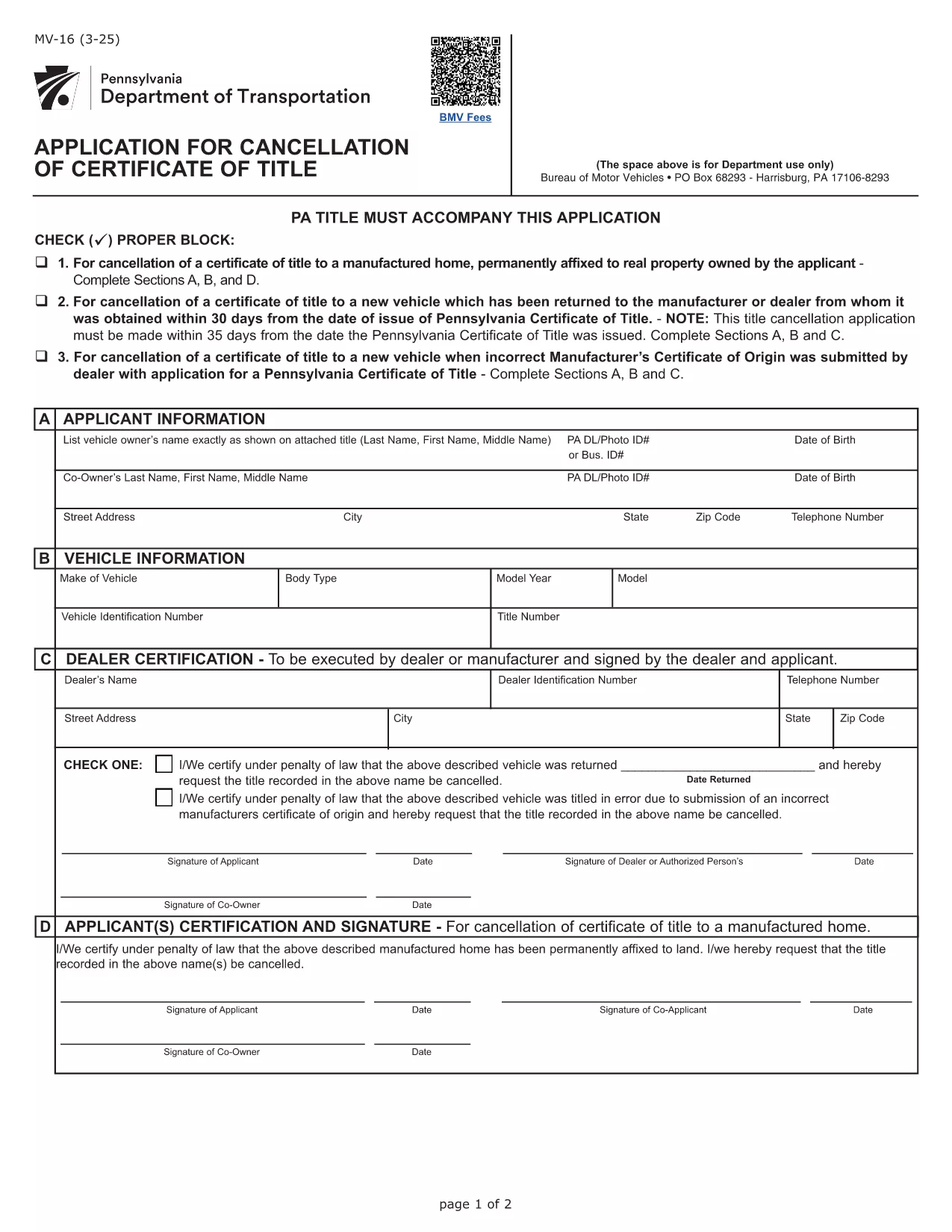
Form MV-16 – Certificate of Title Application (Fillable PDF)

  1. 언어 영어
  2. 국가 미국
  3. 활동 차량 등록
  4. 부서 Pennsylvania Department of Transportation
Form MV-16 – Certificate of Title Application (Fillable PDF)

Form MV-16 is the official Pennsylvania application used to obtain a Certificate of Title for a motor vehicle. Whether you’re transferring ownership, correcting a title error, or applying for a new title, this fillable PDF lets you complete the process quickly and accurately.

What is Form MV-16?

The MV-16 form is issued by the Pennsylvania Department of Transportation (PennDOT). It collects vital information such as the vehicle identification number (VIN), owner details, lienholder information, and the type of title request. The form must be signed by the owner (or authorized representative) and, when applicable, the lienholder.

How to Fill Form MV-16 Online

Instead of downloading the PDF and editing it manually, simply click the "Fill out this form" button on this page. The Formize PDF Filler app will load the MV-16 PDF directly in your browser, allowing you to:

  • Enter text into each field with a mouse click.
  • Upload required supporting documents.
  • Save your progress and return later.
  • Download a completed, printable PDF.

Common Mistakes to Avoid

  • Incorrect VIN: Double‑check the Vehicle Identification Number; a single digit error can delay processing.
  • Missing signatures: All required signatures must be electronic or printed and signed before submission.
  • Out‑of‑date addresses: Ensure the mailing address matches the one on file with PennDOT.
  • Unclear lienholder information: Provide the full legal name and address of the lienholder if a loan exists.

Where to Submit the Completed Form

After filling out and saving the PDF, you can submit it in one of three ways:

  1. Mail the printed form to your local PennDOT office.
  2. Upload the PDF through PennDOT’s online portal (if you have an account).
  3. Deliver it in person at a Pennsylvania Department of Revenue (DOR) office.

Following these steps will help ensure a smooth title issuance process.

자주하는 질문
  • What is the purpose of Form MV-16?

    Form MV-16 is used to apply for a new or corrected Certificate of Title for a vehicle registered in Pennsylvania.

  • Can I submit the MV-16 form electronically?

    Yes. After filling the form with Formize, you can upload the completed PDF to PennDOT’s online portal or email it if the agency allows electronic submissions.

  • Do I need a notary for the MV-16 form?

    A notary is not required unless a lienholder or another party specifically requests notarization. Check the instructions on the form for any special cases.

  • How long does it take to receive a new title after submitting MV-16?

    Processing times vary by office, but most PennDOT locations issue a new title within 7‑14 business days after receiving a complete application.

  • What supporting documents are required with MV-16?

    You’ll typically need a valid driver’s license, proof of ownership (bill of sale or previous title), and any lien release documents if applicable.

  • Is there a fee to file Form MV-16?

    Yes. PennDOT charges a title fee, which is listed on the form’s fee schedule. Payment can be made by check, money order, or credit card when submitting.

어떻게

5개의 간단한 단계를 통해 온라인으로 Form MV-16를 무료로 작성하는 방법:

  1. 1
    Click the Fill button
    Press the "Fill out this form" button on this page. The Formize PDF Filler will open the MV-16 PDF directly in your browser.
  2. 2
    Enter all required information
    Complete each field—VIN, owner name, address, lienholder details, and the purpose of the title request. Use dropdowns and checkboxes where provided.
  3. 3
    Review and sign
    Double‑check for errors, then add your electronic signature or print, sign, and scan the document if a handwritten signature is required.
  4. 4
    Save or download
    Click "Save" to store the filled form in your account, or download the completed PDF to your computer.
  5. 5
    Submit to PennDOT
    Print and mail, upload through PennDOT’s portal, or deliver in person as described in the submission section.
Formize PDF 필러 앱
에 대한

차량 등록 양식

Form MV-16는 관련 정부 기관(일반적으로 차량국(DMV) 또는 이와 동등한 기관)에 자동차를 등록하는 데 사용되는 문서인 차량 등록 양식 중 하나입니다. 이러한 양식은 개인이 새 차량이나 중고 차량을 구입하거나 차량 소유권을 이전하거나 차량을 가지고 새로운 관할 구역으로 이동할 때 필요합니다.

특정 차량 등록 양식은 관할권에 따라 다를 수 있지만 일반적으로 다음 정보가 필요합니다.

차량 정보: 여기에는 제조사, 모델, 연도, 차량 식별 번호(VIN), 주행 거리계 판독값 등 차량에 대한 세부정보가 포함됩니다.

소유주 정보: 양식에는 이름, 주소, 연락처 정보, 운전면허증 번호 등 차량 소유자에 대한 정보가 필요합니다.

소유권 증명: 상황에 따라 소유권 증명서, 판매 명세서 또는 제조업체 원산지 증명서(신차의 경우) 등 소유권 증명이 필요할 수 있습니다.

보험 정보: 일반적으로 유효한 차량 보험 보장 증명서가 필요합니다. 여기에는 보험 증권 번호, 보장 날짜, 보험 회사 세부 정보 제공이 포함될 수 있습니다.

수수료 지불: 차량 등록에는 등록 수수료, 세금 및 관할권에 따른 기타 요금 등 다양한 수수료를 지불하는 과정이 포함됩니다.

이러한 기본 요구 사항 외에도 일부 관할권에는 추가 양식 또는 문서 요구 사항이 있을 수 있습니다. 예를 들어 특정 지역에서는 배출 테스트 결과, 안전 검사 또는 거주 증명이 필요할 수 있습니다.

차량 등록 양식을 작성하여 제출하면 정부 당국에서 등록증, 번호판, 등록 스티커를 발급합니다. 이 문서는 차량이 합법적으로 등록되어 있으며 공공 도로에서 운행할 권한이 있음을 나타냅니다.

차량 등록 요구 사항은 관할권에 따라 크게 다를 수 있다는 점에 유의하는 것이 중요합니다. 따라서 귀하의 지역에 적용되는 특정 양식 및 절차에 대해서는 지역 DMV 또는 이에 상응하는 기관에 문의하는 것이 좋습니다.

특징

PDF 필러

온라인에서 PDF 양식을 채우는 가장 쉬운 방법

  • Form MV-16를 빠르게 작성하세요.
    온라인에서 Form MV-16을(를) 빠르게 채우는 방법을 찾고 계십니까? 온라인 무료 PDF 양식 필러를 사용하면 1분 이내에 이 PDF 문서를 편집하고 채우는 방법을 알 수 있습니다.
  • 사용하기 쉬운 온라인 PDF 편집기
    다시 스캔하여 다시 보내기 전에 편집할 수 있도록 PDF 파일을 인쇄하는 데 지쳤습니까? 온라인에서 무료로 PDF 문서를 편집하세요. 온라인 PDF 편집기를 사용하여 시간과 종이를 절약하십시오.
  • 훌륭한 도구, 모든 플랫폼
    Mac에서 Form MV-16를 채우는 방법이나 PDF 필러를 무료로 사용하는 방법이 궁금하십니까? 당사의 온라인 PDF 도구는 모든 플랫폼에서 작동합니다.
  • 안전한 파일 저장
    완료된 "Form MV-16" 파일은 Amazon 클라우드 호스팅에서 관리하는 보안 데이터베이스에 저장됩니다. 언제든지 시스템에서 파일을 삭제할 수 있습니다. 어쨌든 이러한 파일은 24시간 후에 자동으로 삭제됩니다.
  • Form MV-16님과 채팅
    무료 PDF 리더 도우미인 Chatize에서 "Form MV-16"와 채팅하세요. "Form MV-16"에서 질문하고 답변을 받으세요. 위의 문서와 채팅 버튼을 클릭하세요.

필링 세션 삭제

선택한 필링 세션을 삭제하시겠습니까?이 경우 양식 작성 진행 상황이 손실됩니다.

편집 세션 삭제

선택한 편집 세션을 삭제하시겠습니까? 이 경우 양식 작성 및 편집 진행 상황이 손실됩니다.