
언어 선택

North Carolina MVR-63 Power of Attorney Fillable PDF

  1. 언어 영어
  2. 국가 미국
  3. 활동 차량 등록
  4. 상태 노스 캐롤라이나
North Carolina MVR-63 Power of Attorney Fillable PDF

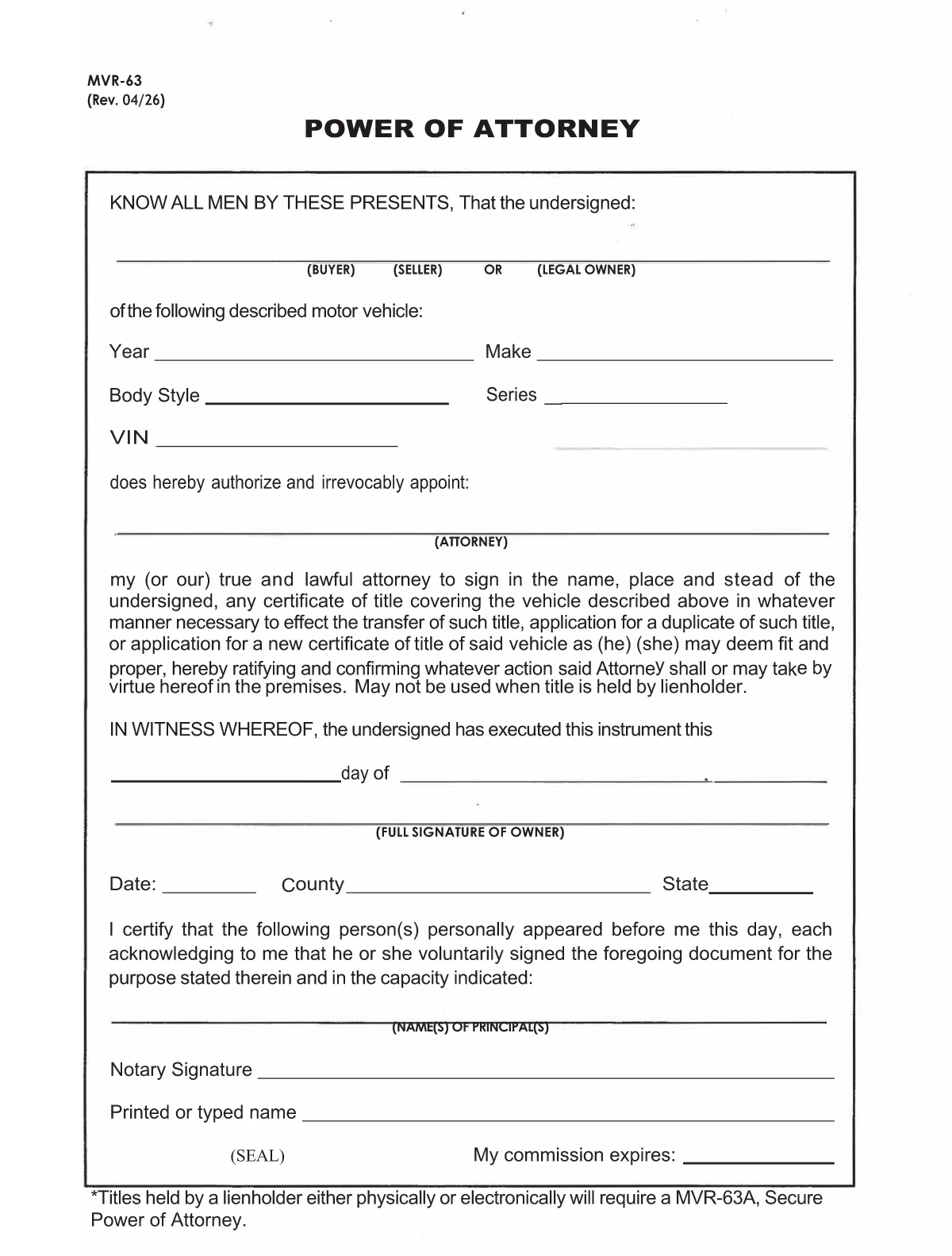
The MVR-63 is North Carolina’s Motor Vehicle Power of Attorney. It authorizes another person (the attorney‑in‑fact) to act on your behalf for vehicle‑related matters such as titling, registration, lien recording, or duplicate title requests. Using Formize’s fillable PDF, you can complete the form directly in your browser—no Adobe Acrobat required.

Our online PDF filler automatically preserves the exact layout of the official NCDOT document, ensuring the completed form is accepted by the Division of Motor Vehicles (DMV). Simply click the button below, fill in the required fields, and download the signed PDF ready for notarization.

Below you’ll find a quick overview of the form’s sections, step‑by‑step instructions, and tips to avoid common errors.

자주하는 질문
  • What is the purpose of the MVR-63 form?

    The MVR-63 grants a designated person the legal authority to handle motor‑vehicle transactions for the owner, such as titling, registration, lien recording, or obtaining duplicate titles.

  • Do I need a notary for the MVR-63?

    Yes. North Carolina law requires the MVR-63 to be notarized before the DMV will accept it.

  • Can I submit the MVR-63 electronically?

    The DMV still requires a notarized, printed copy. However, you can fill out the form online, print it, and then have it notarized.

  • Is there a fee to download the MVR-63 PDF?

    No. The official form is provided free of charge by the North Carolina Department of Transportation.

  • What information is required for the vehicle description?

    You must list the vehicle’s year, make, model, VIN (Vehicle Identification Number), and body type.

  • Can I give the attorney limited powers?

    Yes. The form includes checkboxes allowing you to specify which actions the attorney may perform (e.g., only title transfer or only registration).

  • How long is the MVR-63 valid?

    The form remains valid until the owner revokes it in writing or the DMV cancels it for any reason.

  • What if I make a mistake on the form?

    Cross out the error with a single line, initial it, and correct the information in the appropriate field before signing and notarizing.

어떻게

7개의 간단한 단계를 통해 온라인으로 MVR-63를 무료로 작성하는 방법:

  1. 1
    Open the Fillable Form
    Click the “Fill out this form” button on this page. The Formize PDF Filler app will open in a new tab.
  2. 2
    Wait for the Filler to Load
    The app loads the official MVR-63 PDF and makes every field editable. This usually takes a few seconds.
  3. 3
    Enter Owner Information
    Fill in the vehicle owner’s name, address, driver’s license number, and vehicle details (VIN, make, model, year).
  4. 4
    Add Attorney‑in‑Fact Details
    Provide the attorney’s full name, address, and relationship to the owner. Choose the specific powers you are granting.
  5. 5
    Sign and Date
    Type the owner’s signature in the signature field, add the date, and, if required, the county and state.
  6. 6
    Notarize the Form
    Print the completed PDF and have it notarized in person, or use an online notary service accepted by the NCDOT.
  7. 7
    Download or Submit
    After notarization, download the final PDF and submit it to your local DMV office or the designated agency.
Formize PDF 필러 앱
에 대한

차량 등록 양식

자동차, 트레일러 또는 보트를 소유하거나 임대하는 경우 차량을 법적으로 등록하고 안전하게 유지하기 위해 특정 의무를 충족해야 합니다.

MVR-63는 차량 등록 양식 중 하나로 해당 주 또는 지방 당국에 자동차를 등록하는 데 사용되는 문서입니다. 이러한 양식은 일반적으로 사람이 신차 또는 중고차를 구입하거나 차량을 가지고 새로운 주 또는 지방으로 이사할 때 필요합니다.

차량 등록에 필요한 정확한 요구 사항과 양식은 위치에 따라 다를 수 있지만 일반적으로 프로세스에는 차량, 소유자 및 차량에 대한 모든 유치권에 대한 정보를 제공하는 것이 포함됩니다.

등록 양식과 수수료가 제출되면 주 또는 지방 당국은 차량 소유자에게 등록 증명서 또는 번호판을 발급합니다. 이 등록을 통해 차량은 일반 도로와 고속도로에서 합법적으로 운행할 수 있습니다.

특징

PDF 필러

온라인에서 PDF 양식을 채우는 가장 쉬운 방법

  • MVR-63를 빠르게 작성하세요.
    온라인에서 MVR-63을(를) 빠르게 채우는 방법을 찾고 계십니까? 온라인 무료 PDF 양식 필러를 사용하면 1분 이내에 이 PDF 문서를 편집하고 채우는 방법을 알 수 있습니다.
  • 사용하기 쉬운 온라인 PDF 편집기
    다시 스캔하여 다시 보내기 전에 편집할 수 있도록 PDF 파일을 인쇄하는 데 지쳤습니까? 온라인에서 무료로 PDF 문서를 편집하세요. 온라인 PDF 편집기를 사용하여 시간과 종이를 절약하십시오.
  • 훌륭한 도구, 모든 플랫폼
    Mac에서 MVR-63를 채우는 방법이나 PDF 필러를 무료로 사용하는 방법이 궁금하십니까? 당사의 온라인 PDF 도구는 모든 플랫폼에서 작동합니다.
  • 안전한 파일 저장
    완료된 "MVR-63" 파일은 Amazon 클라우드 호스팅에서 관리하는 보안 데이터베이스에 저장됩니다. 언제든지 시스템에서 파일을 삭제할 수 있습니다. 어쨌든 이러한 파일은 24시간 후에 자동으로 삭제됩니다.
  • MVR-63님과 채팅
    무료 PDF 리더 도우미인 Chatize에서 "MVR-63"와 채팅하세요. "MVR-63"에서 질문하고 답변을 받으세요. 위의 문서와 채팅 버튼을 클릭하세요.

필링 세션 삭제

선택한 필링 세션을 삭제하시겠습니까?이 경우 양식 작성 진행 상황이 손실됩니다.

편집 세션 삭제

선택한 편집 세션을 삭제하시겠습니까? 이 경우 양식 작성 및 편집 진행 상황이 손실됩니다.