
Pasirinkite kalbą

Australian Citizenship Application Form 1300t – Download & Fill Online

  1. Kalba Anglų
  2. Šalis Australija
  3. Veikla Pilietybė
  4. skyrius Home Affairs
Australian Citizenship Application Form 1300t – Download & Fill Online

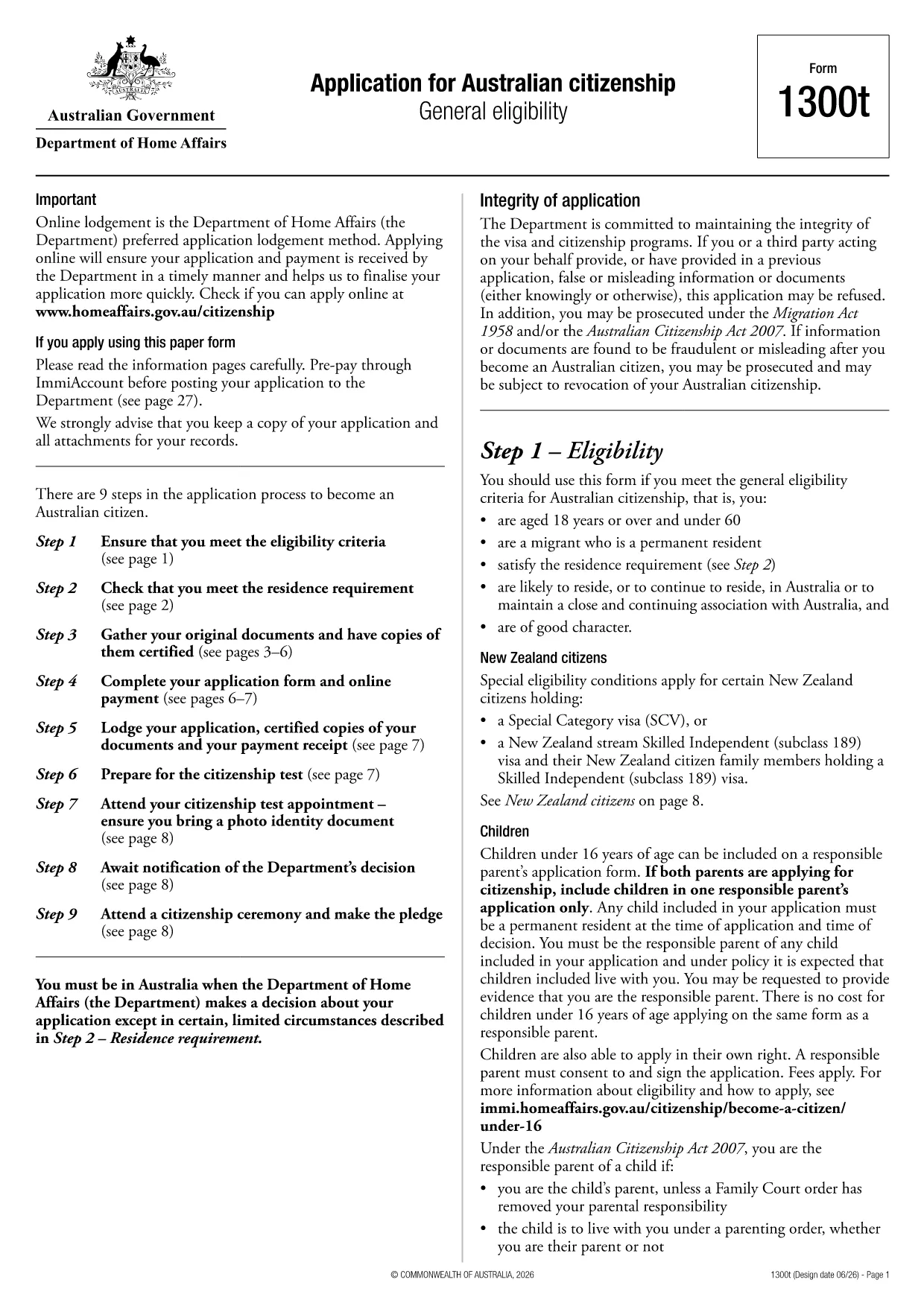
Looking for a quick and secure way to download the Australian citizenship application form? You’ve come to the right place. Formize.com hosts the official Form 1300t as a fully fillable PDF that you can complete directly in your browser—no extra software required.

Eligibility Overview

Before you start, make sure you meet the general eligibility criteria for Australian citizenship:

  • You are a permanent resident of Australia.
  • You have lived in Australia for at least four years, including the last 12 months continuously.
  • You are of good character and meet the residency requirements.

If you satisfy these conditions, you are ready to fill out Form 1300t.

How to Complete the Form Online

Follow these simple steps to finish your application without downloading any software:

  1. Click the "Fill out this form" button on this page.
  2. Wait a few seconds while the Formize PDF Filler app loads.
  3. Enter your details into each fillable field, save your progress, and submit directly from the browser.

The online filler automatically validates dates, passport numbers, and required signatures, reducing errors and speeding up processing.

Common Mistakes to Avoid

  • Leaving mandatory fields blank – the filler will highlight missing information before you can submit.
  • Using an outdated version – always use the PDF provided here to ensure compliance with the latest immigration rules.
  • Incorrect name spelling – copy your name exactly as it appears on your passport or birth certificate.

Where to Submit Your Application

After completing the form, you can either:

  • Download the completed PDF, print it, and mail it to the Department of Home Affairs.
  • Upload the signed PDF through the ImmiAccount portal for faster processing.

Keep a copy of the submitted form for your records.

DUK
  • Do I need Adobe Acrobat to fill Form 1300t?

    No. The Formize PDF Filler works in any modern browser, so you can complete the form without installing any software.

  • Can I save my progress and return later?

    Yes. The online filler automatically saves your entries. You can download a draft copy to continue later.

  • Is the PDF version on Formize up‑to‑date?

    We host the latest version released by the Department of Home Affairs. The link points to the official source.

  • What if I make a mistake after submitting?

    Contact the Department of Home Affairs as soon as possible. You may need to submit a corrected form or provide a written amendment.

  • Is there a fee to download or fill the form?

    Downloading and filling the PDF is free. Any government processing fees are paid directly to the Department when you lodge the application.

  • Can I submit the form electronically?

    Yes. After completing the form, you can upload the signed PDF through ImmiAccount for faster processing.

  • What documents do I need to attach?

    You will need proof of identity, residency evidence, and any supporting documents listed in the form instructions. Scan them as PDFs before attaching.

KAIP

Kaip nemokamai užpildyti application form download internete, atlikdami 3 paprastus veiksmus:

  1. 1
    Open the Fillable Form
    Click the "Fill out this form" button on the page. The Formize PDF Filler will open in a new tab.
  2. 2
    Enter Your Information
    Type your details into each highlighted field. The filler auto‑saves as you go.
  3. 3
    Submit or Download
    When finished, either submit directly through the portal or download the completed PDF to print and mail.
Formuokite PDF užpildymo programą
APIE

Pilietybės formos

application form download yra viena iš pilietybės formų, kurios yra dokumentai, naudojami kreipiantis dėl pilietybės šalyje. Tikslios pilietybės formos ir reikalavimai skiriasi įvairiose šalyse, tačiau paprastai šis procesas apima asmens informacijos ir tinkamumo pilietybei įrodymų pateikimą.

Jungtinėse Valstijose labiausiai paplitusi pilietybės forma yra N-400 prašymas gauti natūralizaciją. Šią formą naudoja legalūs nuolatiniai gyventojai (žaliosios kortelės turėtojai), norėdami kreiptis dėl JAV pilietybės. Formoje prašoma pateikti asmeninės informacijos, tokios kaip vardas, gimimo data ir kontaktinė informacija, taip pat informacija apie pareiškėjo imigracijos statusą, teistumą ir kitus tinkamumo reikalavimus.

Kitose šalyse gali būti taikomos skirtingos formos ir reikalavimai pilietybei, tačiau pagrindinis procesas paprastai apima informacijos apie pareiškėjo kilmę ir tam tikrų tinkamumo kriterijų įvykdymą. Tai gali apimti pilietybės testo išlaikymą, šalies istorijos ir valdžios žinių pademonstravimą bei šalies kalbos mokėjimo pademonstravimą.

Svarbu pažymėti, kad pilietybės gavimo procesas gali būti sudėtingas ir atimti daug laiko. Pilietybės siekiantiems asmenims rekomenduojama pasikonsultuoti su imigracijos advokatu ar kitu kvalifikuotu specialistu, kuris padėtų orientuotis procese ir užtikrintų visų būtinų formų ir reikalavimų laikymąsi.

FUNKCIJOS

PDF užpildas

Lengviausias būdas užpildyti application form download internete

  • Greitai užpildykite application form download
    Ieškote būdo greitai užpildyti application form download internete? Naudodami internetinį nemokamą PDF formų užpildą sužinosite, kaip redaguoti ir užpildyti šį pdf dokumentą greičiau nei per minutę.
  • Lengva naudoti internetinį PDF redaktorių
    Atsibodo spausdinti PDF failus, kad galėtumėte juos redaguoti prieš nuskaitydami iš naujo ir siųsdami atgal? Redaguoti PDF dokumentus internete nemokamai. Norėdami sutaupyti laiko ir popieriaus, naudokite mūsų internetinį pdf redaktorių.
  • Puikūs įrankiai, visos platformos
    Svarstote, kaip užpildyti application form download „Mac“ kompiuteryje, o gal kaip nemokamai naudoti PDF užpildą? Mūsų internetiniai PDF įrankiai veikia visose platformose.
  • Saugi failų saugykla
    Užbaigti „application form download“ failai saugomi saugioje duomenų bazėje, kurią valdo „Amazon Cloud“ priegloba. Galite bet kada ištrinti failus iš mūsų sistemos. Bet kokiu atveju šie failai automatiškai ištrinami po 24 valandų.
  • Kalbėkitės su application form download
    Kalbėkite su „application form download“ naudodami Chatize, kuri yra nemokama PDF skaitymo priemonė. Užduokite klausimų ir gaukite atsakymus iš „application form download“. Tiesiog spustelėkite aukščiau esantį mygtuką Kalbėtis su dokumentu.

Ištrinti užpildymo seansą

Ištrinti pasirinktą pildymo seansą? Tokiu atveju jūsų pažanga pildant formą bus prarasta.

Ištrinti redagavimo sesiją

Ištrinti pasirinktą redagavimo sesiją? Tokiu atveju jūsų pažanga kuriant ir redaguojant formą bus prarasta.