Pasirinkite kalbą

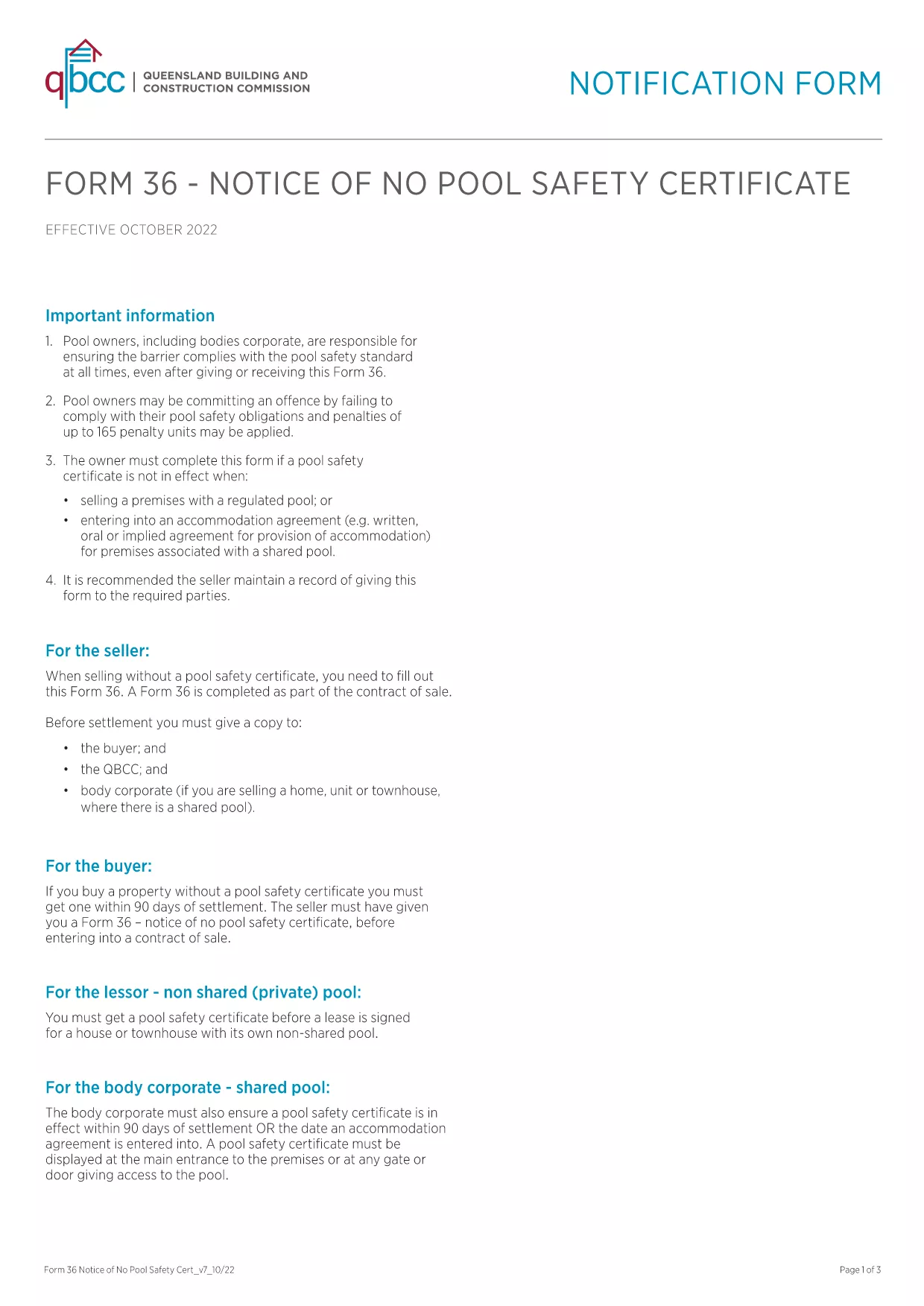
Form 36-0102 – Fillable PDF Download

  1. Kalba Anglų
  2. Šalis Australija
  3. skyrius Queensland Building and Construction Commission
  4. Veikla Construction Regulations
Form 36-0102 – Fillable PDF Download

Form 36‑0102 is a standard notice used by the Queensland Building and Construction Commission (QBCC) when a property does not require a pool safety certificate. Whether you are a homeowner, builder, or a QBCC‑registered contractor, you’ll need this form to confirm the absence of a pool safety requirement.

What is Form 36-0102?

The form is a simple, one‑page declaration that states no pool safety certificate is needed for a particular building project. It must be signed by the responsible party and kept on file for future inspections.

How to Fill Form 36-0102 Online

Instead of downloading, printing, and scanning, you can complete the form directly in your browser using the Formize PDF Filler. The process is fast, secure, and fully compliant with QBCC guidelines.

Common Mistakes to Avoid

  • Leaving any required field blank – every box is mandatory.
  • Using an outdated version of the PDF – always start with the latest file linked below.
  • Signing with a non‑legible handwritten signature – use the digital signature tool in Formize.

Where to Submit the Completed Form

Once you have filled and saved the form, you can either:

  • Upload it through the QBCC online portal.
  • Email it to the project’s supervising building certifier.
  • Keep a digital copy for your records and present it on‑site if requested.

FAQ About Form 36-0102

Below are the most common questions users have about this form.

DUK
  • Is Form 36‑0102 required for every new building project?

    Only if the project does not include a swimming pool. If a pool is present, a separate pool safety certificate is required.

  • Can I use an older version of the form?

    No. Always use the latest version provided by QBCC to ensure compliance with current regulations.

  • Do I need a digital signature?

    A digital signature is accepted and preferred for online submissions. You can also print, sign, and scan if required.

  • How long should I keep the completed form?

    Retain the form for at least five years, or as long as the building project remains active, in case of an audit.

  • What if I make a mistake after submitting?

    Contact the QBCC immediately. You may need to submit an amended Form 36‑0102 with a clear note of the correction.

  • Is there a fee to download or submit Form 36‑0102?

    Downloading the PDF is free. Submission fees may apply if you file through the QBCC online portal—check their fee schedule.

  • Can I fill the form on a mobile device?

    Yes. The Formize PDF Filler works on smartphones and tablets, allowing you to complete the form anywhere.

KAIP

Kaip nemokamai užpildyti Form 36-0102 internete, atlikdami 5 paprastus veiksmus:

  1. 1
    Click the Fill‑out Button
    Press the “Fill out this form” button on the page to launch the Formize PDF Filler.
  2. 2
    Wait for the Filler to Load
    The app loads in seconds; a loading bar will appear. No download or installation is required.
  3. 3
    Complete All Fields
    Enter the required information, select dates from the calendar picker, and use the digital signature tool.
  4. 4
    Review and Save
    Check the completed form for errors, then click “Save” to download a copy or “Submit” to send it directly to QBCC.
  5. 5
    Keep a Record
    Store the saved PDF in your project folder or upload it to the QBCC portal for future reference.
Formuokite PDF užpildymo programą
APIE

Form 36-0102 šabloną

Naudodami tradicinį PDF dokumento peržiūros ir pildymo funkcijų rinkinį, žiniatinklio programos pranašumus ir interaktyvų išdėstymą, galite užbaigti Form 36-0102 per kelias minutes.

FUNKCIJOS

PDF užpildas

Lengviausias būdas užpildyti Form 36-0102 internete

  • Greitai užpildykite Form 36-0102
    Ieškote būdo greitai užpildyti Form 36-0102 internete? Naudodami internetinį nemokamą PDF formų užpildą sužinosite, kaip redaguoti ir užpildyti šį pdf dokumentą greičiau nei per minutę.
  • Lengva naudoti internetinį PDF redaktorių
    Atsibodo spausdinti PDF failus, kad galėtumėte juos redaguoti prieš nuskaitydami iš naujo ir siųsdami atgal? Redaguoti PDF dokumentus internete nemokamai. Norėdami sutaupyti laiko ir popieriaus, naudokite mūsų internetinį pdf redaktorių.
  • Puikūs įrankiai, visos platformos
    Svarstote, kaip užpildyti Form 36-0102 „Mac“ kompiuteryje, o gal kaip nemokamai naudoti PDF užpildą? Mūsų internetiniai PDF įrankiai veikia visose platformose.
  • Saugi failų saugykla
    Užbaigti „Form 36-0102“ failai saugomi saugioje duomenų bazėje, kurią valdo „Amazon Cloud“ priegloba. Galite bet kada ištrinti failus iš mūsų sistemos. Bet kokiu atveju šie failai automatiškai ištrinami po 24 valandų.
  • Kalbėkitės su Form 36-0102
    Kalbėkite su „Form 36-0102“ naudodami Chatize, kuri yra nemokama PDF skaitymo priemonė. Užduokite klausimų ir gaukite atsakymus iš „Form 36-0102“. Tiesiog spustelėkite aukščiau esantį mygtuką Kalbėtis su dokumentu.

Ištrinti užpildymo seansą

Ištrinti pasirinktą pildymo seansą? Tokiu atveju jūsų pažanga pildant formą bus prarasta.

Ištrinti redagavimo sesiją

Ištrinti pasirinktą redagavimo sesiją? Tokiu atveju jūsų pažanga kuriant ir redaguojant formą bus prarasta.