


Mokesčių formos
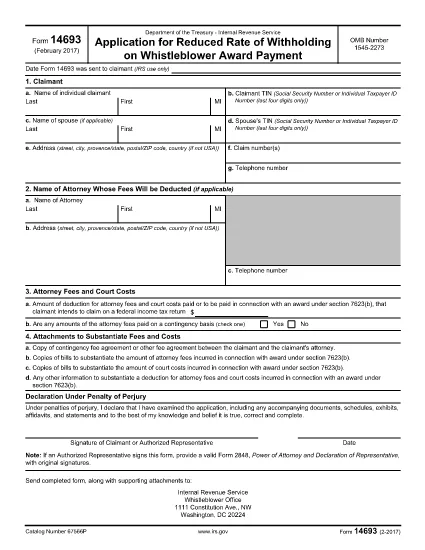
Form 14693 yra viena iš mokesčių formų, kurios yra dokumentai, naudojami informacijai apie asmens ar įmonės pajamas, atskaitymus ir mokesčių prievolę pranešti atitinkamai mokesčių institucijai. Šios formos būtinos siekiant laikytis mokesčių įstatymų ir įvykdyti mokestines prievoles. Mokesčių formos skiriasi priklausomai nuo šalies ir taikomų konkrečių mokesčių reikalavimų. Štai keletas įprastų mokesčių formų tipų:
Asmens mokesčių formos: šias formas naudoja individualūs mokesčių mokėtojai norėdami pranešti apie savo asmenines pajamas ir reikalauti atskaitymų, kreditų ir atleidimo nuo mokesčių. Pavyzdžiai: 1040 forma Jungtinėse Amerikos Valstijose arba Self-Assessment Tax Return forma Jungtinėje Karalystėje.
Verslo mokesčių formos: verslo mokesčių formas naudoja įmonės, bendrijos arba savarankiškai dirbantys asmenys, norėdami pranešti apie savo verslo pajamas, išlaidas ir kitą su mokesčiais susijusią informaciją. Pavyzdžiai: C grafiko forma (verslo pelnas arba nuostolis) Jungtinėse Amerikos Valstijose arba CT600 forma (įmonės mokesčių deklaracija) Jungtinėje Karalystėje.
Darbo užmokesčio mokesčio formos: šias formas darbdaviai naudoja norėdami pranešti apie darbo užmokestį, atlyginimus ir mokesčius, išskaičiuotus iš darbuotojų atlyginimų. Pavyzdžiui, W-2 forma Jungtinėse Amerikos Valstijose arba P60 forma Jungtinėje Karalystėje.
Pardavimo mokesčio formos: pardavimo mokesčio formas įmonės naudoja pranešdamos ir pervesdamos pardavimo mokestį, surinktą už apmokestinamas prekes ar paslaugas. Konkrečios pardavimo mokesčio formos skiriasi priklausomai nuo jurisdikcijos.
Pridėtinės vertės mokesčio (PVM) formos: PVM formos naudojamos šalyse, kuriose taikomas pridėtinės vertės mokestis, norint pranešti ir pervesti PVM, surinktą už pardavimą, ir reikalauti PVM kreditų už pirkinius. Pavyzdžiui, daugelyje šalių naudojamos PVM deklaracijos formos.
Apskaičiuotų mokesčių formos: apskaičiuotų mokesčių formos naudojamos norint pranešti ir sumokėti apskaičiuotus mokesčius už pajamas, kurios nėra išskaičiuojamos, pvz., individualios veiklos arba investicijų pajamų.
Tai tik keli daugybės galimų mokesčių formų pavyzdžiai. Reikalingos konkrečios formos priklauso nuo jūsų šalies ar jurisdikcijos mokesčių įstatymų ir teisės aktų. Svarbu susipažinti su mokesčių institucijos gairėmis arba kreiptis į profesionalų patarimą, kad nustatytumėte, kurios formos yra taikomos jūsų situacijai.