

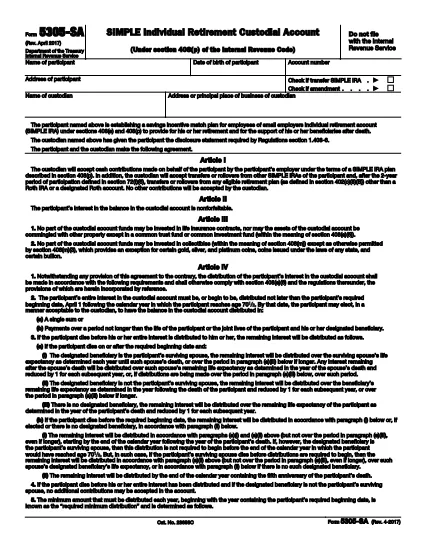

Vidaus pajamų tarnybos (IRS) formos
IRS Form 5305-SA yra viena iš oficialių mokesčių formų, naudojamų Jungtinėse Valstijose norint pranešti apie pajamas, reikalauti atskaitymų ir kreditų, apskaičiuoti mokestinę prievolę ir vykdyti kitus su mokesčiais susijusius įsipareigojimus. IRS yra federalinė agentūra, atsakinga už vidaus pajamų įstatymų administravimą ir vykdymą JAV.
Štai keletas Vidaus pajamų tarnybos formų pavyzdžių:
1040 forma: tai pagrindinė gyventojų pajamų mokesčio deklaracijos forma, kurią naudoja dauguma mokesčių mokėtojų. Jis naudojamas pranešti apie įvairias pajamas, reikalauti atskaitymų ir kreditų, apskaičiuoti mokestinę prievolę ir nustatyti, ar mokesčių mokėtojas yra skolingas papildomai, ar turi teisę susigrąžinti mokesčius.
1099 forma: yra įvairių 1099 formos variantų, pvz., 1099-MISC, 1099-INT, 1099-DIV ir tt Šios formos naudojamos pajamoms, kurias asmenys ar įmonės gauna iš įvairių šaltinių, išskyrus užimtumą, pvz., savarankiško darbo, pateikti. pajamos, palūkanų pajamos, dividendų pajamos ir nuomos pajamos.
Forma W-2: šią formą naudoja darbdaviai norėdami pranešti apie darbuotojams mokamą atlyginimą ir mokesčius išskaičiuoti iš jų darbo užmokesčio. Darbuotojai naudoja W-2 formoje pateiktą informaciją, kad užpildytų savo individualias mokesčių deklaracijas.
941 forma: darbdaviai naudoja šią formą norėdami pranešti apie savo darbuotojų darbo mokesčius, įskaitant išskaičiuotą federalinį pajamų mokestį, socialinio draudimo mokestį ir medicininės priežiūros mokestį.
1065 forma: šią formą bendrijos naudoja pajamoms, atskaitymams ir mokesčių prievolėms pranešti. Pačios bendrijos pajamų mokesčio nemoka; vietoj to partneriai savo individualiose mokesčių deklaracijose nurodo savo bendrijos pajamų dalį.
1120 forma: tai pelno mokesčio deklaracijos forma, kurią C korporacijos naudoja savo pajamoms pranešti. atskaitymus ir mokestinę prievolę.
990 forma: šią formą naudoja neapmokestinamos organizacijos, pvz., ne pelno ir labdaros organizacijos, pranešti apie savo finansinę informaciją, veiklą ir mokesčių įstatymų laikymąsi.
8862 forma: šią formą naudoja mokesčių mokėtojai, kurie anksčiau pareikalavo uždirbtų pajamų mokesčio kredito (EITC) bet buvo uždrausta, o dabar noriu vėl pareikšti ieškinį.
Tai tik keli pavyzdžiai iš daugybės IRS formų, skirtų įvairioms su mokesčiais susijusioms prievolėms įvykdyti. Asmeniui ar verslui reikalingos konkrečios formos priklauso nuo jų unikalių aplinkybių, pajamų šaltinių ir atskaitymų. Patartina apsilankyti oficialioje Vidaus pajamų tarnybos svetainėje (www.irs.gov) arba kreiptis į profesionalų mokesčių patarimą, kad gautumėte tikslią ir naujausią informaciją apie konkrečią IRS. formas, atitinkančias jūsų mokesčių situaciją.