
Pasirinkite kalbą

INZ1375 Fillable PDF – Download & Complete Online

  1. Kalba Anglų
  2. Šalis Naujoji Zelandija
  3. skyrius Immigration New Zealand
  4. Veikla Vizos
INZ1375 Fillable PDF – Download & Complete Online

What is the INZ1375 Form?

The INZ1375 is an Immigration New Zealand form used for specific visa applications and status updates. It collects personal details, travel history, and supporting information that Immigration officials need to assess eligibility.

How to Fill the INZ1375 PDF Online

Instead of downloading the file and opening a desktop PDF editor, simply click the "Fill out this form" button on this page. The Formize PDF Filler app will load the fillable version instantly, allowing you to type, check boxes, and add signatures directly in your browser.

Common Mistakes to Avoid

  • Leaving required fields blank – the filler will highlight missing entries before you can submit.
  • Using non‑Latin characters in name fields – New Zealand immigration expects standard English letters.
  • Uploading an outdated version of the form – always use the latest PDF provided below.
  • Forgetting to sign the declaration section – an unsigned form will be rejected.

Where to Submit Your Completed Form

Once you have filled out the INZ1375, you can either:

  1. Upload the completed PDF through your Immigration New Zealand online account.
  2. Print, sign, and mail it to the address listed in the form instructions.

Check the latest submission guidelines on the official Immigration New Zealand website before sending.

Download the PDF

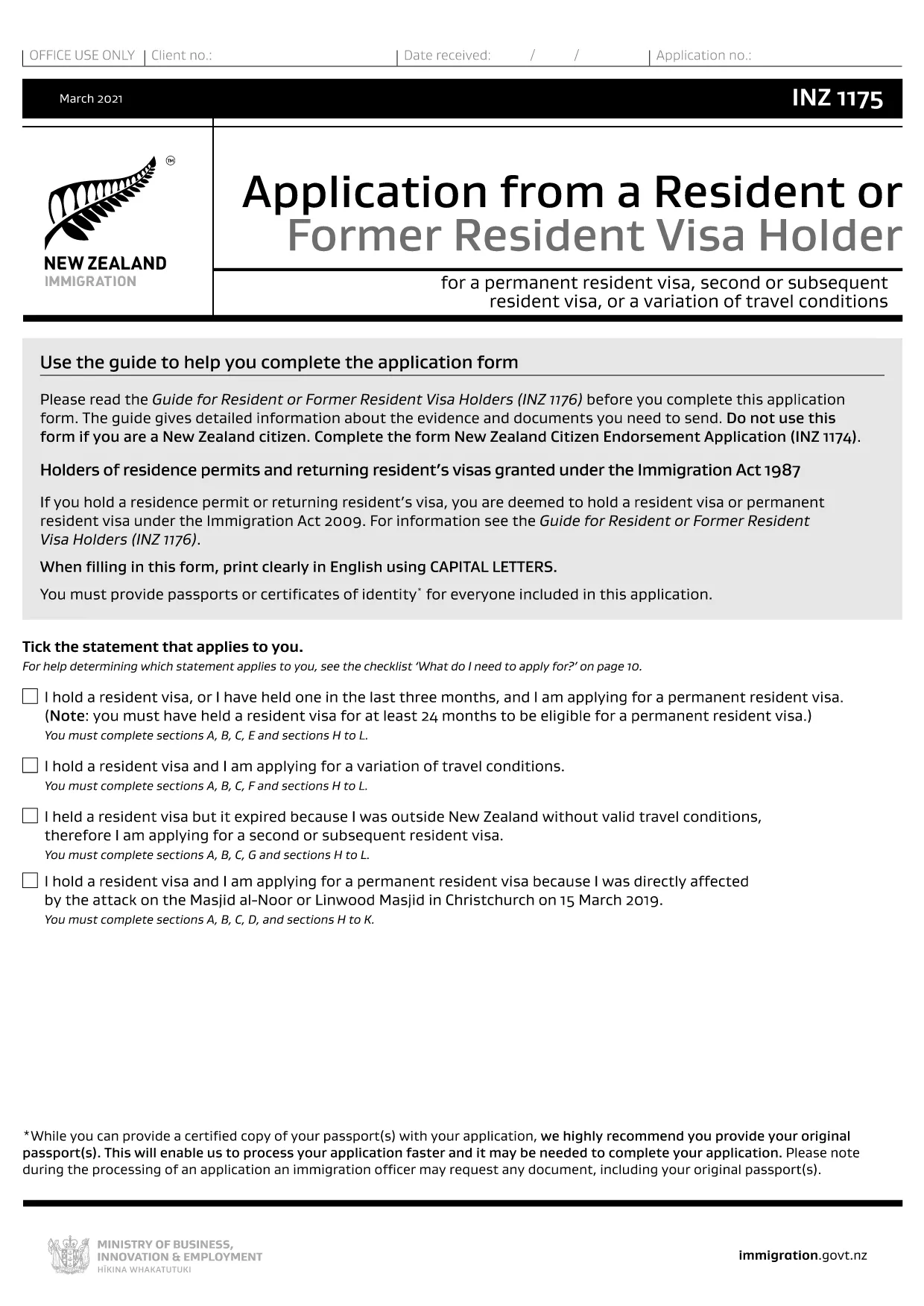
If you prefer to work offline, you can download the fillable PDF directly from the link below. The file is the closest publicly available version (INZ1175) which shares the same layout and fields as INZ1375.

Download INZ1175 (fillable) PDF

DUK
  • What is the difference between INZ1375 and INZ1175?

    Both forms share the same layout and most of the same fields. INZ1175 is the publicly available fillable version that can be used as a template for INZ1375.

  • Can I edit the PDF on a mobile device?

    Yes. The Formize PDF Filler works on smartphones and tablets, allowing you to complete the form on any modern browser.

  • Do I need to print the form after filling it online?

    Only if you prefer a hard copy for your records. For electronic submission, a downloaded PDF with a digital signature is sufficient.

  • Is there a fee to use the Formize PDF Filler?

    No. Formize provides the filler for free; any fees are set by Immigration New Zealand for processing your visa application.

  • How do I know if my completed form is accepted?

    After you submit the form through the Immigration portal, you will receive a confirmation email. If any fields are missing, the system will prompt you to correct them.

  • What should I do if I make a mistake after submission?

    Contact Immigration New Zealand through their online help centre and request a correction. You may need to upload a revised PDF.

  • Can I save a draft and return later?

    Yes. The Formize filler lets you save a draft to your device or cloud storage, then reopen it later to finish.

KAIP

Kaip nemokamai užpildyti INZ1375 internete, atlikdami 5 paprastus veiksmus:

  1. 1
    Click the Fill Button
    Press the "Fill out this form" button on the page. The Formize PDF Filler loads the form instantly in your browser.
  2. 2
    Enter Your Information
    Type directly into each field, select dates from the calendar picker, and upload any required supporting documents.
  3. 3
    Save and Review
    Use the "Save" option to store a draft. Review all entries; required fields will be highlighted if incomplete.
  4. 4
    Add Your Digital Signature
    Click the signature box, draw or upload your signature, and confirm.
  5. 5
    Download or Submit
    When finished, download the completed PDF for your records or submit it directly through the Immigration New Zealand online portal.
Formuokite PDF užpildymo programą
APIE

Vizos formos

INZ1375 yra viena iš vizų formų, kurios yra dokumentai, naudojami kreipiantis dėl vizos įvažiuoti į užsienio šalį. Viza – tai dokumentas, leidžiantis užsieniečiui atvykti, būti, o kartais ir dirbti užsienio šalyje tam tikrą laiką. Tikslios vizos formos ir reikalavimai skiriasi priklausomai nuo šalies ir vizos tipo.

Vizos formose paprastai reikalaujama asmeninės informacijos, tokios kaip vardas, pavardė, gimimo data ir paso informacija, taip pat informacija apie kelionės tikslą ir trukmę, numatomą kelionės tikslą ir tai, ar pareiškėjui anksčiau buvo atsisakyta išduoti vizą ar jis buvo deportuotas iš šalies. Formose taip pat gali reikėti patvirtinančių dokumentų, tokių kaip pasas, nuotraukos ir finansinės paramos įrodymas.

Jungtinėse Valstijose labiausiai paplitusios vizos formos yra DS-160 ir DS-260 formos. DS-160 forma naudojama kreipiantis dėl neimigracinės vizos, o forma DS-260 naudojama kreipiantis dėl imigracijos vizos. Šiose formose reikia išsamios informacijos apie pareiškėjo asmeninę ir kelionių istoriją, taip pat patvirtinamuosius dokumentus, tokius kaip pasas, kelionės maršrutas ir finansiniai įrašai.

Kitose šalyse gali būti taikomos skirtingos vizos formos ir reikalavimai, tačiau pagrindinis procesas paprastai apima prašymo išduoti vizą užpildymą, patvirtinančių dokumentų pateikimą ir dalyvavimą pokalbyje su konsuliniu pareigūnu JAV ambasadoje ar konsulate. Svarbu pažymėti, kad prašymo išduoti vizą procesas gali būti sudėtingas ir daug laiko reikalaujantis, todėl asmenims, norintiems gauti vizą, rekomenduojama pasikonsultuoti su imigracijos advokatu ar kitu kvalifikuotu specialistu, kad įsitikintų, jog yra laikomasi visų reikiamų formų ir reikalavimų.

FUNKCIJOS

PDF užpildas

Lengviausias būdas užpildyti INZ1375 internete

  • Greitai užpildykite INZ1375
    Ieškote būdo greitai užpildyti INZ1375 internete? Naudodami internetinį nemokamą PDF formų užpildą sužinosite, kaip redaguoti ir užpildyti šį pdf dokumentą greičiau nei per minutę.
  • Lengva naudoti internetinį PDF redaktorių
    Atsibodo spausdinti PDF failus, kad galėtumėte juos redaguoti prieš nuskaitydami iš naujo ir siųsdami atgal? Redaguoti PDF dokumentus internete nemokamai. Norėdami sutaupyti laiko ir popieriaus, naudokite mūsų internetinį pdf redaktorių.
  • Puikūs įrankiai, visos platformos
    Svarstote, kaip užpildyti INZ1375 „Mac“ kompiuteryje, o gal kaip nemokamai naudoti PDF užpildą? Mūsų internetiniai PDF įrankiai veikia visose platformose.
  • Saugi failų saugykla
    Užbaigti „INZ1375“ failai saugomi saugioje duomenų bazėje, kurią valdo „Amazon Cloud“ priegloba. Galite bet kada ištrinti failus iš mūsų sistemos. Bet kokiu atveju šie failai automatiškai ištrinami po 24 valandų.
  • Kalbėkitės su INZ1375
    Kalbėkite su „INZ1375“ naudodami Chatize, kuri yra nemokama PDF skaitymo priemonė. Užduokite klausimų ir gaukite atsakymus iš „INZ1375“. Tiesiog spustelėkite aukščiau esantį mygtuką Kalbėtis su dokumentu.

Ištrinti užpildymo seansą

Ištrinti pasirinktą pildymo seansą? Tokiu atveju jūsų pažanga pildant formą bus prarasta.

Ištrinti redagavimo sesiją

Ištrinti pasirinktą redagavimo sesiją? Tokiu atveju jūsų pažanga kuriant ir redaguojant formą bus prarasta.