
Pasirinkite kalbą

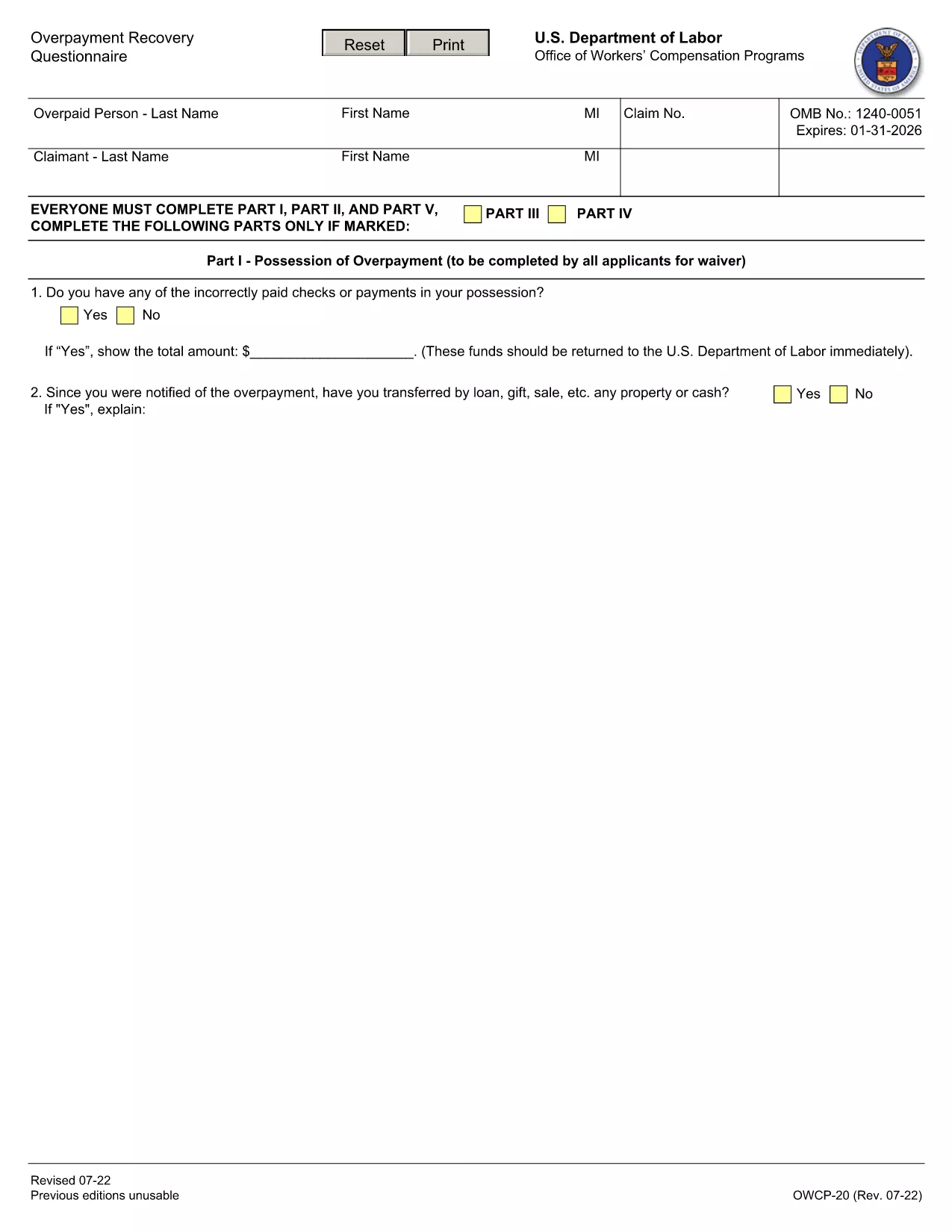
OWCP-20 Overpayment Recovery Questionnaire (Fillable PDF)

  1. Kalba Anglų
  2. Šalis JAV
  3. skyrius Darbo departamentas
  4. Agentūra Darbuotojų kompensavimo programų biuras
OWCP-20 Overpayment Recovery Questionnaire (Fillable PDF)

The OWCP-20 questionnaire is the Department of Labor’s official tool for reporting and recovering overpayments under the Federal Employees' Compensation Act, the Black Lung Benefits Act, and the Energy Employees Occupational Illness Compensation Program Act. Employers, claimants, and representatives use this form to provide detailed information that helps the Office of Workers’ Compensation Programs (OWCP) determine the amount to be repaid.

What Is the OWCP-20 Form?

OWCP-20 collects data about the overpayment, the claimant’s banking details, and supporting documentation. It is required whenever an overpayment is identified, whether discovered by the claimant or by OWCP staff.

How to Complete the OWCP-20 Online

Instead of printing, printing, and faxing, you can fill out the form directly on our site. Click the Fill out this form button, wait for the Formize PDF Filler app to load, and then enter your information field‑by‑field.

Common Mistakes to Avoid

  • Leaving any required field blank – the filler will highlight missing entries.
  • Entering bank account numbers incorrectly – double‑check each digit.
  • Forgetting to attach supporting documents – use the “Add Attachment” button inside the filler.
  • Submitting the form before the final review – click “Preview” to confirm all data.

Why Use Formize’s Fillable PDF

Our cloud‑based PDF filler automatically saves your progress, validates entries, and creates a compliant, printable PDF that you can email directly to the OWCP district office. No software download, no printing hassles.

Download the Official OWCP-20 PDF

If you prefer the original document, you can download the official OWCP‑20 PDF from the link below. The file is the same version used by the Department of Labor.

Download OWCP-20 PDF

DUK
  • What is the purpose of the OWCP-20 form?

    It is used to report and recover overpayments made under federal workers’ compensation programs.

  • Can I submit the OWCP-20 electronically?

    Yes. After filling it out with Formize, you can download the completed PDF and email it to the OWCP district office.

  • Do I need a PDF editor to fill out OWCP-20?

    No. The Formize Fillable PDF works directly in your browser—no additional software required.

  • What supporting documents are required?

    Bank statements, repayment agreements, and any correspondence that explains the overpayment should be attached.

  • How long does it take to process the form?

    Processing time varies by district, but most offices acknowledge receipt within 5‑7 business days.

  • Is the OWCP-20 form free to download?

    Yes, the official PDF is publicly available at no cost.

  • Can I save my progress and finish later?

    The Formize filler auto‑saves your entries in the browser session, allowing you to return before final submission.

  • What if I make a mistake after submitting?

    Contact the OWCP district office directly to request a correction; you may need to submit a revised form.

KAIP

Kaip nemokamai užpildyti OWCP-20 internete, atlikdami 5 paprastus veiksmus:

  1. 1
    Click the Fill Out Button
    On the page, click the bright “Fill out this form” button to launch the Formize PDF Filler.
  2. 2
    Wait for the Filler to Load
    The app loads in a secure window; this only takes a few seconds.
  3. 3
    Enter Your Information
    Complete each field – the filler highlights required sections and validates numeric entries.
  4. 4
    Attach Supporting Documents
    Use the “Add Attachment” option to upload PDFs, images, or scanned copies of receipts.
  5. 5
    Review and Submit
    Click “Preview” to double‑check everything, then hit “Submit”. A final PDF is generated for you to email to the OWCP district office.
Formuokite PDF užpildymo programą
APIE

Darbo departamento (DOL) formos

OWCP-20 yra viena iš oficialių formų, kurią naudoja Jungtinių Valstijų darbo departamentas ir įvairios jo agentūros informacijai rinkti, programoms administruoti ir su darbu susijusiems įstatymams bei reglamentams įgyvendinti. Darbo departamentas yra federalinis vykdomasis departamentas, atsakingas už darbuotojų gerovės skatinimą ir apsaugą, sąžiningos įdarbinimo praktikos užtikrinimą ir įvairių darbo ir užimtumo aspektų priežiūrą Jungtinėse Valstijose.

Štai keletas Darbo departamento formų pavyzdžių:

Įdarbinimo tinkamumo patvirtinimas (I-9 forma): nors ją administruoja JAV pilietybės ir imigracijos tarnybos (USCIS), I-9 forma dažnai siejama su Darbo departamentu. Jį naudoja darbdaviai, norėdami patikrinti asmenų, pasamdytų dirbti Jungtinėse Valstijose, tapatybę ir tinkamumą dirbti.

Šeimos ir medicininių atostogų įstatymo (FMLA) formos: DOL darbo užmokesčio ir valandų skyrius administruoja FMLA, o šio federalinio įstatymo nuostatoms įgyvendinti ir laikytis, įskaitant sveikatos priežiūros sertifikatą, naudojamos įvairios formos. Teikėjo forma ir FMLA pranešimo apie tinkamumą ir teises bei pareigas forma.

Darbų saugos ir sveikatos administracijos (OSHA) formos: OSHA, DOL padalinys, reikalauja, kad tam tikri darbdaviai tvarkytų įrašus apie sužeidimus ir ligas darbo vietoje naudodami tokias formas kaip OSHA 300 forma, OSHA 300A forma ir OSHA 301 forma.

Draudimo nuo nedarbo formos: DOL užimtumo ir mokymo administracija prižiūri nedarbo draudimo (UI) programą, o valstybinės darbo jėgos agentūros naudoja įvairias formas, kad administruotų ir tvarkytų UI išmokų prašymus.

Darbo užmokesčio ir darbo valandų atitikties formos: DOL darbo užmokesčio ir valandų skyrius vykdo įvairius darbo įstatymus, įskaitant Sąžiningų darbo standartų įstatymą (FLSA) ir Šeimos ir medicininių atostogų įstatymą (FMLA). Darbdaviai gali būti įpareigoti naudoti konkrečias formas, kad būtų laikomasi šių įstatymų, pvz., dirbtų valandų įrašus, darbo užmokesčio tarifus ir kitą susijusią informaciją.

Šie pavyzdžiai atspindi kai kurias įprastas Darbo departamento formų kategorijas, tačiau yra daug kitų formų, kurias naudoja DOL ir įvairios jos agentūros, kad vykdytų savo pareigas, susijusias su darbu ir užimtumu. Reikalingos konkrečios formos gali skirtis, atsižvelgiant į programą, reglamentą ar vykdymo užtikrinimo veiksmus. Patartina apsilankyti oficialioje JAV darbo departamento svetainėje (www.dol.gov) arba pasikonsultuoti su atitinkamomis DOL agentūromis ar teisės specialistais, kad gautumėte tikslią ir naujausią informaciją. datos informacija apie konkrečias DOL formas, susijusias su jūsų darbo poreikiais arba atitikties reikalavimais.

FUNKCIJOS

PDF užpildas

Lengviausias būdas užpildyti OWCP-20 internete

  • Greitai užpildykite OWCP-20
    Ieškote būdo greitai užpildyti OWCP-20 internete? Naudodami internetinį nemokamą PDF formų užpildą sužinosite, kaip redaguoti ir užpildyti šį pdf dokumentą greičiau nei per minutę.
  • Lengva naudoti internetinį PDF redaktorių
    Atsibodo spausdinti PDF failus, kad galėtumėte juos redaguoti prieš nuskaitydami iš naujo ir siųsdami atgal? Redaguoti PDF dokumentus internete nemokamai. Norėdami sutaupyti laiko ir popieriaus, naudokite mūsų internetinį pdf redaktorių.
  • Puikūs įrankiai, visos platformos
    Svarstote, kaip užpildyti OWCP-20 „Mac“ kompiuteryje, o gal kaip nemokamai naudoti PDF užpildą? Mūsų internetiniai PDF įrankiai veikia visose platformose.
  • Saugi failų saugykla
    Užbaigti „OWCP-20“ failai saugomi saugioje duomenų bazėje, kurią valdo „Amazon Cloud“ priegloba. Galite bet kada ištrinti failus iš mūsų sistemos. Bet kokiu atveju šie failai automatiškai ištrinami po 24 valandų.
  • Kalbėkitės su OWCP-20
    Kalbėkite su „OWCP-20“ naudodami Chatize, kuri yra nemokama PDF skaitymo priemonė. Užduokite klausimų ir gaukite atsakymus iš „OWCP-20“. Tiesiog spustelėkite aukščiau esantį mygtuką Kalbėtis su dokumentu.

Ištrinti užpildymo seansą

Ištrinti pasirinktą pildymo seansą? Tokiu atveju jūsų pažanga pildant formą bus prarasta.

Ištrinti redagavimo sesiją

Ištrinti pasirinktą redagavimo sesiją? Tokiu atveju jūsų pažanga kuriant ir redaguojant formą bus prarasta.