
Pasirinkite kalbą

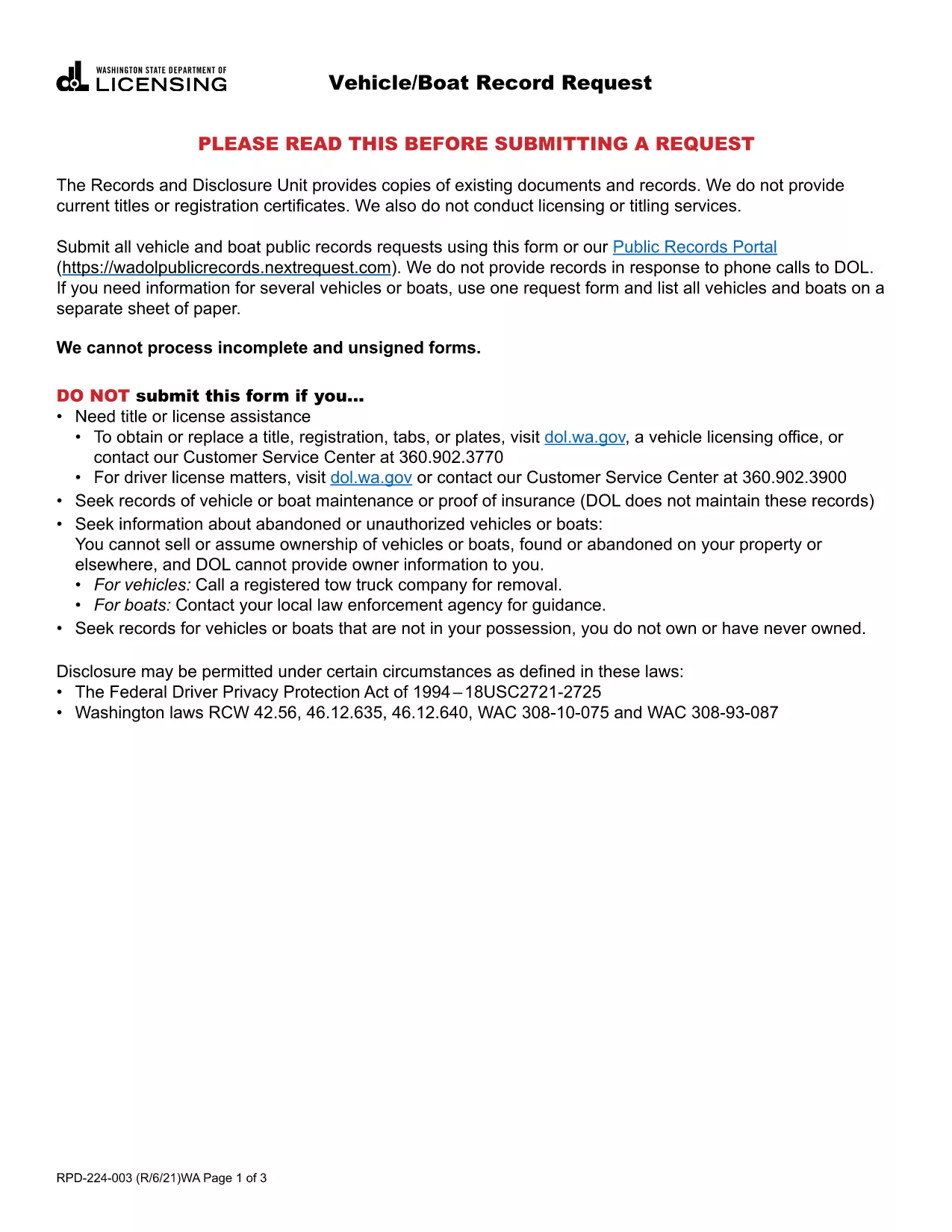
Vehicle & Boat Record Request Form

  1. Kalba Anglų
  2. Šalis JAV
  3. Veikla Transporto priemonės registracija
  4. valstybė Vašingtonas
Vehicle & Boat Record Request Form

Need official information about a vehicle or boat registered in Washington State? The Vehicle & Boat Record Request Form lets you request public records quickly and securely. Our fillable PDF solution eliminates the hassle of printing, scanning, or manually entering data.

Why You Need This Form

The Washington Department of Licensing (DOL) requires a completed request form for any public record inquiry about motor vehicles, trailers, or vessels. Whether you’re verifying ownership, checking lien status, or researching a boat’s history, this form is the official gateway.

How to Fill the Vehicle/Boat Record Request PDF

Instead of downloading the PDF and opening it in a separate editor, simply click the "Fill out this form" button on this page. The Formize PDF Filler app will load within seconds, providing a smooth, browser‑based experience.

Common Mistakes to Avoid

  • Leaving required fields blank – the form will not process.
  • Providing an inaccurate VIN, license plate, or vessel registration number.
  • Forgetting to attach the required fee payment receipt.
  • Submitting the form to the wrong DOL address or email.

Where to Submit Your Request

After completing the fillable PDF, download the completed file and mail it to:

Washington State Department of Licensing
Public Records Division
PO Box 40219
Olympia, WA 98504‑0219

Alternatively, you can submit the PDF via the DOL’s online portal if you prefer electronic delivery.

Fees and Processing Time

There is a nominal processing fee payable to the Division of Motorist Services. Expect a 2‑week turnaround from the date the DOL receives your request.

Ready to get started? Click the button below, fill out the form, and submit your request with confidence.

DUK
  • What information do I need to request a vehicle record?

    You’ll need the vehicle’s VIN or license plate number, the owner’s name (if known), and a valid reason for the request as defined by Washington law.

  • Can I request records for multiple vehicles or boats on one form?

    Yes. List each vehicle or boat on a separate sheet of paper and attach it to the same PDF before submitting.

  • Is there a fee for the record request?

    A processing fee is required at the time of request. The exact amount is listed on the form and must be paid to the Division of Motorist Services.

  • How long does it take to receive the records?

    The Washington DOL typically processes requests within two weeks after receipt of the completed form and payment.

  • Do I need to sign the PDF electronically?

    Yes. Use the Formize PDF Filler’s signature field to add an electronic signature before downloading the completed form.

  • What if I make a mistake on the form?

    You can edit any field while the Formize app is open. If you have already downloaded the PDF, simply reopen it in the Formize filler, correct the error, and re‑download.

  • Can I submit the request by email?

    The DOL prefers mailed submissions for security, but you may also upload the completed PDF through their secure online portal if available.

KAIP

Kaip nemokamai užpildyti vehicle record request internete, atlikdami 5 paprastus veiksmus:

  1. 1
    Open the Fillable Form
    Click the "Fill out this form" button on the page. The Formize PDF Filler app loads directly in your browser.
  2. 2
    Complete All Required Fields
    Enter the vehicle VIN, license plate, or boat registration number, plus your contact information and reason for the request.
  3. 3
    Attach Payment Proof
    Upload a scanned copy of the fee receipt or include the payment confirmation number as instructed on the form.
  4. 4
    Review and Download
    Use the preview feature to verify the information, then click "Download Completed PDF".
  5. 5
    Submit to the DOL
    Mail the completed PDF to the Washington Department of Licensing address or upload it through the DOL’s online portal.
Formuokite PDF užpildymo programą
APIE

Transporto priemonių registracijos formos

vehicle record request yra viena iš DMV formų, dar vadinamų Motorinių transporto priemonių departamento formomis, kurios yra dokumentai, naudojami atliekant įvairias operacijas ir procesus, susijusius su motorinėmis transporto priemonėmis. DMV yra vyriausybinė agentūra, atsakinga už vairuotojų pažymėjimų išdavimą, transporto priemonių registraciją ir motorinių transporto priemonių įstatymų vykdymą. Konkrečios galimos DMV formos gali skirtis priklausomai nuo jurisdikcijos, tačiau čia pateikiami keli įprasti pavyzdžiai:

Vairuotojo pažymėjimo formos: šios formos naudojamos norint gauti vairuotojo pažymėjimą arba prašyti pakeisti ar atnaujinti. Paprastai jie reikalauja asmeninės informacijos, tapatybės įrodymo ir gali apimti medicininės informacijos arba vairavimo istorijos skyrius.

Transporto priemonių registracijos formos: šios formos naudojamos motorinei transporto priemonei registruoti DMV. Jie reikalauja informacijos apie transporto priemonę, nuosavybės duomenis ir draudimo įrodymą.

Nuosavybės teisės perdavimo formos: perkant arba parduodant transporto priemonę, šios formos naudojamos nuosavybės teisei perduoti iš vienos šalies kitai. Jiems reikalinga informacija apie pirkėją, pardavėją, transporto priemonės duomenis ir gali būti pirkimo-pardavimo vekselis.

Transporto priemonės atleidimo nuo atsakomybės formos: parduodant arba perduodant transporto priemonės nuosavybės teisę, šiose formose pranešama DMV, kad pardavėjas nebėra atsakingas už transporto priemonę. Tai padeda apsaugoti pardavėją nuo atsakomybės už nelaimingus atsitikimus ar incidentus, susijusius su transporto priemone po pardavimo.

Valstybės numerio ir registracijos atnaujinimo formos: šios formos naudojamos norint atnaujinti transporto priemonės registraciją arba prašyti naujų valstybinių numerių. Paprastai jie reikalauja informacijos apie registruotą savininką, dabartinę registracijos informaciją ir taikomų mokesčių sumokėjimą.

Vairavimo įrašų užklausos formos: šios formos leidžia asmenims DMV pateikti užklausą dėl savo vairavimo įrašų, kuriuose pateikiama informacija apie vairavimo pažeidimus, pažymėjimo būseną ir kitą svarbią informaciją.

Specialios arba suasmenintos valstybinio numerio formos: šios formos naudojamos norint gauti suasmenintus arba specialius valstybinio numerio ženklus, kurie leidžia asmenims tinkinti savo valstybinio numerio ženklą naudodami tam tikrus simbolius ar piešinius.

Tai tik keli pavyzdžiai iš daugelio formų, kurios gali būti pasiekiamos per DMV. Konkrečios formos ir reikalavimai gali skirtis priklausomai nuo jurisdikcijos, todėl svarbu apsilankyti vietinėje DMV svetainėje arba apsilankyti DMV biure, kad gautumėte tinkamas formas pagal jūsų poreikius.

FUNKCIJOS

PDF užpildas

Lengviausias būdas užpildyti vehicle record request internete

  • Greitai užpildykite vehicle record request
    Ieškote būdo greitai užpildyti vehicle record request internete? Naudodami internetinį nemokamą PDF formų užpildą sužinosite, kaip redaguoti ir užpildyti šį pdf dokumentą greičiau nei per minutę.
  • Lengva naudoti internetinį PDF redaktorių
    Atsibodo spausdinti PDF failus, kad galėtumėte juos redaguoti prieš nuskaitydami iš naujo ir siųsdami atgal? Redaguoti PDF dokumentus internete nemokamai. Norėdami sutaupyti laiko ir popieriaus, naudokite mūsų internetinį pdf redaktorių.
  • Puikūs įrankiai, visos platformos
    Svarstote, kaip užpildyti vehicle record request „Mac“ kompiuteryje, o gal kaip nemokamai naudoti PDF užpildą? Mūsų internetiniai PDF įrankiai veikia visose platformose.
  • Saugi failų saugykla
    Užbaigti „vehicle record request“ failai saugomi saugioje duomenų bazėje, kurią valdo „Amazon Cloud“ priegloba. Galite bet kada ištrinti failus iš mūsų sistemos. Bet kokiu atveju šie failai automatiškai ištrinami po 24 valandų.
  • Kalbėkitės su vehicle record request
    Kalbėkite su „vehicle record request“ naudodami Chatize, kuri yra nemokama PDF skaitymo priemonė. Užduokite klausimų ir gaukite atsakymus iš „vehicle record request“. Tiesiog spustelėkite aukščiau esantį mygtuką Kalbėtis su dokumentu.

Ištrinti užpildymo seansą

Ištrinti pasirinktą pildymo seansą? Tokiu atveju jūsų pažanga pildant formą bus prarasta.

Ištrinti redagavimo sesiją

Ištrinti pasirinktą redagavimo sesiją? Tokiu atveju jūsų pažanga kuriant ir redaguojant formą bus prarasta.