Pilih Bahasa

Objection to Determination of Motor Vehicle Tax (ATO Form)

  1. Bahasa Inggeris
  2. Negara Australia
  3. Jabatan Australian Taxation Office
  4. Aktiviti Vehicle Tax
Isi borang ini
Objection to Determination of Motor Vehicle Tax (ATO Form)

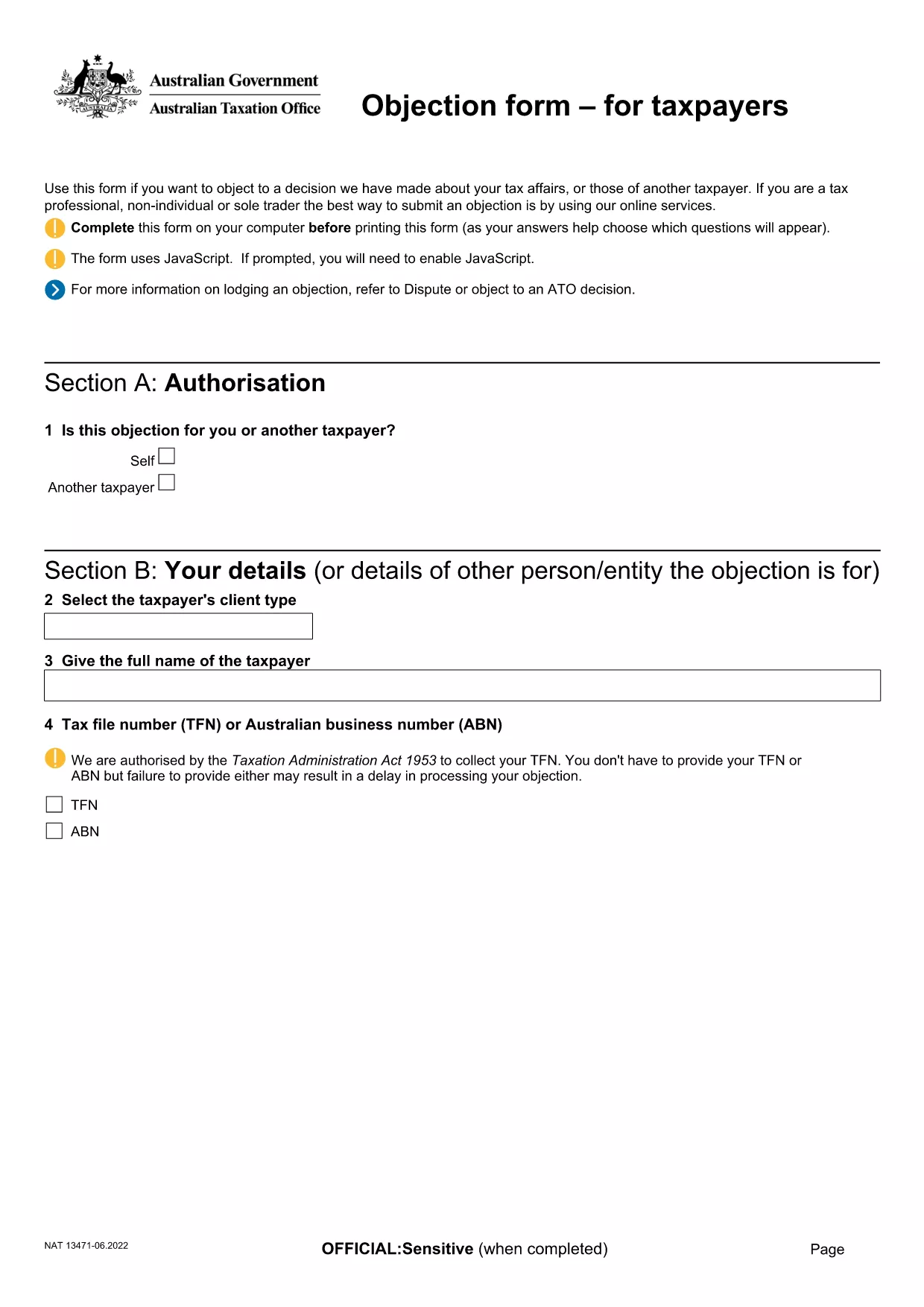
If the Australian Taxation Office (ATO) has issued a determination on your motor vehicle tax and you believe it is incorrect, you can lodge an objection using the official ATO form. This fillable PDF lets you provide the necessary details, attach supporting documents, and submit your case quickly.

What Is This Objection Form Used For?

The form is the formal request to the ATO to review and amend a motor vehicle tax determination. Typical reasons for objection include:

  • Incorrect vehicle classification
  • Errors in taxable value calculation
  • Missing or inaccurate registration details

How to Complete the Form Online with Formize

Instead of downloading the PDF and opening a separate editor, simply click the "Fill out this form" button on this page. The Formize PDF Filler app will load in your browser, allowing you to:

  1. Enter all required information directly into the fields.
  2. Upload supporting documents (receipts, registration papers, etc.).
  3. Save a draft and return later if needed.
  4. Submit the completed form securely to the ATO.

Common Mistakes to Avoid When Filing an Objection

  • Leaving mandatory fields blank: The form will not submit if required sections are empty.
  • Providing outdated vehicle details: Ensure the registration number, make, and model match current records.
  • Skipping supporting evidence: Attach all relevant documents; missing evidence can delay the review.

Where to Submit Your Completed Form

Once you have filled out and saved the form, the Formize app will generate a secure PDF ready for upload. Follow the ATO's submission instructions on the ATO contact page or email the PDF to the address indicated in your determination notice.

Need more guidance? Review the official ATO instructions linked below or contact your tax adviser.

SOALAN LAZIM
  • Do I need to print the form before submitting?

    No. Using Formize you can complete, save, and submit the PDF entirely online.

  • What supporting documents should I include?

    Attach the vehicle registration certificate, purchase invoice, any previous tax assessments, and evidence of the correct taxable value.

  • Can I edit the form after I’ve submitted it?

    Once submitted to the ATO, the form cannot be edited. Make sure all information is correct before you click "Submit".

  • How long does the ATO take to review my objection?

    Typical review times are 28 days, but complex cases may take longer. The ATO will notify you of the outcome.

  • Is there a fee for lodging an objection?

    No. Filing an objection to a motor vehicle tax determination is free of charge.

  • What if I make a mistake on the form?

    If you notice an error before submitting, simply edit the field in the Formize app. After submission, you must lodge a new objection.

  • Can I save my progress and return later?

    Yes. The Formize PDF Filler lets you save a draft and continue later from any device.

BAGAIMANA UNTUK

Cara mengisi motor vehicle tax objection secara percuma, dalam talian dalam 5 langkah mudah:

  1. 1
    Open the Formizer PDF Filler
    Click the "Fill out this form" button on this page. The Formize PDF Filler app loads directly in your browser.
  2. 2
    Enter Your Details
    Complete each required field – taxpayer name, TFN, vehicle registration, and the reason for your objection.
  3. 3
    Attach Supporting Documents
    Use the attachment button to upload receipts, registration certificates, or any evidence that supports your case.
  4. 4
    Review and Save
    Check all information for accuracy, then click "Save" to create a draft or "Submit" to generate the final PDF.
  5. 5
    Submit to the ATO
    Follow the ATO’s submission instructions (online portal or email) and send the completed PDF.
Bentuk apl Pengisi PDF
TENTANG

templat motor vehicle tax objection.

Dengan set ciri tradisional untuk melihat dan mengisi dokumen PDF, digabungkan dengan faedah aplikasi web dan reka letak responsif, anda boleh melengkapkan motor vehicle tax objection dalam beberapa minit.

CIRI-CIRI

Pengisi PDF

Cara paling mudah untuk mengisi motor vehicle tax objection dalam talian

  • Cepat isi motor vehicle tax objection
    Mencari cara untuk mengisi motor vehicle tax objection dengan cepat dalam talian? Dengan pengisi borang PDF percuma dalam talian kami, anda akan tahu cara mengedit dan mengisi dokumen pdf ini dalam masa kurang daripada satu minit.
  • Mudah untuk menggunakan editor PDF dalam talian
    Bosan dengan mencetak fail PDF supaya anda boleh mengeditnya, sebelum mengimbas semula dan menghantarnya semula? Edit dokumen PDF secara percuma dalam talian. Gunakan editor pdf dalam talian kami untuk menjimatkan masa dan kertas.
  • Alat yang hebat, semua platform
    Tertanya-tanya cara mengisi motor vehicle tax objection pada Mac, atau mungkin cara menggunakan pengisi PDF secara percuma? Alat PDF dalam talian kami berfungsi pada semua platform.
  • Simpanan fail selamat
    Fail "motor vehicle tax objection" yang lengkap disimpan dalam pangkalan data selamat yang diuruskan oleh pengehosan Amazon Cloud. Anda boleh memadamkan fail anda daripada sistem kami pada bila-bila masa. Walau apa pun, fail ini dipadamkan secara automatik selepas 24 jam.
  • Sembang dengan motor vehicle tax objection
    Sembang dengan "motor vehicle tax objection" di Chatize yang merupakan pembantu pembaca PDF percuma. Tanya soalan dan dapatkan jawapan daripada "motor vehicle tax objection". Cuma klik pada butang Sembang Dengan Dokumen di atas.

Padamkan sesi pengisian

Padamkan sesi pengisian yang dipilih? Dalam kes ini, kemajuan anda dalam melengkapkan borang akan hilang.

Padamkan sesi penyuntingan

Padamkan sesi penyuntingan yang dipilih? Dalam kes ini, kemajuan anda dalam membuat dan mengedit borang akan hilang.