Pilih Bahasa

BFP Membership Application Form – Fillable PDF

  1. Bahasa Inggeris
  2. Negara Australia
  3. Jabatan BFP
  4. Aktiviti Membership Application
Isi borang ini
BFP Membership Application Form – Fillable PDF

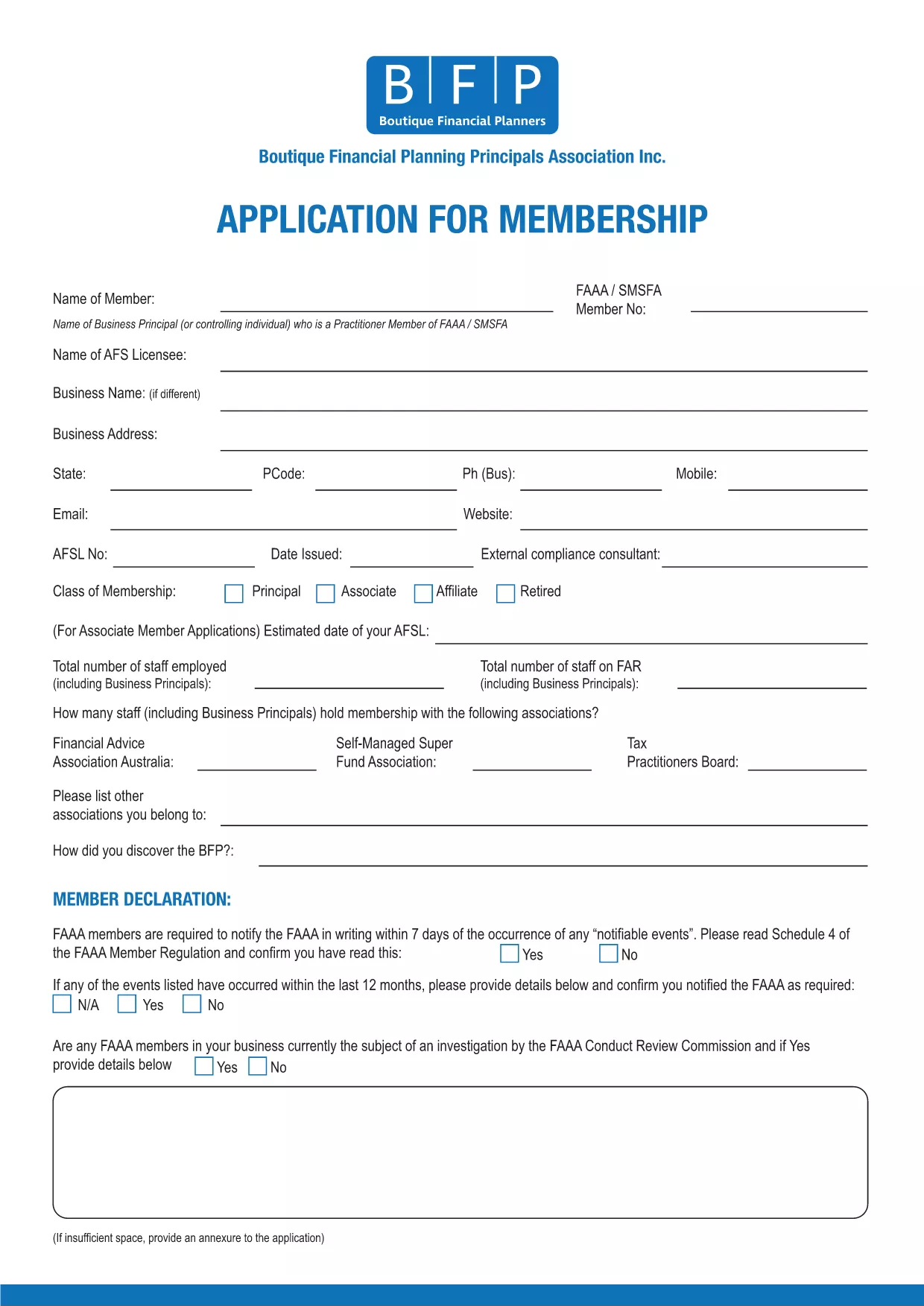
Welcome to the official online portal for the BFP Membership Application Form. This fillable PDF lets you apply for membership with the Business and Finance Professionals (BFP) association quickly and securely.

By using Formize’s PDF Filler, you can complete the entire application directly in your browser—no extra software required. The form is fully searchable, auto‑saves your progress, and ensures that all required fields are completed before you submit.

Why Use the Fillable BFP Application Form?

  • Instant access – start filling the form online or download the PDF for offline use.
  • Built‑in validation prevents missing or incorrect information.
  • Secure storage of your completed application.
  • Easy printing or electronic submission to BFP.

How to Complete the BFP Membership Form Online

Our step‑by‑step guide (see the How‑To section below) walks you through clicking the "Fill out this form" button, waiting for the Formize PDF Filler to load, and completing each field with confidence.

Common Mistakes to Avoid When Filling the BFP Form

  • Leaving required fields blank – the filler will highlight them before you can submit.
  • Entering outdated contact information – double‑check phone numbers and email addresses.
  • Skipping the signature section – an unsigned form will be considered invalid.
  • Not saving a copy of the completed PDF for your records.

Frequently Asked Questions about the BFP Application

Find answers to the most common queries in the FAQ section below, covering topics such as eligibility, submission methods, and processing times.

SOALAN LAZIM
  • Who can apply using the BFP Membership Application Form?

    Anyone interested in joining the Business and Finance Professionals (BFP) association, including students, early‑career professionals, and seasoned finance experts.

  • Is the fillable PDF compatible with all browsers?

    Yes. The Formize PDF Filler works in Chrome, Firefox, Edge, and Safari without requiring any plugins.

  • Can I save my progress and return later?

    Absolutely. The filler auto‑saves your entries locally. You can also download a draft copy to continue offline.

  • What happens if I submit incorrect information?

    The BFP may deem the application invalid. Double‑check all entries before submitting to avoid delays or forfeiture of membership.

  • Do I need to print and sign the form?

    A digital signature is accepted when using the Formize filler. If you prefer a hard copy, you can print, sign, and scan the PDF before sending.

  • How long does the membership approval process take?

    Typically, BFP reviews applications within 7‑10 business days after receipt of a complete and accurate form.

  • Is there a fee associated with the application?

    Application submission is free; membership fees are payable after approval according to the BFP fee schedule.

  • Can I edit the PDF after I’ve submitted it?

    Once submitted, the form cannot be edited. If you need to make changes, contact BFP to request a new application.

BAGAIMANA UNTUK

Cara mengisi BFP application form secara percuma, dalam talian dalam 5 langkah mudah:

  1. 1
    Click the Fill-out Button
    On this page, press the bright "Fill out this form" button. This launches the Formize PDF Filler in a new window.
  2. 2
    Wait for the Filler to Load
    The Formize PDF Filler app loads the BFP Membership Application PDF. A loading spinner will appear briefly; once the form is visible, you can start typing.
  3. 3
    Complete Each Section
    Enter your personal details, contact information, and membership preferences. Required fields are marked with a red asterisk and will be validated automatically.
  4. 4
    Review and Save
    After filling all fields, review the information for accuracy. Click "Save" to download a copy to your device or to store it securely in your Formize account.
  5. 5
    Submit Your Application
    Follow the on‑screen instructions to email or upload the completed PDF to BFP. Your application is now ready for processing.
Bentuk apl Pengisi PDF
TENTANG

templat BFP application form.

Dengan set ciri tradisional untuk melihat dan mengisi dokumen PDF, digabungkan dengan faedah aplikasi web dan reka letak responsif, anda boleh melengkapkan BFP application form dalam beberapa minit.

CIRI-CIRI

Pengisi PDF

Cara paling mudah untuk mengisi BFP application form dalam talian

  • Cepat isi BFP application form
    Mencari cara untuk mengisi BFP application form dengan cepat dalam talian? Dengan pengisi borang PDF percuma dalam talian kami, anda akan tahu cara mengedit dan mengisi dokumen pdf ini dalam masa kurang daripada satu minit.
  • Mudah untuk menggunakan editor PDF dalam talian
    Bosan dengan mencetak fail PDF supaya anda boleh mengeditnya, sebelum mengimbas semula dan menghantarnya semula? Edit dokumen PDF secara percuma dalam talian. Gunakan editor pdf dalam talian kami untuk menjimatkan masa dan kertas.
  • Alat yang hebat, semua platform
    Tertanya-tanya cara mengisi BFP application form pada Mac, atau mungkin cara menggunakan pengisi PDF secara percuma? Alat PDF dalam talian kami berfungsi pada semua platform.
  • Simpanan fail selamat
    Fail "BFP application form" yang lengkap disimpan dalam pangkalan data selamat yang diuruskan oleh pengehosan Amazon Cloud. Anda boleh memadamkan fail anda daripada sistem kami pada bila-bila masa. Walau apa pun, fail ini dipadamkan secara automatik selepas 24 jam.
  • Sembang dengan BFP application form
    Sembang dengan "BFP application form" di Chatize yang merupakan pembantu pembaca PDF percuma. Tanya soalan dan dapatkan jawapan daripada "BFP application form". Cuma klik pada butang Sembang Dengan Dokumen di atas.

Padamkan sesi pengisian

Padamkan sesi pengisian yang dipilih? Dalam kes ini, kemajuan anda dalam melengkapkan borang akan hilang.

Padamkan sesi penyuntingan

Padamkan sesi penyuntingan yang dipilih? Dalam kes ini, kemajuan anda dalam membuat dan mengedit borang akan hilang.