
Pilih Bahasa

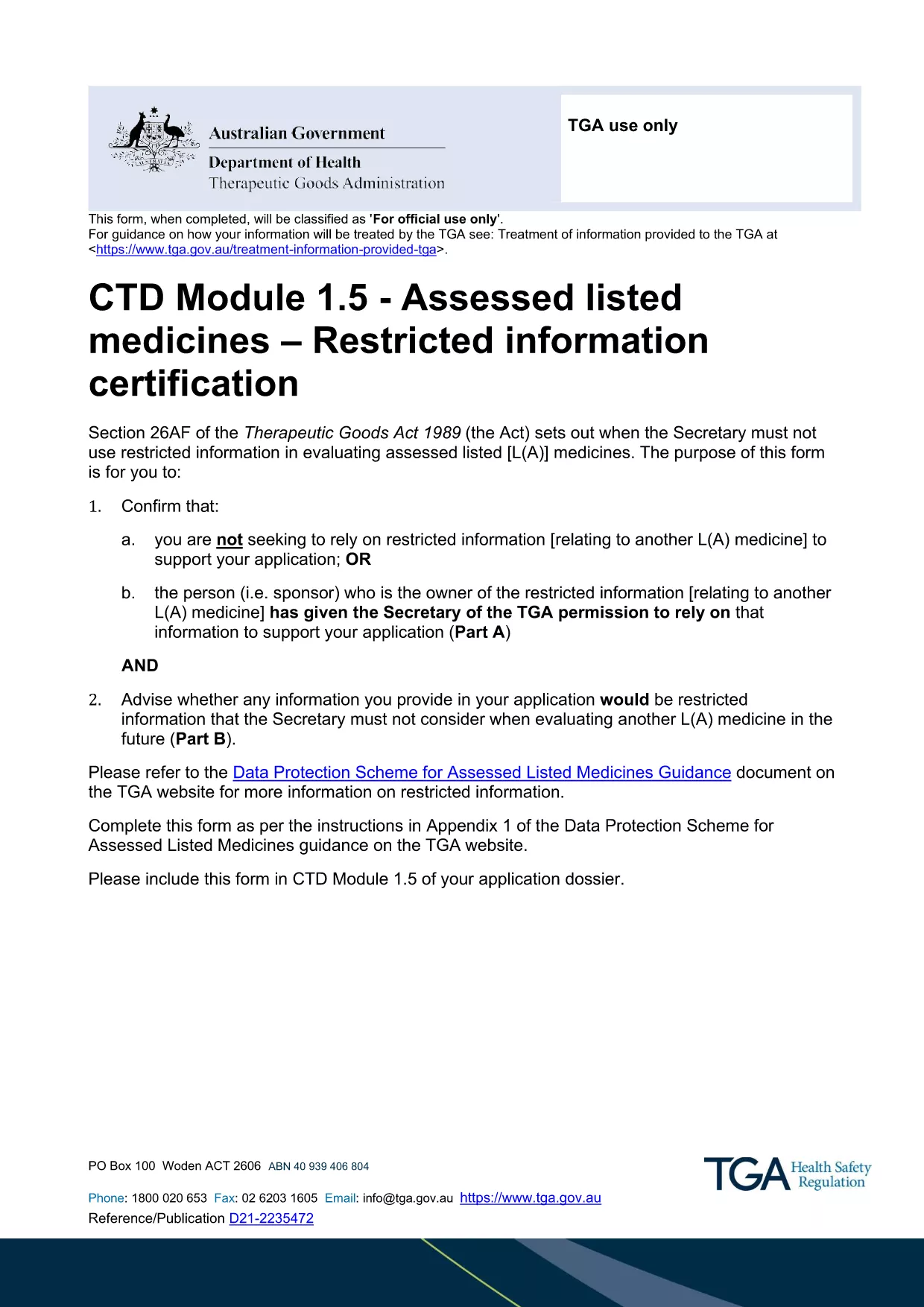
Restricted Medicine Application Form & Checklist (Fillable PDF)

  1. Negara Australia
  2. Bahasa Inggeris
  3. Aktiviti Medicines
  4. Jabatan Therapeutic Goods Administration
Isi borang ini
Restricted Medicine Application Form & Checklist (Fillable PDF)

Regulatory approval for restricted medicines in Australia requires both a detailed application form and a supporting checklist. Our fillable PDF combines the official CTD Module 1.5 – Restricted Information Certification Form with a practical checklist so you can gather all required data in one place.

By using the Formize PDF Filler, you avoid printing, scanning, and re‑typing. All fields are interactive, autosave, and compatible with Adobe Reader or any modern browser.

Why a Fillable PDF Matters for Restricted Medicines

The Therapeutic Goods Administration (TGA) mandates precise documentation for any medicine that contains restricted information. A fillable PDF ensures:

  • Accurate data entry with built‑in validation.
  • Instant access to the latest checklist items.
  • Secure saving of your work before submission.

Key Sections of the Application Form

The form is divided into two main parts:

  1. Part A – Reliance Declaration: Confirm whether you are relying on restricted information or have permission from the sponsor.
  2. Part B – Eligibility Assessment: Identify which parts of your dossier qualify as restricted information.

Each part includes tables for listing documents, dates, and contact details.

How to Complete the Form Using Formize

Follow the simple steps below to fill out the PDF directly in your browser. No additional software is required.

Common Mistakes to Avoid

  • Leaving optional fields blank when they are required for your specific product type.
  • Submitting outdated supporting documents.
  • Failing to sign the declaration section electronically.

Where to Submit Your Completed Application

After saving the completed PDF, upload it to the TGA’s eSubmission portal under the "Restricted Representation" category. Keep a copy for your records.

SOALAN LAZIM
  • Is the PDF truly fillable online?

    Yes. The Formize PDF Filler makes every field interactive in your browser without needing Adobe Acrobat Pro.

  • Do I need a TGA account to download the form?

    No. The PDF is publicly available. You only need a TGA account when you submit the completed application.

  • Can I save the form and finish it later?

    Absolutely. Use the "Save" button in Formize; the file is stored locally and can be reopened at any time.

  • What if I make a mistake after saving?

    You can edit any field before the final download. The Formize app tracks changes and lets you overwrite previous entries.

  • Is an electronic signature accepted?

    Yes. TGA accepts digital signatures placed within the PDF as long as they are clearly legible.

  • What supporting documents are required?

    Refer to the checklist section of the form. Typical items include product dossiers, sponsor letters, and data protection approvals.

  • How do I know if my information qualifies as "restricted"?

    Complete Part B of the form. It asks specific questions that determine eligibility based on the TGA’s Data Protection Scheme.

  • Can I submit the form via email?

    The TGA prefers electronic submission through their secure portal. Email submissions are not recommended for restricted medicine applications.

BAGAIMANA UNTUK

Cara mengisi restricted medicine application form secara percuma, dalam talian dalam 5 langkah mudah:

  1. 1
    Open the Fillable PDF
    Click the "Fill out this form" button on the page. The Formize PDF Filler app will load the document directly in your browser.
  2. 2
    Wait for the Formize Loader
    Allow a few seconds for the PDF to initialize. All interactive fields will become editable.
  3. 3
    Complete Each Section
    Enter the required information for Part A and Part B, follow the on‑screen prompts, and use the checklist items to verify you have all supporting documents.
  4. 4
    Save Your Progress
    Click the "Save" icon at any time. Formize automatically stores a local copy so you won’t lose data.
  5. 5
    Download and Submit
    When finished, click "Download PDF" to save the completed form. Upload the file to the TGA eSubmission portal as instructed in the checklist.
Bentuk apl Pengisi PDF
TENTANG

templat restricted medicine application form.

Dengan set ciri tradisional untuk melihat dan mengisi dokumen PDF, digabungkan dengan faedah aplikasi web dan reka letak responsif, anda boleh melengkapkan restricted medicine application form dalam beberapa minit.

CIRI-CIRI

Pengisi PDF

Cara paling mudah untuk mengisi restricted medicine application form dalam talian

  • Cepat isi restricted medicine application form
    Mencari cara untuk mengisi restricted medicine application form dengan cepat dalam talian? Dengan pengisi borang PDF percuma dalam talian kami, anda akan tahu cara mengedit dan mengisi dokumen pdf ini dalam masa kurang daripada satu minit.
  • Mudah untuk menggunakan editor PDF dalam talian
    Bosan dengan mencetak fail PDF supaya anda boleh mengeditnya, sebelum mengimbas semula dan menghantarnya semula? Edit dokumen PDF secara percuma dalam talian. Gunakan editor pdf dalam talian kami untuk menjimatkan masa dan kertas.
  • Alat yang hebat, semua platform
    Tertanya-tanya cara mengisi restricted medicine application form pada Mac, atau mungkin cara menggunakan pengisi PDF secara percuma? Alat PDF dalam talian kami berfungsi pada semua platform.
  • Simpanan fail selamat
    Fail "restricted medicine application form" yang lengkap disimpan dalam pangkalan data selamat yang diuruskan oleh pengehosan Amazon Cloud. Anda boleh memadamkan fail anda daripada sistem kami pada bila-bila masa. Walau apa pun, fail ini dipadamkan secara automatik selepas 24 jam.
  • Sembang dengan restricted medicine application form
    Sembang dengan "restricted medicine application form" di Chatize yang merupakan pembantu pembaca PDF percuma. Tanya soalan dan dapatkan jawapan daripada "restricted medicine application form". Cuma klik pada butang Sembang Dengan Dokumen di atas.

Padamkan sesi pengisian

Padamkan sesi pengisian yang dipilih? Dalam kes ini, kemajuan anda dalam melengkapkan borang akan hilang.

Padamkan sesi penyuntingan

Padamkan sesi penyuntingan yang dipilih? Dalam kes ini, kemajuan anda dalam membuat dan mengedit borang akan hilang.