
Pilih Bahasa

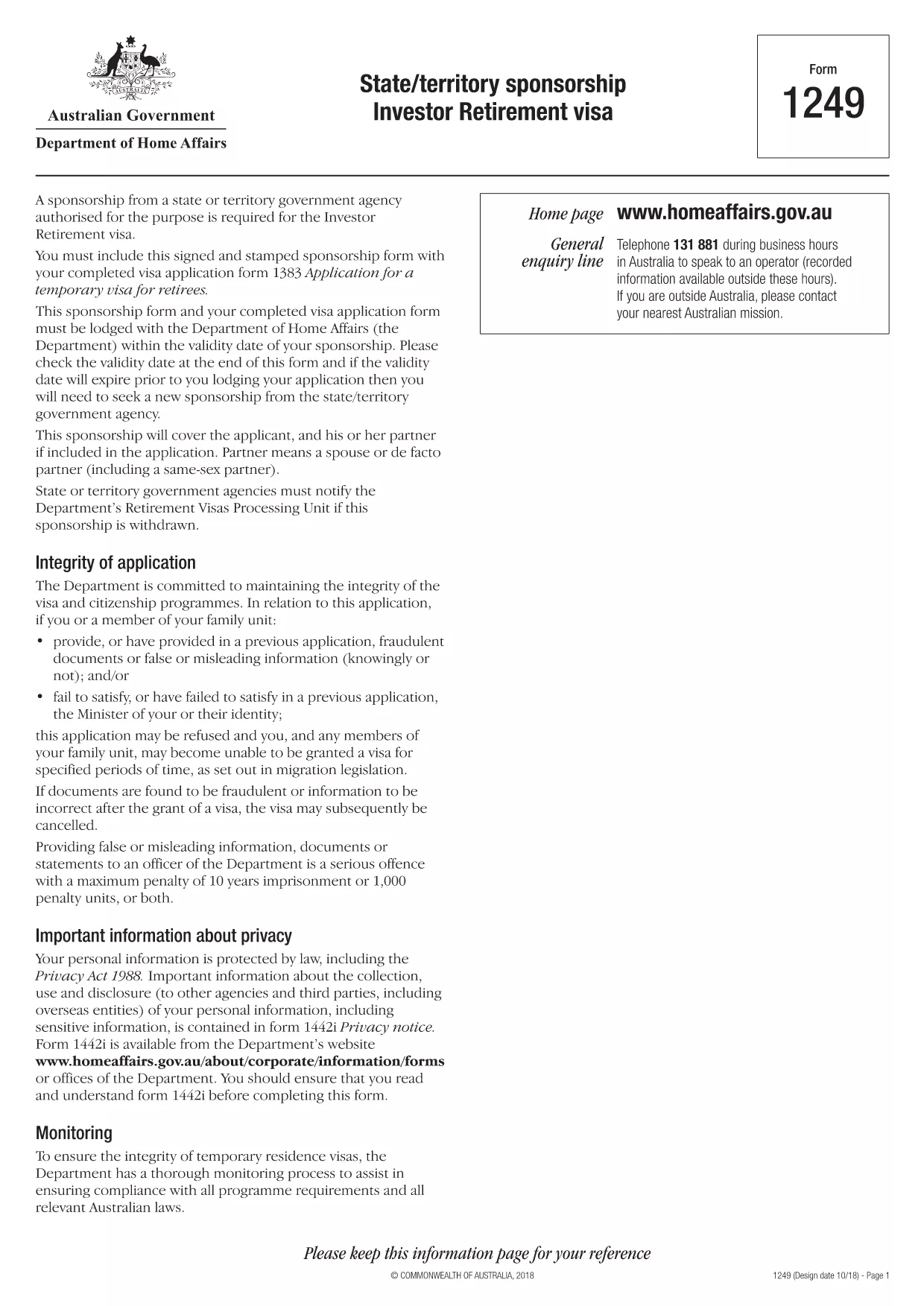
Form 1249 – State/Territory Sponsorship for the Investor Retirement Visa

  1. Bahasa Inggeris
  2. Negara Australia
  3. Aktiviti visa
Isi borang ini
Form 1249 – State/Territory Sponsorship for the Investor Retirement Visa

Form 1249 is the official State/Territory Sponsorship document required for the Australian Investor Retirement Visa (subclass 188‑IR). The sponsoring state or territory government must approve the applicant’s investment plan before the Department of Home Affairs processes the visa.

This landing page lets you view, fill, and download the fillable PDF directly in your browser – no extra software needed. Just click the “Fill out this form” button and the Formize PDF Filler will load the form for you.

What Is Form 1249 and Who Needs It?

The form captures details about the applicant’s proposed investment, the sponsoring government’s commitment, and the validity period of the sponsorship. It is required for:

  • Applicants of the Investor Retirement visa (subclass 188‑IR)
  • State or territory agencies that are sponsoring the applicant
  • Legal representatives preparing a visa package

How to Complete Form 1249 Online with Formize

Follow these simple steps to fill the form without downloading any software:

  1. Click the “Fill out this form” button on this page.
  2. Wait a few seconds while the Formize PDF Filler loads the fillable PDF.
  3. Enter all required information in the highlighted fields. The filler validates dates and numeric entries automatically.
  4. When you finish, click **Save & Download** to get a completed PDF ready for submission.

Common Mistakes & Tips for a Successful Submission

  • Validity date – Double‑check the sponsorship validity at the bottom of the form. If it expires before you lodge your visa, you’ll need a new sponsorship.
  • Signature fields – Use the built‑in signature tool in Formize or print, sign, and scan the final PDF.
  • Investment details – Provide exact figures and currency; rounding errors cause delays.
  • Supporting documents – Attach the required business plan, proof of funds, and any state‑specific endorsement letters.

Where to Submit the Completed Sponsorship Form

After saving the filled PDF, include it with your visa application package and lodge it through the Department of Home Affairs portal. The sponsoring state/territory must also retain a copy for their records.

Need a printable version? Use the direct download link below.

SOALAN LAZIM
  • What is the purpose of Form 1249?

    Form 1249 records the sponsorship commitment from an Australian state or territory for an Investor Retirement visa applicant.

  • Can I fill Form 1249 on a mobile device?

    Yes. The Formize PDF Filler works on modern smartphones and tablets as long as the browser supports PDF rendering.

  • Do I need to print the form to sign it?

    You can sign electronically using the Formize signature tool, or print, sign, and scan the final PDF before submission.

  • How long is the sponsorship validity?

    The validity period is printed on the last page of the form. It must remain active until the visa is granted; otherwise a new sponsorship is required.

  • What happens if I make a mistake after downloading?

    Open the saved PDF again with Formize, edit the incorrect fields, and re‑download the corrected version.

  • Is there a fee to use Formize’s filler?

    No, the Formize PDF Filler is free for all users on this page.

  • Where do I send the completed Form 1249?

    Include the completed form with your visa application package and lodge it through the Department of Home Affairs online portal.

  • Do I need a separate form for each state or territory?

    Form 1249 is the same nationwide, but the sponsoring agency (state or territory) must complete the sponsorship section.

BAGAIMANA UNTUK

Cara mengisi Form 1249 secara percuma, dalam talian dalam 4 langkah mudah:

  1. 1
    Open the Fillable Form
    Click the “Fill out this form” button on the page. The Formize PDF Filler will open the fillable Form 1249 in your browser.
  2. 2
    Enter Your Information
    Complete each highlighted field. The filler checks dates, numbers and required formats automatically.
  3. 3
    Save and Download
    When all sections are filled, press “Save & Download” to get a completed PDF ready for submission to the Department of Home Affairs.
  4. 4
    Submit with Your Visa Application
    Attach the saved PDF to your Investor Retirement visa (subclass 188‑IR) application through the Home Affairs online portal.
Bentuk apl Pengisi PDF
TENTANG

Borang Visa

Form 1249 ialah salah satu borang Visa yang merupakan dokumen yang digunakan untuk memohon visa untuk memasuki negara asing. Visa ialah dokumen yang membenarkan warga asing masuk, tinggal, dan kadangkala bekerja di negara asing untuk tempoh masa tertentu. Borang dan keperluan yang tepat untuk mendapatkan visa berbeza mengikut negara dan jenis visa.

Borang visa biasanya memerlukan maklumat peribadi seperti nama, tarikh lahir dan maklumat pasport, serta maklumat tentang tujuan dan tempoh perjalanan, destinasi yang dimaksudkan, dan sama ada pemohon sebelum ini telah ditolak visa atau dihantar pulang dari negara. Borang juga mungkin memerlukan dokumen sokongan seperti pasport, gambar dan bukti sokongan kewangan.

Di Amerika Syarikat, borang visa yang paling biasa ialah borang DS-160 dan DS-260. Borang DS-160 digunakan untuk memohon visa bukan imigran, manakala borang DS-260 digunakan untuk memohon visa imigran. Borang ini memerlukan maklumat terperinci tentang sejarah peribadi dan perjalanan pemohon, serta dokumentasi sokongan seperti pasport, jadual perjalanan dan rekod kewangan.

Negara lain mungkin mempunyai borang dan keperluan visa yang berbeza, tetapi proses asas biasanya melibatkan melengkapkan permohonan visa, menyediakan dokumentasi sokongan dan menghadiri temu duga dengan pegawai konsular di kedutaan atau konsulat A.S. Adalah penting untuk ambil perhatian bahawa proses permohonan visa boleh menjadi rumit dan memakan masa, dan adalah disyorkan bahawa individu yang ingin mendapatkan visa berunding dengan peguam imigresen atau profesional berkelayakan lain untuk memastikan bahawa semua borang dan keperluan yang diperlukan dipenuhi.

CIRI-CIRI

Pengisi PDF

Cara paling mudah untuk mengisi Form 1249 dalam talian

  • Cepat isi Form 1249
    Mencari cara untuk mengisi Form 1249 dengan cepat dalam talian? Dengan pengisi borang PDF percuma dalam talian kami, anda akan tahu cara mengedit dan mengisi dokumen pdf ini dalam masa kurang daripada satu minit.
  • Mudah untuk menggunakan editor PDF dalam talian
    Bosan dengan mencetak fail PDF supaya anda boleh mengeditnya, sebelum mengimbas semula dan menghantarnya semula? Edit dokumen PDF secara percuma dalam talian. Gunakan editor pdf dalam talian kami untuk menjimatkan masa dan kertas.
  • Alat yang hebat, semua platform
    Tertanya-tanya cara mengisi Form 1249 pada Mac, atau mungkin cara menggunakan pengisi PDF secara percuma? Alat PDF dalam talian kami berfungsi pada semua platform.
  • Simpanan fail selamat
    Fail "Form 1249" yang lengkap disimpan dalam pangkalan data selamat yang diuruskan oleh pengehosan Amazon Cloud. Anda boleh memadamkan fail anda daripada sistem kami pada bila-bila masa. Walau apa pun, fail ini dipadamkan secara automatik selepas 24 jam.
  • Sembang dengan Form 1249
    Sembang dengan "Form 1249" di Chatize yang merupakan pembantu pembaca PDF percuma. Tanya soalan dan dapatkan jawapan daripada "Form 1249". Cuma klik pada butang Sembang Dengan Dokumen di atas.

Padamkan sesi pengisian

Padamkan sesi pengisian yang dipilih? Dalam kes ini, kemajuan anda dalam melengkapkan borang akan hilang.

Padamkan sesi penyuntingan

Padamkan sesi penyuntingan yang dipilih? Dalam kes ini, kemajuan anda dalam membuat dan mengedit borang akan hilang.