Pilih Bahasa

BMV Form 2326 – Fillable PDF Online

  1. Negara USA
  2. Bahasa Inggeris
  3. Aktiviti Vehicle Licensing
  4. Jabatan Department of Motor Vehicles
Isi borang ini
BMV Form 2326 – Fillable PDF Online

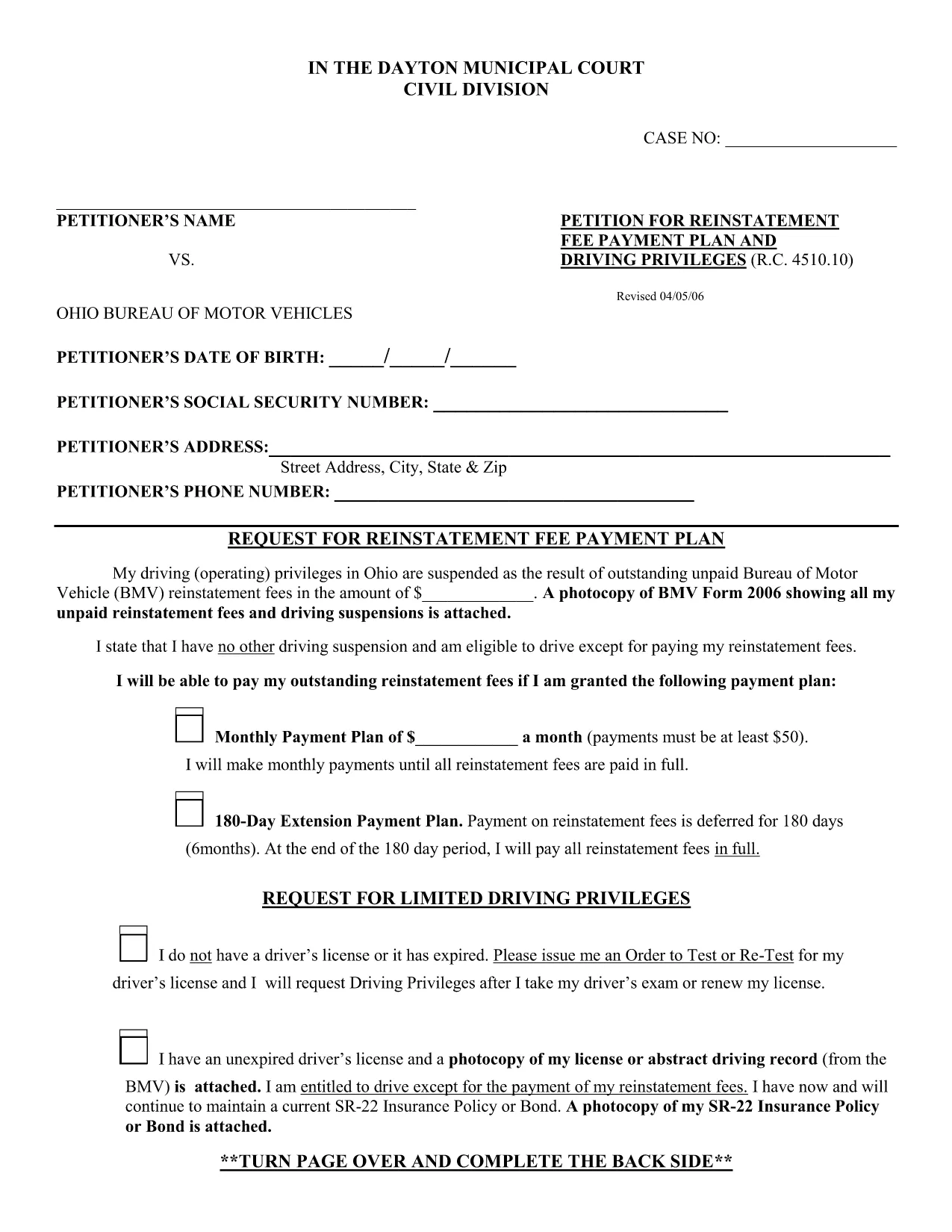
The BMV Form 2326 is the official Ohio Bureau of Motor Vehicles (BMV) reinstatement request used when a driver’s privileges have been suspended due to unpaid fees or other violations. Traditionally, you would have to print, fill out by hand, and mail the form. With Formize, the same PDF is available as a fully fillable document you can complete directly in your browser.

Our online PDF filler loads the original form instantly, preserves the exact layout required by the Ohio BMV, and lets you save a digital copy for your records. No software download, no printing required—just click, fill, and submit.

Below you’ll find a quick overview of the form sections, step‑by‑step instructions for using the Formize PDF filler, and tips to avoid common errors that can delay reinstatement.

What is BMV Form 2326?

Form 2326 is used to request reinstatement of driving privileges after a suspension. It asks for personal details, the reason for suspension, a breakdown of unpaid fees, and a signature authorizing the BMV to process the reinstatement.

How to Complete the Form Using Formize

Follow the simple How‑to guide below. The process takes less than five minutes and works on any device.

Common Mistakes to Avoid

  • Leaving required fields blank – the BMV will reject the form.
  • Using a handwritten signature image that is too small or blurry.
  • Entering the wrong fee totals – double‑check your payment receipts.
  • Submitting the form without attaching supporting documents (e.g., proof of payment).

Where to Submit the Completed Form

After you’ve saved the completed PDF, you can either:

  • Upload it through the Ohio BMV online portal, or
  • Mail a printed copy to your local BMV office (address listed on the form).

Keeping a digital copy ensures you have proof of submission in case of follow‑up questions.

SOALAN LAZIM
  • What is the purpose of BMV Form 2326?

    Form 2326 is the official request to reinstate a driver’s license after a suspension caused by unpaid fees, court fines, or other violations.

  • Do I need to print the form after filling it online?

    No. The Formize filler creates a fully completed PDF that you can submit electronically or download and print if the BMV requires a hard copy.

  • Can I use Formize on a mobile device?

    Yes. The PDF filler works on smartphones, tablets, and desktop browsers without any additional software.

  • Is my personal data safe when I use Formize?

    All data is processed locally in your browser. Formize does not store or share your information unless you choose to download or email the file.

  • What should I do if I make a mistake after saving the PDF?

    Open the saved PDF again with the Formize filler, edit the incorrect fields, and re‑save. The original layout remains unchanged.

  • How long does it take for the Ohio BMV to process the form?

    Processing time varies, but most reinstatement requests are reviewed within 7‑10 business days after the BMV receives a complete form and payment.

  • Do I need to attach proof of payment with the form?

    Yes. Include receipts or bank statements showing payment of any outstanding fees. You can attach them as separate PDFs when you upload the form online.

BAGAIMANA UNTUK

Cara mengisi BMV Form 2326 secara percuma, dalam talian dalam 5 langkah mudah:

  1. 1
    Open the Fillable Form
    Click the "Fill out this form" button on the page. The Formize PDF Filler app will load the BMV Form 2326 directly in your browser.
  2. 2
    Enter Your Information
    Type your personal details, suspension reason, and fee amounts into the highlighted fields. All fields are auto‑saved as you type.
  3. 3
    Add Your Signature
    Use the built‑in signature tool to draw or type your signature. Adjust the size so it fits within the signature box.
  4. 4
    Review and Validate
    Click the "Validate" button to let Formize check for missing required fields or formatting errors.
  5. 5
    Save or Submit
    When everything looks correct, click "Download Completed PDF" to save a copy, or use the "Share" option to email the file directly to the Ohio BMV.
Bentuk apl Pengisi PDF
TENTANG

templat BMV Form 2326.

Dengan set ciri tradisional untuk melihat dan mengisi dokumen PDF, digabungkan dengan faedah aplikasi web dan reka letak responsif, anda boleh melengkapkan BMV Form 2326 dalam beberapa minit.

CIRI-CIRI

Pengisi PDF

Cara paling mudah untuk mengisi BMV Form 2326 dalam talian

  • Cepat isi BMV Form 2326
    Mencari cara untuk mengisi BMV Form 2326 dengan cepat dalam talian? Dengan pengisi borang PDF percuma dalam talian kami, anda akan tahu cara mengedit dan mengisi dokumen pdf ini dalam masa kurang daripada satu minit.
  • Mudah untuk menggunakan editor PDF dalam talian
    Bosan dengan mencetak fail PDF supaya anda boleh mengeditnya, sebelum mengimbas semula dan menghantarnya semula? Edit dokumen PDF secara percuma dalam talian. Gunakan editor pdf dalam talian kami untuk menjimatkan masa dan kertas.
  • Alat yang hebat, semua platform
    Tertanya-tanya cara mengisi BMV Form 2326 pada Mac, atau mungkin cara menggunakan pengisi PDF secara percuma? Alat PDF dalam talian kami berfungsi pada semua platform.
  • Simpanan fail selamat
    Fail "BMV Form 2326" yang lengkap disimpan dalam pangkalan data selamat yang diuruskan oleh pengehosan Amazon Cloud. Anda boleh memadamkan fail anda daripada sistem kami pada bila-bila masa. Walau apa pun, fail ini dipadamkan secara automatik selepas 24 jam.
  • Sembang dengan BMV Form 2326
    Sembang dengan "BMV Form 2326" di Chatize yang merupakan pembantu pembaca PDF percuma. Tanya soalan dan dapatkan jawapan daripada "BMV Form 2326". Cuma klik pada butang Sembang Dengan Dokumen di atas.

Padamkan sesi pengisian

Padamkan sesi pengisian yang dipilih? Dalam kes ini, kemajuan anda dalam melengkapkan borang akan hilang.

Padamkan sesi penyuntingan

Padamkan sesi penyuntingan yang dipilih? Dalam kes ini, kemajuan anda dalam membuat dan mengedit borang akan hilang.