
Pilih Bahasa

MV2548 Wisconsin Handicap Parking Permit Application (Fillable PDF)

  1. Bahasa Inggeris
  2. Negara USA
  3. Aktiviti Pendaftaran Kenderaan
  4. Jabatan Jabatan Pengangkutan
Isi borang ini
MV2548 Wisconsin Handicap Parking Permit Application (Fillable PDF)

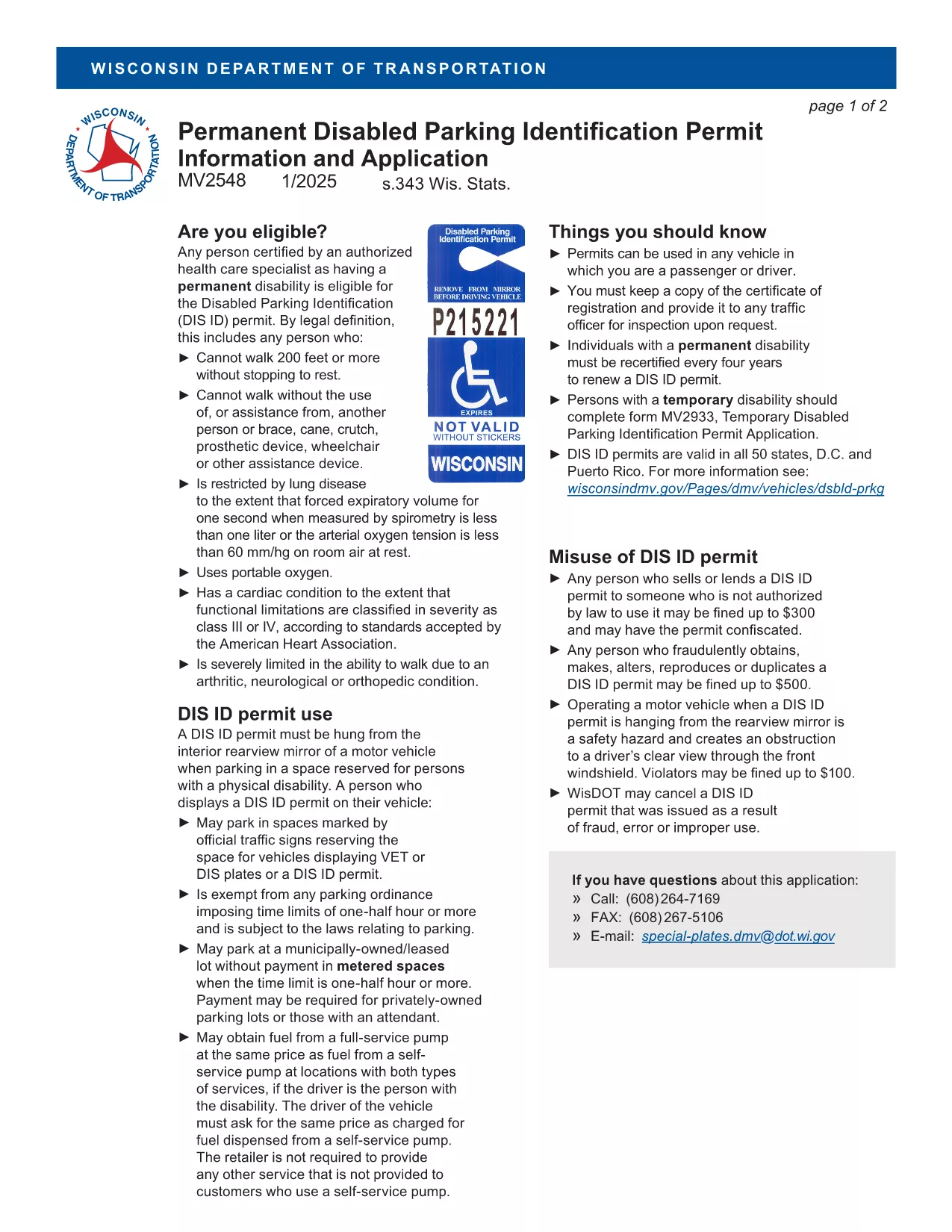
The MV2548 is the official Wisconsin Department of Transportation application for a disabled parking placard or license plate. Whether you need a permanent placard, a temporary pass, or a disability license plate, this fillable PDF lets you complete the entire process online with the Formize PDF Filler.

Who Is Eligible for the MV2548 Permit?

To qualify, you must have a permanent or temporary disability certified by a licensed health‑care professional. Typical qualifying conditions include:

  • Inability to walk 200 feet without resting
  • Use of a wheelchair, walker, or other assistive device
  • Severe lung disease, cardiac condition, or other medical condition that limits mobility

Eligibility is determined by the physician, advanced practice nurse, podiatrist, chiropractor, physician assistant, public health nurse, or Christian Science practitioner who completes the medical certification section.

How to Complete the MV2548 Form Online

Follow these simple steps to fill out the MV2548 form directly on our site:

  1. Click the "Fill out this form" button below.
  2. Wait a few seconds while the Formize PDF Filler app loads.
  3. Enter all required information, including personal details, vehicle data, and medical certification.
  4. Review the completed form for accuracy.
  5. Save, print, or submit the form according to the instructions at the end of the PDF.

Common Mistakes to Avoid When Filling MV2548

  • Leaving the medical certification blank: The form is invalid without a completed physician’s section.
  • Mismatching vehicle information: Ensure the VIN, make, model, and year match the registration.
  • Incorrect signatures: Both the applicant and the medical professional must sign electronically or on print‑out.
  • Using an outdated form: Always use the latest MV2548 PDF – the link below points to the current version.

Where to Submit Your Completed Form

After you finish, you can either:

  • Print the completed form and mail it to the Wisconsin Department of Transportation, Division of Motor Vehicles, 500 W. St. Paul Ave., Madison, WI 53707.
  • Take the printed form to any DMV office for in‑person processing.
  • Upload the PDF through the online DMV portal if you have a registered account.

Remember to include the required fee (if applicable) and any supporting medical documentation.

Frequently Asked Questions

Below are the most common queries about the MV2548 form and how to use it.

SOALAN LAZIM
  • Who can apply for a Wisconsin handicap parking placard?

    Anyone with a permanent or temporary disability certified by a licensed health‑care professional, such as an inability to walk 200 feet without resting, qualifies.

  • Is there a fee for the MV2548 application?

    Permanent placards are free, while temporary placards cost a nominal fee (currently $6). Disability license plates have separate fees based on vehicle type.

  • How long is a permanent placard valid?

    A permanent placard is valid for four years. You must submit a new MV2548 form with an updated medical certification before the expiration date.

  • Can I fill out the MV2548 form on a mobile device?

    Yes. The Formize PDF Filler works on most smartphones and tablets, allowing you to complete the form anywhere with an internet connection.

  • What should I do if my medical certification is missing a signature?

    The form will be rejected. Contact your health‑care provider to obtain the required signature before submitting the application.

  • Do I need to attach additional documents?

    Attach a copy of the signed medical certification page. If applying for a license plate, include a copy of your vehicle registration.

  • How do I renew my handicap placard?

    Complete a new MV2548 form, obtain a fresh medical certification, and submit it with the renewal fee (if applicable) before your current placard expires.

  • Can out‑of‑state visitors use a Wisconsin placard?

    Visitors may use their home‑state placard while in Wisconsin, but they cannot obtain a Wisconsin placard unless they become a resident.

BAGAIMANA UNTUK

Cara mengisi MV2548 secara percuma, dalam talian dalam 5 langkah mudah:

  1. 1
    Open the Fillable Form
    Click the "Fill out this form" button on the page. The Formize PDF Filler will open in a new window.
  2. 2
    Load the PDF Filler
    Wait a few seconds while the app loads the MV2548 PDF. No download or extra software is required.
  3. 3
    Enter Your Information
    Complete each section—personal details, vehicle data, and medical certification—using the on‑screen fields.
  4. 4
    Review and Sign
    Double‑check all entries for accuracy, then add your electronic signature and the medical professional’s signature.
  5. 5
    Save or Submit
    Save the completed PDF to your device, print it, and mail or bring it to a Wisconsin DMV office, or upload it via the online portal.
Bentuk apl Pengisi PDF
TENTANG

Borang Pendaftaran Kenderaan

MV2548 ialah salah satu borang pendaftaran Kenderaan yang merupakan dokumen yang digunakan untuk mendaftarkan kenderaan bermotor dengan pihak berkuasa kerajaan yang berkaitan, biasanya Jabatan Kenderaan Bermotor (DMV) atau agensi yang setara. Borang ini diperlukan apabila seseorang membeli kenderaan baharu atau terpakai, memindahkan pemilikan kenderaan, atau berpindah ke bidang kuasa baharu dengan kenderaan.

Borang pendaftaran kenderaan tertentu boleh berbeza mengikut bidang kuasa, tetapi biasanya borang tersebut memerlukan maklumat berikut:

Maklumat Kenderaan: Ini termasuk butiran tentang kenderaan, seperti jenama, model, tahun, nombor pengenalan kenderaan (VIN) dan bacaan odometer.

Maklumat Pemilik: Borang akan memerlukan maklumat tentang pemilik kenderaan, termasuk nama, alamat, maklumat hubungan dan nombor lesen memandu mereka.

Bukti Pemilikan: Bergantung pada keadaan, bukti pemilikan mungkin diperlukan, seperti sijil hak milik, bil jualan atau sijil asal pengeluar (untuk kenderaan baharu).

Maklumat Insurans: Bukti perlindungan insurans kenderaan yang sah biasanya diperlukan. Ini mungkin termasuk memberikan nombor polisi insurans, tarikh perlindungan dan butiran syarikat insurans.

Pembayaran Yuran: Pendaftaran kenderaan melibatkan pembayaran pelbagai yuran, seperti yuran pendaftaran, cukai dan mungkin caj lain yang khusus untuk bidang kuasa.

Sebagai tambahan kepada keperluan asas ini, sesetengah bidang kuasa mungkin mempunyai borang tambahan atau keperluan dokumentasi. Contohnya, keputusan ujian pelepasan, pemeriksaan keselamatan atau bukti pemastautin mungkin diperlukan di kawasan tertentu.

Setelah borang pendaftaran kenderaan dilengkapkan dan diserahkan, pihak berkuasa kerajaan akan mengeluarkan sijil pendaftaran, plat lesen dan pelekat pendaftaran. Dokumen ini menunjukkan bahawa kenderaan itu didaftarkan secara sah dan dibenarkan untuk dikendalikan di jalan awam.

Adalah penting untuk ambil perhatian bahawa keperluan pendaftaran kenderaan boleh berbeza-beza mengikut bidang kuasa. Oleh itu, adalah disyorkan untuk berunding dengan DMV tempatan atau agensi yang setara untuk mendapatkan borang dan prosedur khusus yang berkenaan dengan lokasi anda.

CIRI-CIRI

Pengisi PDF

Cara paling mudah untuk mengisi MV2548 dalam talian

  • Cepat isi MV2548
    Mencari cara untuk mengisi MV2548 dengan cepat dalam talian? Dengan pengisi borang PDF percuma dalam talian kami, anda akan tahu cara mengedit dan mengisi dokumen pdf ini dalam masa kurang daripada satu minit.
  • Mudah untuk menggunakan editor PDF dalam talian
    Bosan dengan mencetak fail PDF supaya anda boleh mengeditnya, sebelum mengimbas semula dan menghantarnya semula? Edit dokumen PDF secara percuma dalam talian. Gunakan editor pdf dalam talian kami untuk menjimatkan masa dan kertas.
  • Alat yang hebat, semua platform
    Tertanya-tanya cara mengisi MV2548 pada Mac, atau mungkin cara menggunakan pengisi PDF secara percuma? Alat PDF dalam talian kami berfungsi pada semua platform.
  • Simpanan fail selamat
    Fail "MV2548" yang lengkap disimpan dalam pangkalan data selamat yang diuruskan oleh pengehosan Amazon Cloud. Anda boleh memadamkan fail anda daripada sistem kami pada bila-bila masa. Walau apa pun, fail ini dipadamkan secara automatik selepas 24 jam.
  • Sembang dengan MV2548
    Sembang dengan "MV2548" di Chatize yang merupakan pembantu pembaca PDF percuma. Tanya soalan dan dapatkan jawapan daripada "MV2548". Cuma klik pada butang Sembang Dengan Dokumen di atas.

Padamkan sesi pengisian

Padamkan sesi pengisian yang dipilih? Dalam kes ini, kemajuan anda dalam melengkapkan borang akan hilang.

Padamkan sesi penyuntingan

Padamkan sesi penyuntingan yang dipilih? Dalam kes ini, kemajuan anda dalam membuat dan mengedit borang akan hilang.