Pilih Bahasa

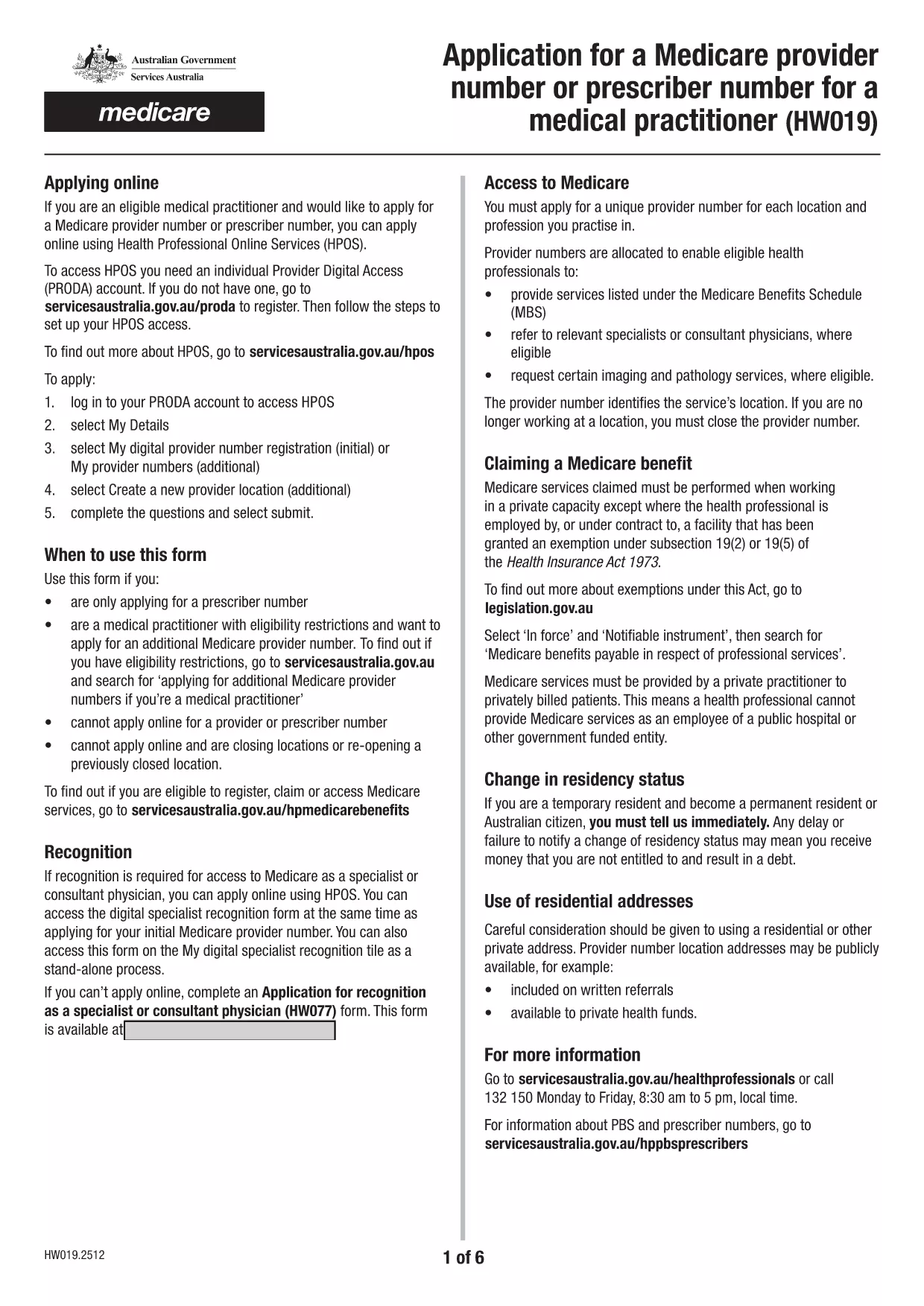
Medicare Provider & Prescriber Number Application (HW019) – Fillable PDF

  1. Negara USA
  2. Bahasa Inggeris
  3. Aktiviti Healthcare
  4. Jabatan Health Services
Isi borang ini
Medicare Provider & Prescriber Number Application (HW019) – Fillable PDF

Looking for a fast, secure way to apply for a Medicare provider or prescriber number? The HW019 Application Form is now available as a fully fillable PDF that you can complete directly in your browser using Formize’s PDF Filler app.

This page guides you through every step – from downloading the form to submitting it – so you can avoid delays and get your number approved quickly.

Why Choose a Fillable PDF Form?

  • Instant editing: No need to print, scan, or fax. Fill fields directly on the page.
  • Data integrity: Built‑in validation prevents common entry errors.
  • Secure storage: Your completed PDF can be saved locally or submitted electronically.
  • Compatibility: Works on any device – desktop, tablet, or smartphone.

How to Complete the HW019 Application Online

Follow the simple steps in the "How‑To" section below. The Formize PDF Filler loads the form, lets you type, select check‑boxes, and add digital signatures without leaving the page.

Common Mistakes to Avoid

  • Leaving required fields blank – the filler will highlight missing information.
  • Using an outdated version of the form – always use the latest PDF linked on this page.
  • Submitting without a digital signature – the form will not be accepted by Services Australia.
  • Uploading an unfilled PDF via email – the online filler ensures the file is fully completed.

Where and How to Submit Your Application

Once you have completed the HW019 form, you can:

  • Submit electronically through the Services Australia portal (requires a PRODA account).
  • Download the filled PDF and mail it to the address listed on the form.

Both methods accept the same fillable PDF, ensuring consistency and reducing processing time.

Frequently Asked Questions

Answers to the most common queries are listed below. If you need further assistance, contact Services Australia directly.

SOALAN LAZIM
  • Do I need to print the HW019 form to complete it?

    No. The fillable PDF can be completed entirely online using Formize’s PDF Filler, saving you time and paper.

  • Is a digital signature accepted for the Medicare provider application?

    Yes. Services Australia accepts a legally binding digital signature entered through the fillable PDF.

  • What if I make a mistake after submitting?

    Contact Services Australia’s provider support line. They can guide you on correcting or re‑submitting the form.

  • Can I save my progress and finish later?

    Absolutely. Use the “Save” option in Formize to download a partially completed PDF, then reopen it later to finish.

  • Do I need a PRODA account to submit the form online?

    Yes. Online submission through the Services Australia portal requires a valid PRODA account.

  • Is there a fee to apply for a Medicare provider number?

    No. The application for a provider or prescriber number is free of charge.

  • How long does it take to receive the provider number after submission?

    Processing typically takes 10‑15 business days, but times can vary based on workload and completeness of your application.

  • What supporting documents are required?

    You’ll need proof of identity, professional registration certificates, and, if applicable, a letter of endorsement from your employer.

BAGAIMANA UNTUK

Cara mengisi fillable PDF secara percuma, dalam talian dalam 5 langkah mudah:

  1. 1
    Open the Fillable Form
    Click the “Fill out this form” button on this page. The Formize PDF Filler app will load the HW019 PDF directly in your browser.
  2. 2
    Complete Each Section
    Enter your personal and professional details, select the appropriate check‑boxes, and upload any required supporting documents.
  3. 3
    Add a Digital Signature
    Use the built‑in signature field to sign electronically. This satisfies the requirement for a handwritten signature.
  4. 4
    Review and Validate
    Click the “Validate” button. The filler will highlight any missing or incorrectly formatted fields.
  5. 5
    Submit or Download
    Choose “Submit online” to send the form directly to Services Australia, or download the completed PDF for mailing.
Bentuk apl Pengisi PDF
TENTANG

templat fillable PDF.

Dengan set ciri tradisional untuk melihat dan mengisi dokumen PDF, digabungkan dengan faedah aplikasi web dan reka letak responsif, anda boleh melengkapkan fillable PDF dalam beberapa minit.

CIRI-CIRI

Pengisi PDF

Cara paling mudah untuk mengisi fillable PDF dalam talian

  • Cepat isi fillable PDF
    Mencari cara untuk mengisi fillable PDF dengan cepat dalam talian? Dengan pengisi borang PDF percuma dalam talian kami, anda akan tahu cara mengedit dan mengisi dokumen pdf ini dalam masa kurang daripada satu minit.
  • Mudah untuk menggunakan editor PDF dalam talian
    Bosan dengan mencetak fail PDF supaya anda boleh mengeditnya, sebelum mengimbas semula dan menghantarnya semula? Edit dokumen PDF secara percuma dalam talian. Gunakan editor pdf dalam talian kami untuk menjimatkan masa dan kertas.
  • Alat yang hebat, semua platform
    Tertanya-tanya cara mengisi fillable PDF pada Mac, atau mungkin cara menggunakan pengisi PDF secara percuma? Alat PDF dalam talian kami berfungsi pada semua platform.
  • Simpanan fail selamat
    Fail "fillable PDF" yang lengkap disimpan dalam pangkalan data selamat yang diuruskan oleh pengehosan Amazon Cloud. Anda boleh memadamkan fail anda daripada sistem kami pada bila-bila masa. Walau apa pun, fail ini dipadamkan secara automatik selepas 24 jam.
  • Sembang dengan fillable PDF
    Sembang dengan "fillable PDF" di Chatize yang merupakan pembantu pembaca PDF percuma. Tanya soalan dan dapatkan jawapan daripada "fillable PDF". Cuma klik pada butang Sembang Dengan Dokumen di atas.

Padamkan sesi pengisian

Padamkan sesi pengisian yang dipilih? Dalam kes ini, kemajuan anda dalam melengkapkan borang akan hilang.

Padamkan sesi penyuntingan

Padamkan sesi penyuntingan yang dipilih? Dalam kes ini, kemajuan anda dalam membuat dan mengedit borang akan hilang.