Pilih Bahasa

RUT-50 Private Party Vehicle Use Tax Form – Printable PDF

  1. Bahasa Inggeris
  2. Negara USA
  3. Jabatan Illinois Department of Revenue
  4. Aktiviti Vehicle Use Tax
Isi borang ini
RUT-50 Private Party Vehicle Use Tax Form – Printable PDF

The Illinois RUT-50 is the Private Party Vehicle Use Tax Transaction form required when you purchase a vehicle from a private seller. This form calculates the tax due based on the purchase price or fair market value and must be filed within 30 days of acquiring the vehicle.

Instead of printing, printing, filling in ink, and scanning, you can complete the RUT-50 instantly online with Formize’s secure PDF filler. The fillable version is fully compatible with the official Illinois Department of Revenue requirements.

Below you’ll find everything you need to know – from eligibility and required documents to step‑by‑step instructions for completing the form without ever leaving your browser.

SOALAN LAZIM
  • Who must file Form RUT-50?

    Anyone who buys a motor vehicle from a private party and will use the vehicle in Illinois must file Form RUT-50 within 30 days of acquisition.

  • Can I file the RUT-50 electronically?

    Yes. You can file the form electronically through MyTax Illinois, but you still need a printable copy of the completed form for the Secretary of State’s title and registration process.

  • What if I don’t know the purchase price?

    When the purchase price isn’t stated (e.g., a gift), use the fair market value of the vehicle, which you can obtain from a licensed dealer.

  • Are trade‑in allowances allowed on the RUT-50?

    No. Trade‑in allowances are not permitted on Form RUT-50; the full purchase price or fair market value must be reported.

  • How do I correct a mistake after filing?

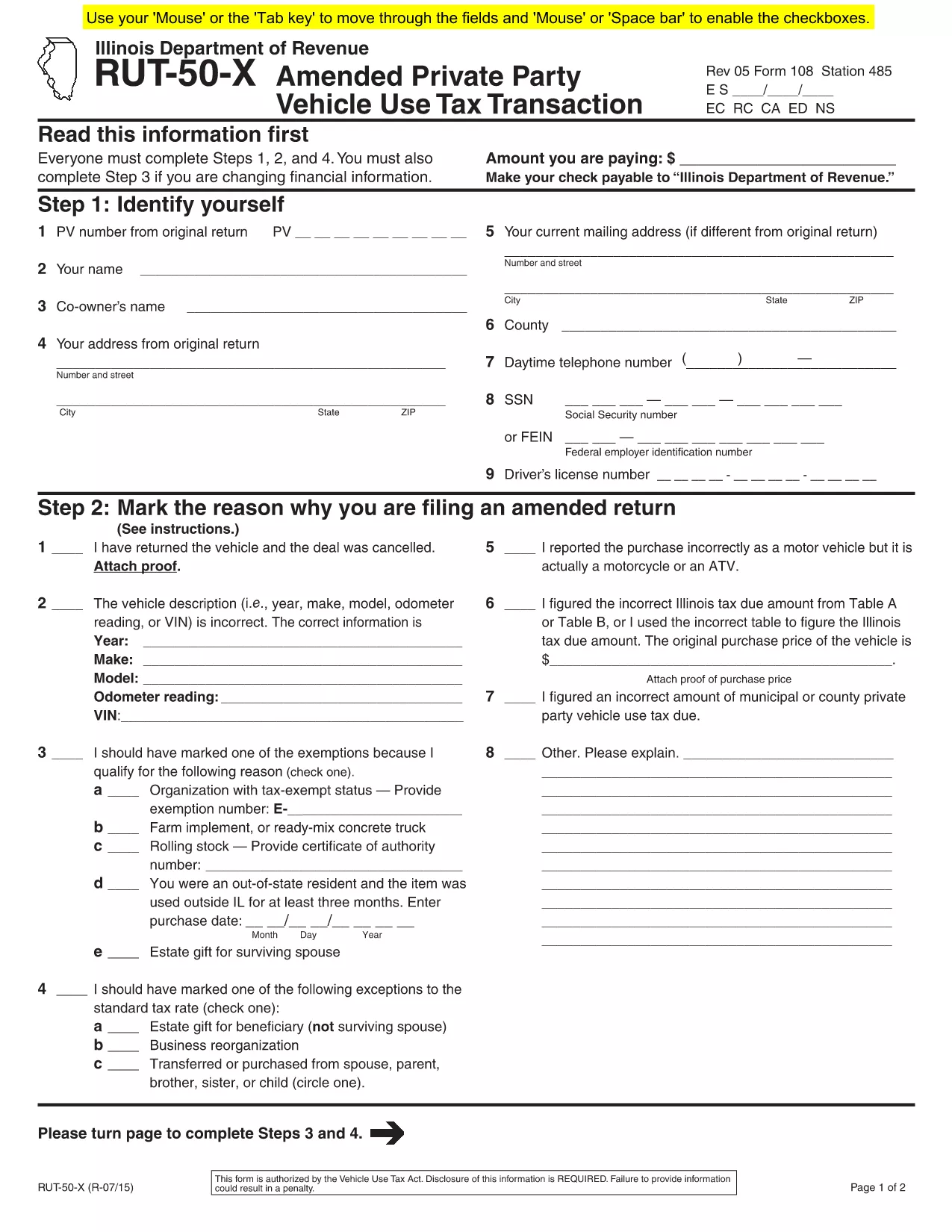
    If you need to amend the form, file Form RUT-50‑X (Amended Private Party Vehicle Use Tax Transaction) on paper; there is no electronic amendment process.

  • Do I need to attach a bill of sale?

    Attaching a copy of the bill of sale or proof of purchase is recommended to avoid future notices from the Department of Revenue.

  • Is there a fee to use Formize’s PDF filler?

    Formize offers a free fillable version for the RUT-50. No additional fees are charged for completing or downloading the PDF.

  • Where do I submit the completed RUT-50?

    Submit the printed copy to the Illinois Secretary of State when you apply for a title and license plates. Keep a copy for your records.

BAGAIMANA UNTUK

Cara mengisi RUT-50 PDF secara percuma, dalam talian dalam 7 langkah mudah:

  1. 1
    Open the Fillable Form
    Click the “Fill out this form” button on this page. The Formize PDF Filler app will load in a new tab.
  2. 2
    Enter Purchaser Information
    Type the buyer’s name, address, driver’s license number, and SSN or FEIN into the highlighted fields.
  3. 3
    Enter Seller Information
    Provide the seller’s name, phone number, and address exactly as they appear on the bill of sale.
  4. 4
    Describe the Vehicle
    Fill in the VIN, year, make, model, odometer reading, and purchase price (or fair market value for gifts).
  5. 5
    Select Exemptions or Exceptions (if any)
    Check the appropriate box for exemptions or special situations and enter the required dollar amount.
  6. 6
    Review & Submit
    Double‑check all entries, then click the “Submit” button. The completed PDF will be generated automatically.
  7. 7
    Print or Save
    Download the finished PDF, print a hard copy for the Illinois Secretary of State, or save it for your records.
Bentuk apl Pengisi PDF
TENTANG

templat RUT-50 PDF.

Dengan set ciri tradisional untuk melihat dan mengisi dokumen PDF, digabungkan dengan faedah aplikasi web dan reka letak responsif, anda boleh melengkapkan RUT-50 PDF dalam beberapa minit.

CIRI-CIRI

Pengisi PDF

Cara paling mudah untuk mengisi RUT-50 PDF dalam talian

  • Cepat isi RUT-50 PDF
    Mencari cara untuk mengisi RUT-50 PDF dengan cepat dalam talian? Dengan pengisi borang PDF percuma dalam talian kami, anda akan tahu cara mengedit dan mengisi dokumen pdf ini dalam masa kurang daripada satu minit.
  • Mudah untuk menggunakan editor PDF dalam talian
    Bosan dengan mencetak fail PDF supaya anda boleh mengeditnya, sebelum mengimbas semula dan menghantarnya semula? Edit dokumen PDF secara percuma dalam talian. Gunakan editor pdf dalam talian kami untuk menjimatkan masa dan kertas.
  • Alat yang hebat, semua platform
    Tertanya-tanya cara mengisi RUT-50 PDF pada Mac, atau mungkin cara menggunakan pengisi PDF secara percuma? Alat PDF dalam talian kami berfungsi pada semua platform.
  • Simpanan fail selamat
    Fail "RUT-50 PDF" yang lengkap disimpan dalam pangkalan data selamat yang diuruskan oleh pengehosan Amazon Cloud. Anda boleh memadamkan fail anda daripada sistem kami pada bila-bila masa. Walau apa pun, fail ini dipadamkan secara automatik selepas 24 jam.
  • Sembang dengan RUT-50 PDF
    Sembang dengan "RUT-50 PDF" di Chatize yang merupakan pembantu pembaca PDF percuma. Tanya soalan dan dapatkan jawapan daripada "RUT-50 PDF". Cuma klik pada butang Sembang Dengan Dokumen di atas.

Padamkan sesi pengisian

Padamkan sesi pengisian yang dipilih? Dalam kes ini, kemajuan anda dalam melengkapkan borang akan hilang.

Padamkan sesi penyuntingan

Padamkan sesi penyuntingan yang dipilih? Dalam kes ini, kemajuan anda dalam membuat dan mengedit borang akan hilang.